

In modern software development and automation workflows, configuration files serve as the backbone of application behavior. Among these, the config.toml file for Codex stands out as a critical component that dictates how the system interacts with external resources, manages network requests, and handles various operational parameters. Proper configuration of this file not only ensures smooth execution of tasks but also directly impacts the reliability, security, and performance of your entire workflow.
This comprehensive guide will walk you through every aspect of Codex config.toml configuration, from fundamental syntax and basic parameters to advanced proxy network integration. Whether you’re a software developer building cross-border applications, a data engineer collecting global market intelligence, or a DevOps professional managing distributed systems, mastering these configuration techniques will significantly enhance your operational capabilities. We will particularly focus on how to seamlessly integrate high-quality proxy networks into your Codex setup, enabling you to overcome geographical restrictions, avoid IP-based blocks, and maintain consistent performance across global operations.
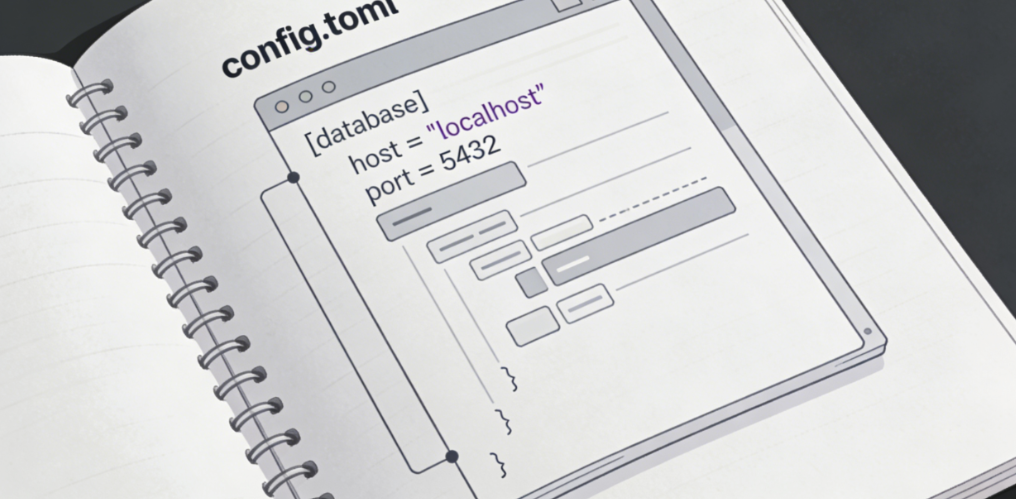
Understanding Codex config.toml Structure and Syntax
The TOML Format Advantage
TOML (Tom’s Obvious, Minimal Language) has gained widespread adoption in configuration files due to its human-readable syntax and clear structure. Unlike JSON or YAML, TOML avoids excessive nesting and uses a straightforward key-value pair format that is both easy to write and parse. This makes it an ideal choice for Codex configuration, where clarity and maintainability are paramount.
A typical Codex config.toml file is organized into sections, each denoted by square brackets. These sections group related configuration parameters together, making it easy to navigate and modify specific aspects of the system’s behavior. The most common sections include general settings, network configuration, logging options, and proxy settings—each playing a vital role in how Codex operates.
Core Configuration Sections Explained
The general settings section contains parameters that control the overall behavior of Codex. This includes settings such as the default timeout for network requests, the maximum number of retries for failed operations, and the logging level. Properly configuring these parameters ensures that Codex operates efficiently and provides sufficient visibility into its activities.
The network configuration section is particularly important for operations that involve external API calls or data retrieval. Here, you can specify parameters such as the user agent string, request headers, and connection pooling settings. These settings help Codex mimic legitimate browser behavior, reducing the likelihood of being blocked by target websites.
The logging section allows you to configure how Codex records its activities. You can specify the log file location, the maximum log file size, and the rotation frequency. Proper logging is essential for troubleshooting issues and monitoring the performance of your Codex workflows.
However, the most critical section for cross-border and high-volume operations is the proxy configuration section. This is where you define how Codex routes its network traffic through proxy servers, enabling you to access region-locked content, distribute requests across multiple IP addresses, and maintain anonymity during data collection activities.
Basic Proxy Configuration in Codex config.toml
Understanding Proxy Types and Their Use Cases
Before diving into the configuration details, it’s essential to understand the different types of proxies available and their appropriate use cases. Proxies can be broadly categorized into three main types: static residential proxies, dynamic residential proxies, and data center proxies. Each type has its own strengths and is suited for specific operational scenarios.
Static residential proxies are permanently active IP addresses directly allocated by Internet Service Providers (ISPs). These proxies provide a fixed identity that remains unchanged over time, making them ideal for scenarios that require long-term consistency. They are particularly useful for cross-border e-commerce operations, social media management, and financial services where maintaining a stable online presence is crucial.
Dynamic residential proxies, on the other hand, are IP addresses that change periodically or with each request. These proxies originate from real user devices worldwide, providing a high level of anonymity and making it difficult for target websites to detect and block automated activities. They are perfect for data collection, SEO optimization, market research, and ad verification tasks that require frequent IP rotation.
Data center proxies are allocated by service providers from their data center infrastructure. These proxies offer high speed and low latency, making them suitable for large-scale concurrent requests and data processing tasks. They are commonly used for automated testing, streaming media unlocking, and high-speed data collection operations.
IPFLY offers all three proxy types through a unified platform, with a global pool of over 90 million overseas proxy IPs covering more than 190 countries and regions. This comprehensive coverage ensures that you always have the right proxy type for your specific Codex workflow, regardless of your operational requirements.
Configuring Basic Proxy Settings
To configure proxy settings in Codex config.toml, you need to add a [proxy] section to your configuration file. Within this section, you can specify the proxy type, server address, port number, authentication credentials, and other relevant parameters. The exact syntax may vary slightly depending on the proxy protocol you are using, but the basic structure remains consistent.
For HTTP and HTTPS proxies using IPFLY’s network, the configuration typically looks like this:
toml
[proxy]enabled = truetype = "http"server = "http-proxy.ipfly.com"port = 8080username = "your_ipfly_username"password = "your_ipfly_password"For SOCKS5 proxies, which offer greater flexibility and support for various network protocols, the configuration is similar but with the type set to “socks5”:
toml
[proxy]enabled = truetype = "socks5"server = "socks5-proxy.ipfly.com"port = 1080username = "your_ipfly_username"password = "your_ipfly_password"IPFLY supports all three major protocols (HTTP/HTTPS/SOCKS5), providing maximum compatibility with Codex and other development tools. This eliminates the need to use multiple proxy services for different protocols, simplifying your configuration and reducing operational complexity.
Authentication and Security Considerations
Proxy authentication is a critical aspect of configuration that should never be overlooked. Most reputable proxy services require authentication to ensure that only authorized users can access their proxy networks. The most common authentication methods are username/password authentication and IP whitelisting.
Username/password authentication is straightforward and works well for most use cases. However, it’s important to keep your credentials secure and avoid hardcoding them in your configuration files if they are stored in version control systems. Instead, consider using environment variables or secure configuration management tools to store sensitive information.
IP whitelisting is another authentication method that allows you to specify which IP addresses can access the proxy network. This method is particularly useful for server-based applications where the IP address is fixed. It eliminates the need to send credentials with each request, enhancing security and reducing the risk of credential theft.
When configuring proxies in Codex, it’s also important to consider the security implications of routing your traffic through third-party servers. IPFLY employs high-standard encryption to protect your data in transit and has strict privacy policies in place to prevent unauthorized access to your information. All IPs originate from real end-user devices and are precisely filtered according to different business scenarios, guaranteeing high purity, security, and non-reuse.
Advanced Proxy Configuration Techniques
Configuring Multiple Proxy Endpoints
For complex workflows that require accessing resources from multiple regions or distributing requests across different proxy pools, Codex allows you to configure multiple proxy endpoints in your config.toml file. This can be achieved by creating separate proxy sections or by using a proxy rotation mechanism that automatically switches between different proxies based on predefined rules.
One common approach is to define multiple proxy profiles, each with its own set of configuration parameters. You can then specify which profile to use for different tasks or let Codex automatically select the appropriate profile based on the target region or website. This flexibility allows you to optimize your proxy usage for different scenarios, ensuring maximum performance and reliability.
IPFLY’s global network coverage makes it easy to configure region-specific proxy endpoints. With servers in over 190 countries and regions, you can create separate profiles for North America, Europe, Asia, and other major markets, ensuring that your requests always originate from the appropriate geographic location.
Implementing Proxy Rotation
Proxy rotation is a crucial technique for avoiding IP-based blocks and maintaining high success rates in data collection and web scraping operations. By rotating IP addresses periodically or with each request, you can distribute your traffic across multiple endpoints, making it difficult for target websites to detect and block your activities.
In Codex, proxy rotation can be configured in the [proxy.rotation] section of your config.toml file. Here, you can specify the rotation interval, the number of requests per IP, and the rotation strategy. For example, you can configure Codex to rotate IP addresses every 10 requests or every 5 minutes, whichever comes first.
When implementing proxy rotation, it’s important to use a proxy service that offers a large and diverse IP pool. IPFLY’s pool of over 90 million global residential IPs provides sufficient diversity to ensure that you always have fresh IP addresses available. This not only helps avoid blocks but also ensures that your requests appear to come from real users in different locations, enhancing the authenticity of your activities.
Configuring Region-Specific Proxies
Many operations require accessing region-specific content or simulating user behavior from specific geographic locations. For example, an e-commerce business may need to check product prices on regional websites, or a content creator may need to access region-locked social media features.
In Codex, you can configure region-specific proxies by adding a region parameter to your proxy configuration. This allows you to specify which country or region you want your traffic to originate from. IPFLY offers granular region selection, allowing you to target specific countries, cities, or even ISPs.
For example, to configure Codex to use IPFLY’s US-based proxies for all requests to US-based websites, you would add the following to your config.toml file:
toml
[proxy.region.us]enabled = trueserver = "us-proxy.ipfly.com"port = 1080username = "your_ipfly_username"password = "your_ipfly_password"This level of granularity ensures that your requests always appear to come from local users, significantly reducing the likelihood of being blocked or flagged by target websites.
Optimizing Codex config.toml for Proxy Performance
Connection Pooling and Timeout Settings
Proper configuration of connection pooling and timeout settings is essential for maximizing the performance of your proxy-enabled Codex workflows. Connection pooling allows Codex to reuse existing connections instead of creating new ones for each request, significantly reducing overhead and improving response times.
In the [network] section of your config.toml file, you can specify the maximum number of concurrent connections, the maximum number of idle connections, and the connection timeout. These settings should be tuned based on your specific workload and the capabilities of your proxy service.
Timeout settings are particularly important when using proxies, as network latency can vary significantly depending on the proxy location and the target website. Setting appropriate timeout values ensures that Codex does not hang indefinitely on failed requests and can quickly retry with a different proxy if necessary.
IPFLY’s dedicated high-performance servers are optimized for connection pooling and can handle thousands of concurrent connections without performance degradation. This allows you to configure more aggressive connection pooling settings in Codex, further improving the performance of your workflows.
Concurrency Configuration
High concurrency is a key requirement for many modern workflows, especially those involving large-scale data collection or automated testing. Codex supports massive concurrent requests, but proper configuration is required to ensure that your proxy service can handle the load without performance degradation.
In the [concurrency] section of your config.toml file, you can specify the maximum number of concurrent workers, the queue size, and the rate limit. These settings should be aligned with the capabilities of your proxy service.
IPFLY offers unlimited ultra-high concurrency with dedicated high-performance servers, enabling stable access via authentic residential IP addresses. This ensures persistent and reliable proxy connections with no concurrency limits, helping businesses reduce costs, boost efficiency, and optimize performance. With IPFLY, you can configure Codex to run hundreds or even thousands of concurrent workers without worrying about overwhelming the proxy network.
Caching Strategies
Caching is another effective technique for improving the performance of your Codex workflows. By caching frequently accessed resources locally, you can reduce the number of requests sent through the proxy network, lowering latency and reducing bandwidth usage.
In the [cache] section of your config.toml file, you can enable caching and specify the cache directory, maximum cache size, and cache expiration policy. These settings should be configured based on the nature of your data and how frequently it changes. For static content that rarely changes, a longer cache expiration time is appropriate, while for dynamic content that updates frequently, a shorter expiration time is necessary to ensure data freshness.
Troubleshooting Common Proxy Configuration Issues
Connection Failures and Timeouts
One of the most common issues when using proxies with Codex is connection failures or timeouts. These can be caused by a variety of factors, including incorrect proxy configuration, network issues, or problems with the proxy service itself.
To troubleshoot connection failures, start by verifying your proxy configuration parameters. Ensure that the server address, port number, username, and password are correct. If you’re using IP whitelisting, confirm that your IP address is properly whitelisted with the proxy service.
Next, test your proxy connection using a tool like curl or a web browser to ensure that the proxy is working correctly. If the proxy works with other tools but not with Codex, the issue may be with your Codex configuration. Check the Codex logs for any error messages that can help identify the problem.
If the proxy itself is not working, contact your proxy service provider for assistance. IPFLY offers 24/7 technical support to help resolve any issues quickly and minimize downtime. With 99.9% uptime, you can trust that your operations will run smoothly and efficiently.
IP Blocks and Detection
Another common issue is IP blocks and detection by target websites. This can happen if your proxy IP addresses have been previously abused or if your request patterns appear suspicious.
To avoid IP blocks, ensure that you’re using a proxy service that provides high-quality, pure IP addresses that are not shared among multiple users. IPFLY rigorously filters its IP pool according to different business scenarios, guaranteeing high purity, security, and non-reuse. This significantly reduces the likelihood of being blocked.
Additionally, implement proper request throttling and rotation strategies to mimic human behavior. Avoid sending too many requests too quickly from the same IP address, and randomize your request intervals and user agent strings.
If you do encounter an IP block, IPFLY allows you to easily switch to a new IP address. With a large global IP pool, you can quickly find a replacement IP and continue your operations without significant disruption.
Performance Degradation
Performance degradation is another issue that can occur when using proxies, especially if you’re using low-quality proxies or have improper configuration. Symptoms of performance degradation include slow response times, high latency, and frequent connection drops.
To address performance issues, first ensure that you’re using a high-quality proxy service with a global network of servers. IPFLY’s high-speed operations maintain exceptionally high success rates, effectively improving business execution efficiency. Global business access is just a click away.
Next, review your Codex configuration to ensure that it’s optimized for performance. Check your connection pooling, timeout, and concurrency settings to ensure that they are appropriate for your workload. Consider using IPFLY’s data center proxies for tasks that require high speed and low latency, and residential proxies for tasks that require high anonymity and authenticity.
Key Takeaways: Optimizing Your Codex Proxy Configuration
Proper configuration of Codex config.toml is essential for building robust, efficient, and reliable workflows that leverage proxy networks. By understanding the structure and syntax of the configuration file, mastering basic and advanced proxy configuration techniques, and optimizing your settings for performance, you can unlock the full potential of Codex for your cross-border operations.
Key takeaways from this guide include:
- Choose the appropriate proxy type based on your specific use case: static residential proxies for long-term stability, dynamic residential proxies for high-frequency IP rotation, and data center proxies for high-speed performance
- Configure proxy authentication properly to ensure security and prevent unauthorized access
- Implement proxy rotation and region-specific proxies to avoid blocks and access region-locked content
- Optimize connection pooling, timeout, and concurrency settings to maximize performance
- Use caching strategies to reduce latency and bandwidth usage
- Troubleshoot common issues such as connection failures, IP blocks, and performance degradation by verifying your configuration and working with your proxy service provider

Ready to take your Codex workflows to the next level with high-performance global proxy networks? Register for an IPFLY account today and gain access to a massive pool of over 90 million residential and data center IPs covering more than 190 countries and regions. Whether you need static residential proxies for stable cross-border e-commerce operations, dynamic residential proxies for large-scale data collection, or data center proxies for high-speed automated testing, you’ll find the perfect solution to meet your needs.
Simply select the appropriate proxy type for your use case, configure the parameters in your Codex config.toml file following the guidelines in this guide, and immediately embark on a stable cross-border business journey. With 24/7 technical support and a commitment to 99.9% uptime, you can trust that your operations will run smoothly and efficiently, no matter where in the world your business takes you.
