

Comma-Separated Values (CSV) remains the lingua franca of data exchange despite its limitations. Born from 1970s mainframe computing, CSV’s simplicity enables universal compatibility—every spreadsheet application, database system, and programming language handles CSV without proprietary dependencies. Yet this simplicity imposes constraints: no native type preservation, limited nesting capabilities, fragile parsing due to delimiter conflicts, and absence of schema enforcement.
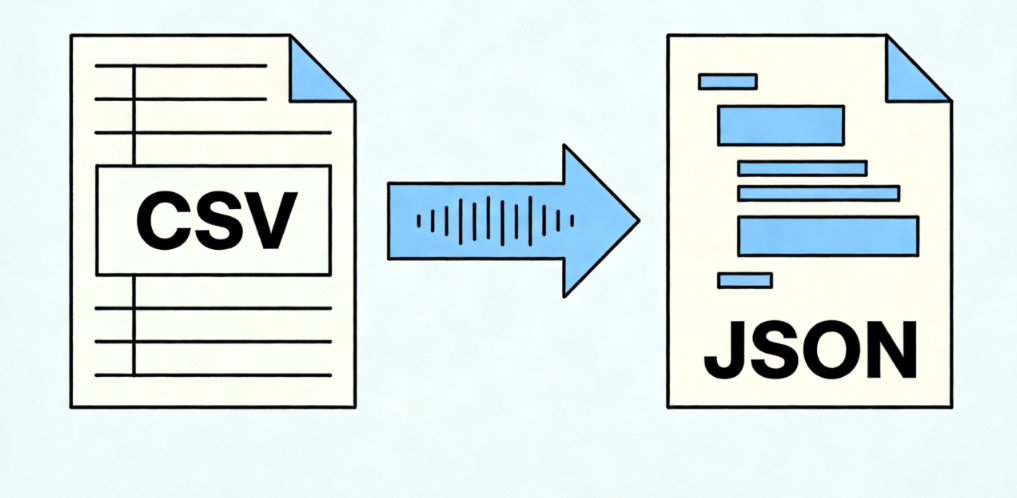
JavaScript Object Notation (JSON) addresses these limitations while maintaining readability. Its hierarchical structure accommodates complex relationships, explicit typing reduces ambiguity, and universal API adoption makes JSON the default for modern data interchange. The transformation from CSV to JSON represents not merely format conversion but data elevation—flattened tables becoming structured, typed, API-ready resources.
For data engineers, this transformation occurs constantly: ingesting legacy exports, normalizing third-party feeds, preparing analytics payloads, or structuring machine learning training sets. The technical implementation varies dramatically based on scale, complexity, and operational constraints.
Foundational Conversion Techniques
Python Native Implementation
Python’s standard library provides complete CSV and JSON handling without external dependencies. The csv.DictReader class proves particularly valuable, automatically mapping row values to column headers and producing dictionary representations that JSON serialization consumes directly:
Python
import csv
import json

defconvert_csv_to_json(csv_file_path, json_file_path):
    data =[]withopen(csv_file_path, encoding='utf-8')as csv_file:
        csv_reader = csv.DictReader(csv_file)for row in csv_reader:
            data.append(row)withopen(json_file_path,'w', encoding='utf-8')as json_file:
        json.dump(data, json_file, indent=4, ensure_ascii=False)
This approach handles basic transformations elegantly but encounters limitations with large files—memory consumption scales linearly with dataset size as entire structures load into RAM.
Pandas for Complex Transformations
The Pandas library elevates CSV processing through vectorized operations, type inference, and sophisticated data manipulation capabilities. For production pipelines requiring data cleaning, aggregation, or restructuring during conversion, Pandas provides essential functionality:
Python
import pandas as pd

defadvanced_csv_to_json(csv_path, json_path):# Read with type inference and null handling
    df = pd.read_csv(csv_path,
                     dtype={'id':str,'zipcode':str},# Preserve leading zeros
                     parse_dates=['created_at','updated_at'],
                     na_values=['N/A','NULL',''])# Data quality operations
    df.drop_duplicates(subset=['unique_id'], keep='first', inplace=True)
    df.fillna({'status':'pending'}, inplace=True)# Structural transformation: flatten to nested
    nested_data = df.groupby('category').apply(lambda x: x.drop('category', axis=1).to_dict('records')).to_dict()# Output with proper encoding and formattingwithopen(json_path,'w', encoding='utf-8')as f:
        json.dump(nested_data, f, indent=2, ensure_ascii=False, default=str)
Pandas’ read_csv function exposes dozens of parameters for handling real-world data complexities: encoding detection, delimiter specification, quote character handling, escape sequences, and multi-line field support.
Handling Large-Scale and Streaming Conversions
Production environments frequently encounter CSV files exceeding available memory—database exports, log aggregations, or IoT sensor datasets reaching gigabytes or terabytes. Streaming processing becomes essential, processing records incrementally rather than loading entire datasets:
Python
import json
import csv

defstreaming_csv_to_json(csv_path, json_path, chunk_size=10000):withopen(csv_path,'r', encoding='utf-8')as csv_file, \
         open(json_path,'w', encoding='utf-8')as json_file:

        reader = csv.DictReader(csv_file)
        json_file.write('[\n')

        first =Truefor row in reader:ifnot first:
                json_file.write(',\n')
            first =False
            json.dump(row, json_file, ensure_ascii=False)

        json_file.write('\n]')
This streaming approach maintains constant memory regardless of input size, enabling processing of theoretically unlimited datasets on modest hardware.
Data Collection Integration: Where CSV Origins Meet JSON Destinations
Modern data pipelines rarely begin with locally stored CSV files. More commonly, data engineers collect information from distributed web sources—APIs, scraped pages, or third-party platforms—often receiving CSV formats that require JSON transformation for downstream API consumption or NoSQL storage.
Consider a competitive intelligence pipeline collecting pricing data from multiple e-commerce platforms. The collection layer must navigate geographic restrictions, rate limiting, and anti-automation measures that block data center IP ranges. Residential proxy infrastructure becomes essential here, routing collection requests through authentic ISP-allocated addresses that appear as legitimate consumer traffic.
IPFLY’s residential proxy network integrates seamlessly into such pipelines, providing over 90 million authentic residential IPs across 190+ countries. When collecting CSV exports from regional e-commerce dashboards or price comparison sites, IPFLY’s static residential proxies maintain persistent geographic identity, ensuring consistent access to location-specific data without triggering security re-verification. The millisecond-level response times ensure that large CSV downloads complete efficiently, while 99.9% uptime guarantees prevent pipeline interruptions that would corrupt incremental data flows.
For high-frequency collection scenarios—aggregating pricing updates across thousands of SKUs—IPFLY’s dynamic residential proxies automatically rotate IP addresses, distributing requests across diverse network origins to prevent rate limiting. The unlimited concurrency support enables parallel collection streams, with each thread maintaining independent proxy connections through IPFLY’s high-performance server infrastructure.
Schema Evolution and Data Contract Management
Production CSV sources frequently change structure—adding columns, renaming fields, altering data types. Robust pipelines implement schema validation and evolution handling:
Python
from pydantic import BaseModel, ValidationError, validator
from typing import List, Optional
import json
import csv

classProductRecord(BaseModel):
    product_id:str
    name:str
    price:float
    category:str
    in_stock:bool=True
    metadata: Optional[dict]=None@validator('price')defprice_must_be_positive(cls, v):if v <0:raise ValueError('Price must be non-negative')return v

defvalidated_csv_to_json(csv_path, json_path):
    valid_records =[]
    error_log =[]withopen(csv_path,'r', encoding='utf-8')as f:
        reader = csv.DictReader(f)for row_num, row inenumerate(reader, start=2):try:# Type coercion and validation
                record = ProductRecord(
                    product_id=row['id'],
                    name=row['product_name'],
                    price=float(row['price']),
                    category=row.get('category','uncategorized'),
                    in_stock=row.get('stock_status','').lower()=='in stock')
                valid_records.append(record.dict())except(ValidationError, KeyError, ValueError)as e:
                error_log.append({'row': row_num,'error':str(e),'data': row})# Output valid recordswithopen(json_path,'w', encoding='utf-8')as f:
        json.dump(valid_records, f, indent=2, ensure_ascii=False)# Return error report for monitoringreturn{'processed':len(valid_records),'errors':len(error_log),'error_details': error_log}
This validation layer ensures that CSV irregularities—missing fields, type mismatches, corrupted encodings—don’t propagate into JSON outputs that would crash downstream consumers.
API-First Data Integration
Modern architectures increasingly treat CSV-to-JSON conversion as a service rather than a batch process. REST APIs accept CSV uploads, perform transformation, and return structured JSON for immediate consumption:
Python
from flask import Flask, request, jsonify
import pandas as pd
import io

app = Flask(__name__)@app.route('/transform/csv-to-json', methods=['POST'])deftransform_csv():if'file'notin request.files:return jsonify({'error':'No file provided'}),400file= request.files['file']iffile.filename =='':return jsonify({'error':'Empty filename'}),400try:# Read CSV from memory
        stream = io.StringIO(file.stream.read().decode('UTF-8'), newline=None)
        df = pd.read_csv(stream)# Apply transformations based on query parametersif request.args.get('normalize_dates'):for col in df.select_dtypes(include=['datetime64']).columns:
                df[col]= df[col].dt.isoformat()# Convert to JSON-serializable structure
        result = df.to_dict(orient='records')return jsonify({'data': result,'meta':{'rows':len(result),'columns':list(df.columns),'dtypes':{k:str(v)for k, v in df.dtypes.items()}}})except Exception as e:return jsonify({'error':str(e)}),500
Such services require robust infrastructure—load balancing, rate limiting, and geographic distribution to minimize latency for global users. When these APIs consume external CSV sources, the underlying data collection benefits from residential proxy networks that ensure reliable access to geographically distributed data sources.
Engineering Discipline in Data Transformation
CSV to JSON conversion extends far beyond simple format translation. Production implementations demand attention to encoding complexities, type preservation, memory management, schema evolution, and integration with distributed data sources. The transformation serves as a critical junction in data pipelines, bridging legacy flat-file systems with modern API-centric architectures.
For pipelines involving web data collection, the quality of underlying network infrastructure—specifically residential proxy networks providing authentic geographic presence—determines the reliability and completeness of source CSV data. Investment in robust transformation logic and quality data collection infrastructure yields downstream benefits in analytics accuracy, API reliability, and operational insight.

Building production-grade CSV to JSON pipelines requires more than just code—it demands reliable data collection infrastructure that can access geographically distributed sources without triggering blocks or rate limits. IPFLY’s residential proxy network provides the foundation for robust data pipelines, with over 90 million authentic residential IPs spanning 190+ countries. Whether you’re collecting CSV exports from regional e-commerce platforms, aggregating pricing data across markets, or monitoring competitor inventory, IPFLY’s static residential proxies maintain persistent identities for consistent access, while dynamic rotation options distribute high-frequency requests across diverse network origins. With millisecond-level response times ensuring efficient large-file downloads, 99.9% uptime preventing pipeline interruptions, and unlimited concurrency supporting massive parallel collection, IPFLY integrates seamlessly into your data engineering workflow. Our 24/7 technical support team understands ETL pipeline requirements and can assist with proxy configuration for optimal CSV data collection. Stop letting network restrictions limit your data sources—register with IPFLY today and build CSV to JSON pipelines with the geographic reach and reliability your analytics demand.
