

Want to read a Reddit thread without filling your feed with similar topics—or leaving a browsing trail on a shared computer? Reddit incognito can help.
This guide explains what Reddit incognito is, how to use it on mobile and desktop, and what it can and cannot hide. You’ll also learn when a proxy can help mask your IP address and how to use IPFLY proxies with your browsing setup.
What Is Reddit Incognito Mode?
Reddit incognito can refer to two ways of browsing Reddit privately: Anonymous Browsing in the Reddit mobile app and a browser’s incognito mode when accessing Reddit on desktop. Both offer privacy benefits, but in different ways.
Anonymous Browsing in the Reddit App
Anonymous Browsing lets you explore Reddit without associating the searches you make or communities you view with your account. According to Reddit’s official help documentation, activity in this mode is not saved to your account’s browsing or search history and is not used to personalize your recommendations or notifications. Reddit is also testing the name Incognito, so the label you see may vary.
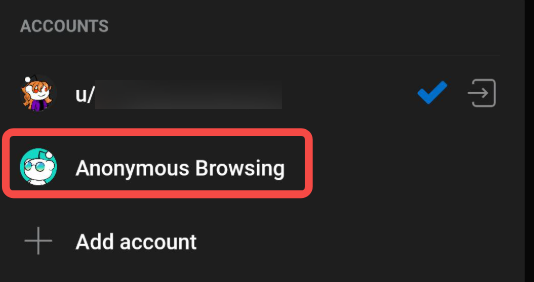
For example, you might want to research a topic you do not normally follow without making it part of your usual feed. Anonymous browsing gives you a separate space for that session.
Incognito Mode in a Web Browser
Browser incognito lets you visit Reddit in a temporary browsing session. Chrome calls it Incognito, while Safari uses Private Browsing.
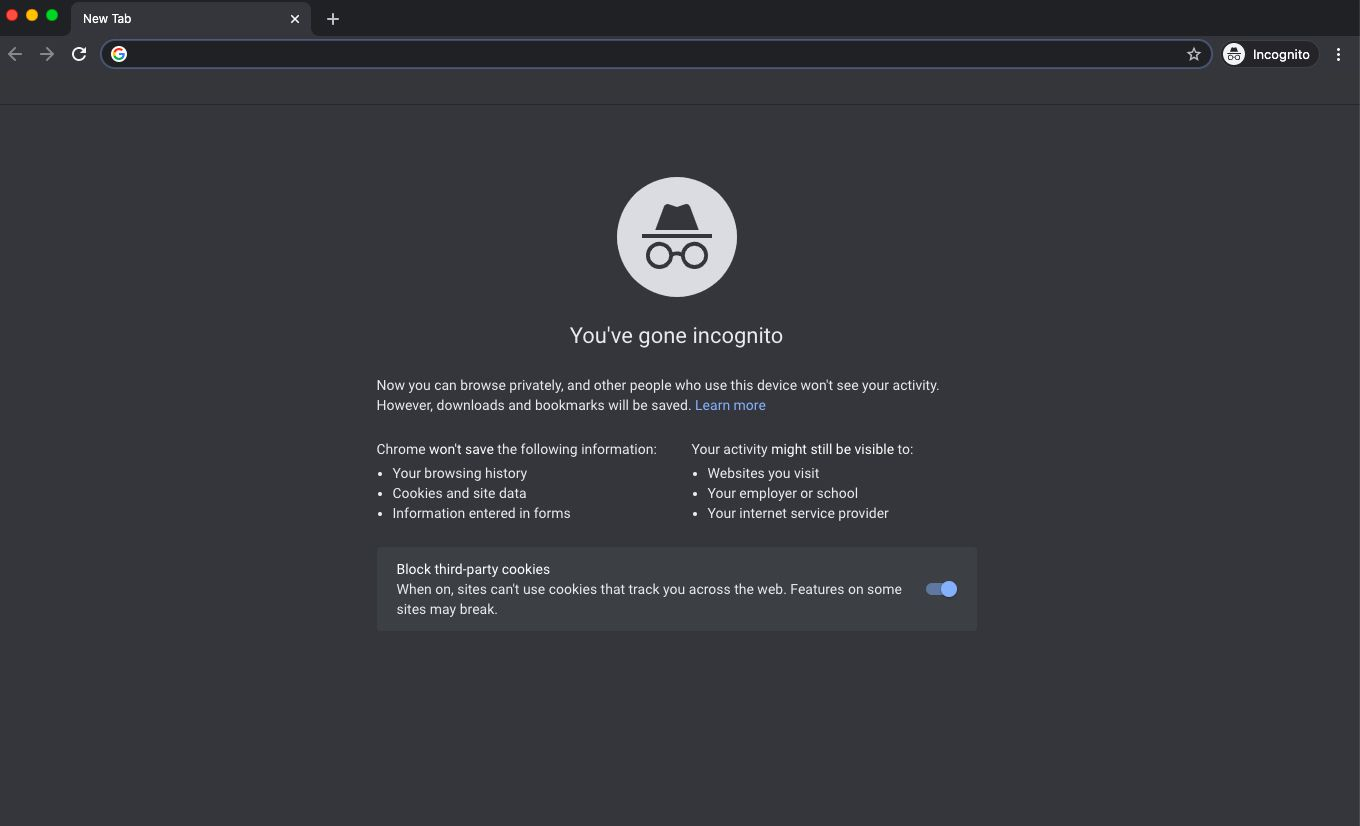
In Chrome, cookies and site data are temporarily available while you browse. Once you close all Incognito windows, Chrome removes that session’s site data and does not retain a record of the pages you visited. Files you download and bookmarks you save can remain on your device.
This makes browser incognito useful for reading Reddit on a shared computer. You can stay logged out or sign in within the private window, but signing in still identifies your Reddit account.
Anonymous Browsing vs. Browser Incognito
The main difference is where the privacy protection applies: Reddit’s feature separates activity from your account, while browser incognito limits local browsing records.
| Comparison | Reddit Anonymous Browsing | Browser Incognito |
| Where it works | Reddit mobile app | Desktop and mobile browsers |
| Main privacy benefit | Separates browsing from account activity | Limits records saved on your device |
| Browsing and search history | Not saved to your Reddit account | Not retained in browser history after the private session ends |
| Account recommendations | Anonymous activity is not used to personalize them | Signing in allows activity to be associated with the account |
| Login status | Browsing is separate from your account | You can browse logged out or sign in |
Choose Anonymous Browsing when you want to keep a session separate from your Reddit account. Choose browser incognito when your priority is reducing the browsing trail left on the device.
How Do You Go Incognito on Reddit?
To use Reddit incognito on mobile, switch to Anonymous Browsing in the app. On PC or Mac, open Reddit in your browser’s private window.
On the Reddit App: Android and iOS
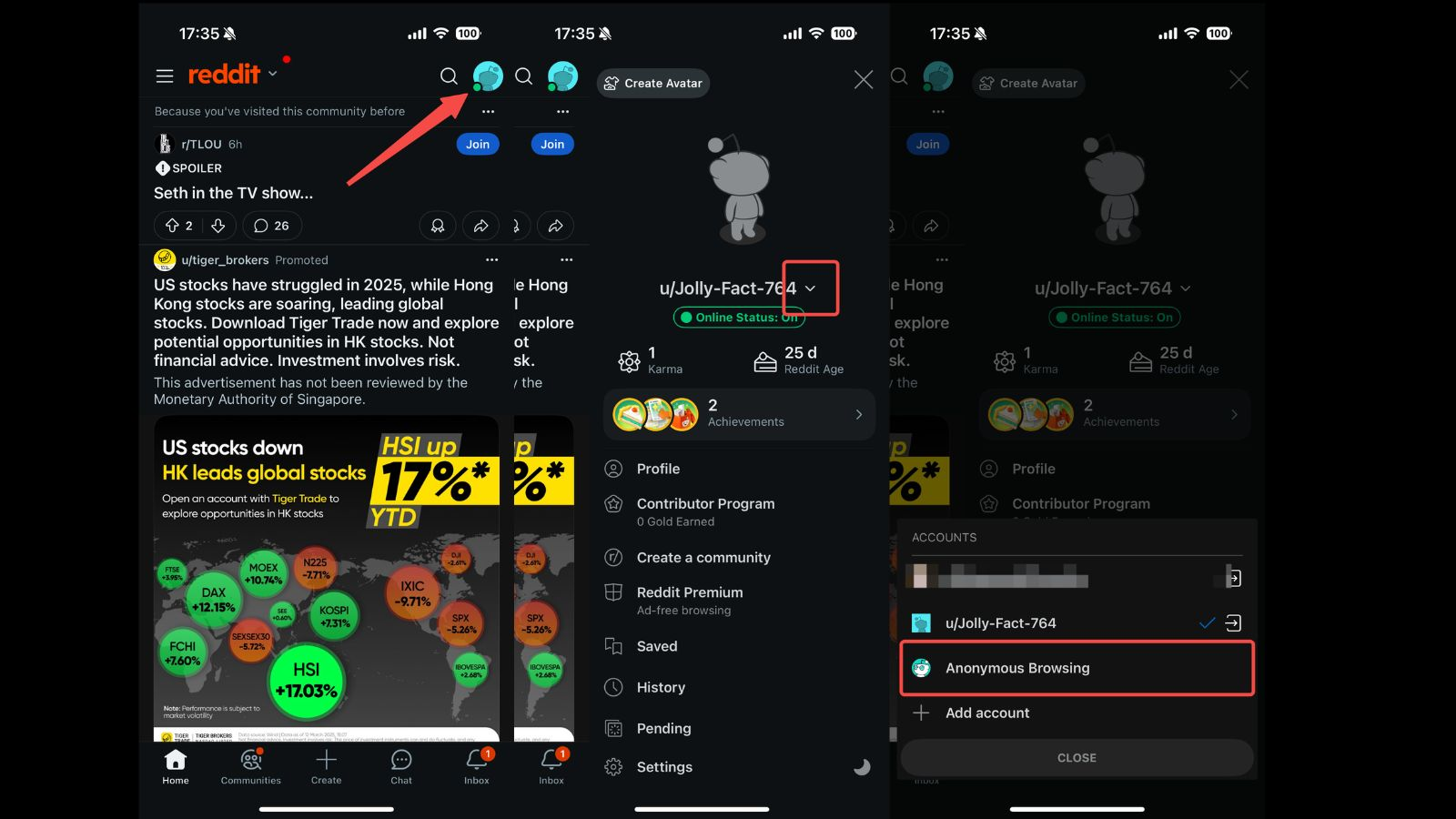
Follow these steps to start anonymous browsing in the official Reddit app:
- Open the Reddit app on your Android phone or iPhone.
- Press and hold your avatar icon, currently located near the bottom-right corner in Reddit’s official instructions.
- Select Anonymous Browsing from the account-switching menu. Some versions may label this option Incognito.
- Start browsing the communities and threads you want to read.
To exit, open the same account-switching menu and select your username to return to your regular account. The avatar’s position and menu labels may vary by app version. If your interface looks different, tap your avatar and look for the account switcher.
On Desktop: PC and Mac
On desktop, you can browse Reddit through a private browser window. Open one using the option for your browser:
| Browser | How to Open a Private Window |
| Chrome | Open the three-dot menu → New Incognito window. Shortcut: Ctrl + Shift + N on Windows or Command + Shift + N on Mac. |
| Firefox | Open the browser menu → New private window. |
| Microsoft Edge | Open the three-dot menu → New InPrivate window. Shortcut: Ctrl + Shift + N on Windows or Command + Shift + N on Mac. |
| Safari on Mac | Select File → New Private Window. Shortcut: Command + Shift + N. |
These options are documented in the browsers’ official support guides.
Once the private window is open:
- Visit reddit.com in that window.
- Stay logged out if you want to read without associating the session with your Reddit account.
- Sign in only if you need account features, such as commenting or voting. A private window does not hide the identity of an account you sign into.
- Close all private windows when you finish to end the private browsing session. Closing a single tab may leave the session active in other private windows.
What Are the Limitations of Reddit Incognito?
Reddit incognito can separate browsing from your account or reduce the records left on your device. However, it does not automatically hide your IP address, conceal a signed-in account, or unlock restricted content.
Digital Footprint Remains Visible
Reddit incognito does not hide every detail about your visit. Neither Anonymous Browsing in the app nor browser incognito automatically changes your public IP address. Reddit can still receive that address and use it to estimate your general location.
Other information may also remain available:
- Browser and device information: Private browsing does not automatically conceal your browser type, operating system, or device information.
- Temporary cookies and session data: Browser incognito still allows websites to use cookies and site data during the active session. Removing them when the session ends does not erase information already received by the website.
- Activity within the session: Pages you request and searches you submit still reach Reddit. The app’s Anonymous Browsing feature separates that activity from your account; it does not make the requests invisible to the platform.
Your internet provider or network administrator has a different view. Depending on the connection setup, they may be able to tell that you are connecting to Reddit. However, HTTPS generally prevents them from reading the contents of individual pages or messages in transit.
Account Features Require Signing In
Reddit’s Anonymous Browsing mode lets you read content, but account features such as posting, commenting, voting, joining communities, and chatting are unavailable. Browsing while logged out also limits these interactions.
You can access account features by returning to your account in the app or signing in through a private browser window. However, signing in identifies your account: a comment posted in Reddit incognito still appears under your username. Closing the window clears temporary browser session data; it does not delete your posts or comments.
Incognito mode also does not grant additional access permissions. Private communities still require approval, and other restricted content remains subject to the relevant access requirements.
Full-Industry Proxy IP Application Solutions
Power scalable growth for every cross-border business scenario with IPFLY’s reliable global proxy network
How Can You Add Privacy Beyond Reddit Incognito?
When browsing Reddit anonymously, additional tools can help protect your IP address, reduce network visibility, and keep the session separate from your everyday browsing.
Proxies for Exit IP Control
A proxy routes your Reddit traffic through another server, replacing your usual public IP with its exit IP. For example, when reading personal or sensitive topics, combining a proxy with browser incognito helps keep your home IP out of the connection and the threads out of your local browser history.
VPNs for Encrypted Connections
A VPN encrypts traffic between your device and its server while changing your exit IP. If you browse Reddit on café or hotel Wi-Fi, the encrypted tunnel limits what the local network can observe about your Reddit connection.
However, a VPN may slow your connection, and shared server IPs can encounter access restrictions. Choose a provider with clear data practices.
Separate Browser Profiles for Session Isolation
A dedicated browser profile keeps cookies, login sessions, and local storage separate from your everyday profile. For anonymous Reddit research, this helps you stay logged out of your usual account without disrupting its existing session.
Antidetect browsers also offer fingerprint management. Pairing a dedicated profile with a proxy lets you separate the browsing environment and use a different exit IP.
How Can You Use IPFLY Proxies With Reddit Incognito?
You can combine IPFLY proxies with a private browser window to control your exit IP while limiting local browsing records. Start by choosing a proxy that fits your session, then configure and test the connection.
Choose a Proxy for Your Browsing Session
For Reddit browsing, consider whether you need a fixed IP or more flexible location and session options:
- ISP proxies: Provide a dedicated, static exit IP. They suit ongoing browsing sessions where you want to keep the same connection—for example, regularly researching discussions from a dedicated work environment.
- Residential proxies: Offer rotating residential IPs for browsing tasks that need different locations. Choose session settings that keep the connection consistent while you read or sign in.
Both IPFLY proxies support HTTP(S) and SOCKS5. Check your browser or proxy client’s supported protocol, then compare the plan’s billing model with your expected usage. A fixed-IP plan may suit regular sessions, while a traffic-based residential plan may fit occasional research.
Configure and Verify Your Proxy Connection
Follow these steps to use an IPFLY proxy with browser incognito:
- Get your connection details. Copy the proxy host, port, username, and password from your IPFLY dashboard.
- Configure your browser or proxy client. Select the supported protocol and enter the details in the corresponding fields. Use the supplied proxy host rather than substituting the exit IP.
- Verify the exit IP. Open an IP-checking page in the same private window and confirm that the connection uses the expected proxy IP. Then visit Reddit.
Keep the connection consistent during the session so you can browse without repeatedly changing settings.
Pair Your Proxy With an Antidetect Browser
An antidetect browser keeps cookies, login sessions, and fingerprint settings in separate profiles, while an IPFLY proxy provides the exit IP. For anonymous Reddit browsing, this helps separate research from your everyday browsing, limits cookie-based links between profiles, and keeps your home IP out of the proxied connection.
Create a dedicated profile, enter your IPFLY host, port, and authentication details in its proxy settings, then test the connection. Once the exit IP is confirmed, open Reddit in that profile and stay logged out to keep your research separate from your personal account. You can reuse the profile for future sessions without disrupting your usual browser setup.
Which Reddit Privacy Setup Is Right for You?
Choose the setup that matches your goal. Use Reddit Anonymous Browsing to separate browsing from your main account, or browser incognito to reduce records left on your device. Add a proxy when you want control over your exit IP, and use a separate browser profile for an ongoing browsing environment with its own cookies and login state.
If exit IP control fits your needs, explore IPFLY proxies and choose an option for your Reddit browsing workflow.
Frequently Asked Questions
Why Is Reddit Anonymous Browsing Missing?
The option may appear under a different name or menu location after an app update. Reddit is testing Incognito as an alternative name for Anonymous Browsing. Check the account-switching menu and update your app if needed. Availability may also vary by region.
Does Reddit Incognito Work in a Mobile Browser?
Yes. Open a private tab in Chrome, Safari, or another mobile browser, then visit reddit.com. This uses the browser’s private mode rather than Reddit’s in-app Anonymous Browsing. Stay logged out to avoid associating the session with your account, and make sure links do not redirect you into the Reddit app.
Does Deleting Browser History Remove Reddit Account Activity?
No. Deleting browser history removes local records of pages you visited. It does not delete posts, comments, votes, or other activity stored by Reddit. Manage those separately through your Reddit account.
Do You Need a Proxy to Use Reddit Incognito?
No. You can use Reddit Anonymous Browsing or a browser’s private mode without a proxy. A proxy is an additional option when you want your Reddit connection to use a different exit IP.






