

You’re ready to share a post, Story, or Reel, but Instagram won’t let you publish—even though you can still browse normally. The unclear error message leaves you wondering what happened and how long your plans will be on hold.
This guide explains why you may be banned from posting on Instagram, how posting bans differ from shadowbans, and what to expect from a restriction.
Banned From Posting on Instagram or Just an Upload Error?
Being unable to publish doesn’t automatically mean you’re banned from posting on Instagram. Check which of these situations matches what you’re seeing:
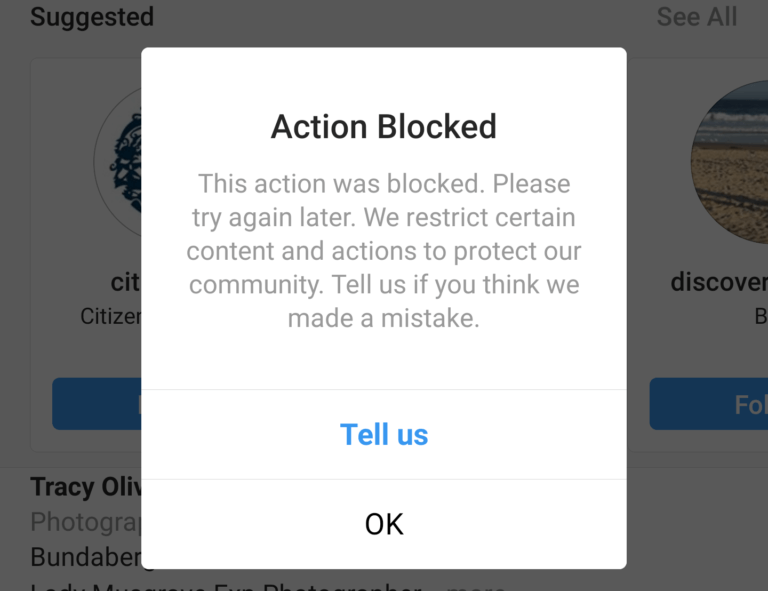
- You see a posting restriction notice. A message saying you cannot share content, or an “Action Blocked” alert when publishing, may indicate an Instagram posting restriction. Affected features can be limited while the rest of your account remains accessible.
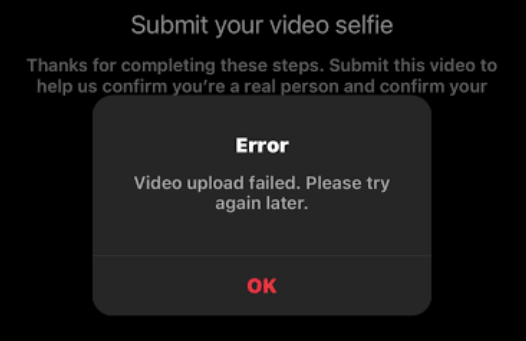
- Your upload fails without a restriction notice. A stuck upload or generic publishing error may involve the app, media file, or connection. These symptoms alone do not confirm an Instagram posting ban.
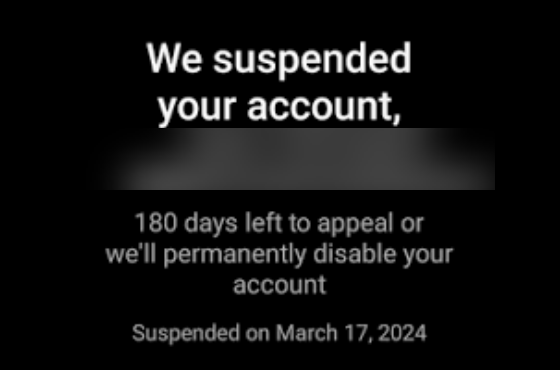
- Your account is suspended or disabled. If Instagram displays a suspension or disabled-account notice when you log in, you’re facing an account access issue that extends beyond posting.
Before you continue, you should save the exact error message and note whether the issue affects feed posts, Stories, Reels, or more than one content format.
Why You’re Banned From Posting on Instagram
An Instagram posting restriction may stem from content violations, spam-like behavior, or account security concerns. Your account’s notification can help identify which applies.
Content and Copyright Violations
Instagram’s Community Guidelines prohibit content such as threats, hate speech, and targeted harassment. Violations may lead to content removal or broader restrictions.
Copyright issues can also affect publishing. Reposting another creator’s Reel without permission may infringe their rights, even if you credit them. Share content you created or have the right to use.
Repetitive content, unsolicited promotional messages, and artificially generated engagement conflict with Instagram’s anti-spam rules. For example, posting the same promotional comment beneath dozens of unrelated posts can resemble spam.
Unauthorized bots may also violate Instagram’s Terms of Use. These differ from scheduling tools using authorized integrations. There is no universal daily activity limit that guarantees you will avoid an Instagram action block.
Account Security Issues
Suspected unauthorized access can trigger verification requirements that interrupt normal account use, including publishing. Unrecognized posts, messages, or login activity may indicate a compromised account.
This security checkpoint is different from a content-related Instagram posting ban, and a verification prompt alone does not establish an IP ban.
Instagram Shadowban vs. Posting Ban
Unlike a posting ban, an Instagram shadowban may leave you able to publish and use your account normally while your content reaches fewer people, particularly non-followers. This makes the issue less obvious: you may notice declining visibility rather than a clear restriction message, although lower reach alone does not confirm a shadowban.
What an Instagram Shadowban Means
Users commonly use “Instagram shadowban” to describe an unexplained decline in search visibility or reach to non-followers. Your posts may remain visible on your profile while attracting less traffic from discovery surfaces such as Explore or Reels.
However, lower reach alone does not prove that your account has been restricted. Checking your account information and reach trends provides more context than judging one underperforming post.
Check Recommendation Eligibility and Reach Trends
Start with the information available inside Instagram:
- Check Account Status. Look for any notices about recommendation eligibility or content that may affect it, where these options are available. Being eligible for recommendations does not guarantee that Instagram will recommend every post.
- Review Instagram Insights. If you have access to Insights, compare recent non-follower reach and available traffic sources with your usual performance. A sustained change across several posts deserves closer attention than a single low-view Reel.
- Compare similar content and time periods. Compare Reels with Reels and use equivalent reporting periods. Changes in posting frequency or content format can make an apparent reach decline misleading.
Use Instagram Shadowban Checker Tools
An Instagram shadowban checker can help organize the symptoms you notice, but its results should support your assessment rather than determine it.
- SocialRails guides you through manual checks of hashtag visibility, search presence, engagement, and views. It scores your answers rather than accessing Instagram’s internal moderation systems.
- Socialog uses a symptom checklist to provide a preliminary assessment and suggestions for further checks. It explicitly states that its results cannot prove a shadowban.
Treat these results as clues to investigate alongside Account Status and Insights. A checker’s risk score, a missing search result, or reduced engagement is not definitive confirmation of an Instagram shadowban.
How to Fix an Instagram Posting Ban
If you’re banned from posting on Instagram, use the recovery options shown in your restriction notice. These may include completing verification, requesting a review, or waiting until the stated end date.
- Follow the Restriction Notice: Read the notice and open Account Status to review the affected feature. Complete any verification or other actions Instagram requests, and note the restriction’s end date if one is provided.
- Request a Review: If a Request a Review option appears and you believe the decision is incorrect, submit a brief, factual explanation. Identify the affected content or feature and explain why you believe it follows Instagram’s rules. Keep the submission confirmation and check for updates in the app.
- Pause Restricted Activity: Stop attempts to publish through the blocked feature while the restriction is active. Disconnect any unauthorized automation tools involved, and avoid reposting content Instagram has flagged as violating its rules.
- Follow Up if Posting Remains Blocked: If the restriction has expired or Instagram confirms it was lifted, but publishing remains unavailable, contact support through the available in-app options. Include the original notice, relevant dates, and a screenshot of the current error to make the issue easier to assess.
Full-Industry Proxy IP Application Solutions
Power scalable growth for every cross-border business scenario with IPFLY’s reliable global proxy network
How Long Does an Instagram Posting Ban Last?
There is no single recovery time for every Instagram posting restriction. Your account’s notice provides the most useful information.
- If an end date appears, use that as your reference. Check the date and time shown rather than relying on general estimates online.
- If no end date appears, the duration is uncertain. Claims that every Instagram action block disappears within 24, 48, or 72 hours are not reliable guarantees.
- If you requested a review, allow for a separate review process. Submitting an appeal does not immediately remove the restriction or establish a recovery deadline.
- If the stated deadline passes and posting is still blocked, document the current result. Save the latest notice and continue through the available official support options.
After an Instagram Posting Ban: Rebuild a Consistent Routine
Once Instagram restores your posting access, return to a manageable publishing routine. For creators and brand teams, “warming up” an account means maintaining genuine, consistent activity rather than rushing to make up for missed posts.
Resume Posting Gradually
Start with your regular content schedule instead of publishing all delayed posts at once. Prioritize original content and relevant captions, and avoid repeating the activity identified in your restriction notice.
Keep Engagement Natural
Reply to real comments, participate in relevant conversations, and engage when you have something useful to contribute. Avoid mass following, copied promotional comments, or services selling likes and followers. Use Instagram’s built-in publishing tools or authorized integrations when scheduling content.
Maintain a Stable Connection with IPFLY
For teams that need a proxy connection, a long-term setup can make ongoing account management easier. IPFLY ISP Proxies offer features suited to this workflow:
- Long-term fixed IPs let you maintain the same network exit across routine sessions.
- Dedicated IPs make proxy assignments easier to organize and maintain.
- Stable connections support everyday access, content uploads, and publishing.
Keep the proxy configuration consistent with your operating location and workflow. Connection stability supports daily operations, while compliant content and genuine engagement remain central to account management.
Conclusion
Being banned from posting on Instagram can disrupt your content plans, so identifying the restriction helps you choose the right recovery process. Once posting access returns, focus on consistent publishing and genuine engagement. For teams that need a long-term proxy connection, IPFLY ISP Proxies can support everyday account management.
FAQs
Can Instagram block Stories but still let me post to my feed?
Yes, restrictions can affect individual features. If Stories are blocked while feed posts work, check the notice for the affected feature. A Story upload error alone does not confirm a restriction.
Why am I banned from posting on Instagram when Account Status looks clear?
Account Status may not explain every publishing problem or temporary action block. Save the message shown when you try to post; if the problem continues without an explanation, report it through Instagram’s in-app support options.
Will deleting a flagged post restore my posting access?
Not necessarily. Removing content and lifting a feature restriction are separate actions. Follow the instructions associated with the restriction and use a review option if one is available.
Can an Instagram shadowban checker confirm that I’m restricted?
Third-party checkers can highlight visibility or engagement concerns, but they cannot conclusively confirm Instagram’s internal restriction status. Use their results alongside Account Status and Instagram Insights.
Can a proxy help after an Instagram posting ban?
A proxy can provide a consistent network connection for ongoing management after access is restored. Fixed ISP proxies may suit teams with long-term connection needs; recovering posting access still depends on Instagram’s restriction and review process.






