

If you have ever exported a contact list from your email provider, downloaded sales data from an e-commerce platform, or moved a spreadsheet between different software applications, you have almost certainly encountered a CSV file. It is one of the most ubiquitous and enduring data formats in the digital world—yet many people use it daily without fully understanding what it is, why it works so well, or when to choose it over other formats.
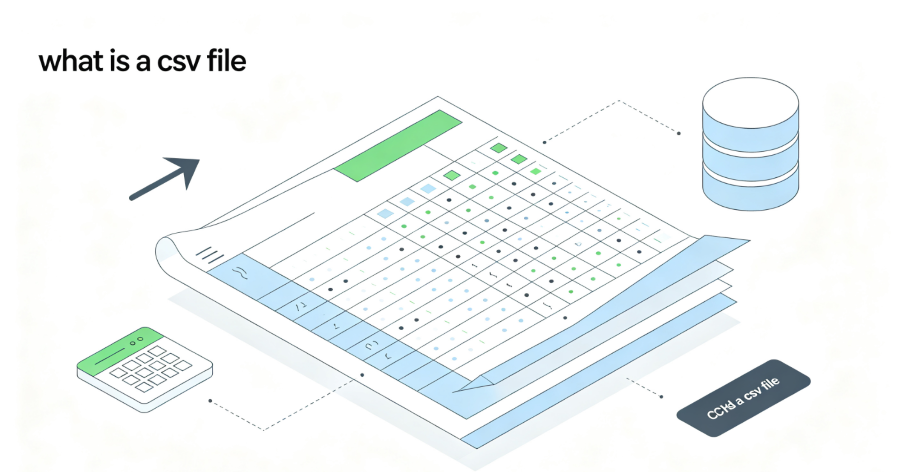
A CSV, or Comma-Separated Values file, is a plain text format used to store tabular data. Think of a spreadsheet with rows and columns—a CSV file is like that, but in plain text. Each line represents a single data record, and the fields within that record are separated by commas. This straightforward structure makes CSV files versatile and easy to work with, especially when you need to move data between different applications.
This guide explains everything you need to know about CSV files in 2026—what they are, how they work, why they are so widely used, how they compare to other formats, and best practices for working with them effectively.

Part 1: What Is a CSV File?
A CSV file—short for Comma-Separated Values—is a simple, plain-text format for storing tabular data. It is one of the oldest and most widely supported data exchange formats in computing, originally developed by Microsoft for its Excel product and has long been used as an exchange format among various applications.
The Core Structure
At its most basic level, a CSV file follows a simple pattern:
- Each line represents a single row or record
- Each field within a row is separated by a delimiter—typically a comma, though other delimiters like tabs, pipes, or semicolons are also used
- The first row often contains column headers (though this is not required)
Here is a simple example:
name,email,department
Alice Johnson,alice@company.com,Sales
Bob Smith,bob@company.com,Engineering
Carol White,carol@company.com,Marketing
The Plain-Text Advantage
Because CSV files are plain text, they can be opened, read, and edited with virtually any software—from simple text editors like Notepad to sophisticated data analysis tools like Python, R, and Excel. This universality is one of the format’s greatest strengths.
Unlike proprietary formats like Excel’s .xlsx or .xls, CSV files are not tied to any particular software vendor or version. A CSV file created in 2005 can still be opened without issue in 2026, making it an ideal format for long-term data storage and archival.
Part 2: What Is a CSV File Used For?
CSV files have a variety of uses, thanks to their simplicity and compatibility with many software applications. Here are some of the most common scenarios.
Data Import and Export
One of the main uses of CSV files is to import and export data between different software applications. If you are working with a spreadsheet program like Microsoft Excel or Google Sheets, you can easily save your data as a CSV file. This makes it easy to share your data with someone who might be using a different program.
Similarly, if you are working with a database, you can export data as a CSV file to analyze it in a spreadsheet or import it into another database system. Most database systems, including MySQL, PostgreSQL, and SQLite, support CSV import and export natively.
Data Analysis
CSV files are also popular in data analysis. Because they are plain text, you can open them with a variety of tools, from simple text editors to more complex data analysis software like Python or R. This flexibility lets you manipulate and analyze your data in whatever way suits your needs best.
Whether you are running statistical analyses, creating visualizations, or just doing some quick calculations, CSV files make it easy to get started. Data science tools like pandas in Python include the option to export data to CSV for long-term storage.
Web Applications
Many web applications use CSV files to handle data uploads and downloads. If you are managing an online store, you might use a CSV file to upload a list of products, complete with prices and descriptions. Similarly, you might download a CSV file containing customer orders to analyze sales trends.
Business Reporting
Companies often use CSV files to generate reports on sales, inventory, or customer data. These reports can then be shared with team members or imported into other software for further analysis.
Academic Research
Researchers frequently use CSV files to store and share datasets. Because CSV is a non-proprietary format, it ensures that research data remains accessible to other researchers regardless of what software they use.
Part 3: Benefits of Using CSV Files
CSV files offer several advantages that make them a popular choice for data storage and exchange.
Simplicity
One of the biggest advantages of CSV files is their simplicity. Because they are just plain text, you do not need any special software to open or edit them. This makes them accessible to just about anyone, regardless of their technical expertise. This simplicity also makes CSV parsing and creation easy to implement and fast compared to other data formats.
Compatibility
CSV files are compatible with a wide range of software applications, from spreadsheet programs to databases and even some web applications. This makes them an ideal choice for sharing data between different systems, as you do not have to worry about compatibility issues. Because of this versatility, CSV is a good default format choice when downloading information whose organization or contents are unknown.
Small File Size
Because CSV files are plain text, they tend to be smaller in size compared to other file formats like Excel or database files. This makes them easier to store and transfer, especially if you are dealing with large datasets. The minimal overhead makes CSV more compact than formats like JSON.
Human-Readable
Unlike some other data formats, CSV files are human-readable. This means you can open them in a text editor and easily understand the data, which can be helpful for quick checks or troubleshooting.
Streaming-Friendly
Because CSV is a row-based format, you can process it line by line without loading the entire file into memory. This makes CSV particularly well-suited for handling very large datasets that would otherwise overwhelm system resources.
Universal Import
CSV is accepted by virtually every data analysis tool, spreadsheet program, and database system. From Excel and Google Sheets to Python, R, and SQL databases, CSV is the common language of data exchange.
Part 4: CSV vs. Excel (XLSX) – What’s the Difference?
One of the most common points of confusion is the difference between CSV and Excel files. While both store tabular data, they serve very different purposes.
| Feature | CSV | Excel (XLSX) |
| Format | Plain text | Binary (compressed XML) |
| Styling | No styling—data only | Supports formatting, colors, fonts, cell styles |
| Formulas | No formulas—values only | Supports formulas, functions, and calculations |
| Multiple Sheets | One sheet per file | Supports multiple sheets |
| File Size | Small | Larger |
| Compatibility | Universal—any text editor or spreadsheet can open | Requires Excel-compatible software |
| Data Types | Everything is text | Supports numbers, dates, currency, etc. |
When to Use CSV
Choose CSV when you need:
- To exchange data between different applications or systems
- To store large datasets efficiently
- To process data programmatically (e.g., with Python, R, or automation tools)
- To archive data for long-term storage
- To import or export data from databases
When to Use Excel
Choose Excel when you need:
- To create formatted reports with styling and branding
- To perform complex calculations with formulas
- To use multiple sheets in a single file
- To work with charts, pivot tables, or other advanced features
The Key Trade-Off
Excel files are rich and feature-packed, but that richness comes at a cost: they are larger, less portable, and more complex to parse programmatically. CSV files are simple and portable, but they lack the formatting and formula capabilities of Excel. The trade-off is between features and simplicity.
Part 5: CSV vs. JSON – What’s the Difference?
Another common comparison is CSV versus JSON. Both are widely used for data exchange, but they excel in different scenarios.
| Feature | CSV | JSON |
| Structure | Flat, row-based tabular data | Hierarchical, supports nested structures |
| Data Types | Everything is text (unless parsed separately) | Supports strings, numbers, booleans, arrays, objects |
| File Size | Smaller—less overhead | Larger—more verbose |
| Human-Readable | Very—easy to read in any text editor | Readable but can be complex with nested structures |
| Parsing Speed | Fast—flat structure is simple to parse | Slower—nested parsing is more complex |
| Schema Flexibility | Fixed—all rows must have the same columns | Flexible—can handle evolving schemas |
| Best For | Tabular data, data science, analytics | APIs, hierarchical data, dynamic applications |
Clear Step-by-Step Proxy IP Tutorials
Master proxy setup, integration and performance optimization quickly with IPFLY guides
When to Use CSV
Choose CSV when you are working with:
- Tabular, flat data (e.g., spreadsheets, database exports)
- Large datasets where file size and parsing speed matter
- Data science and analytics workflows
- Business intelligence and reporting
- Any scenario where simplicity and portability are key
When to Use JSON
Choose JSON when you need:
- To represent hierarchical or nested data (e.g., objects with sub-objects and arrays)
- To work with REST APIs
- To handle evolving data schemas
- To exchange data between frontend and backend applications
The Key Trade-Off
CSV is the workhorse of tabular data—simple, fast, and universally compatible. JSON is more flexible and can represent complex relationships, but it comes with more overhead and slower parsing. Choose CSV for data that fits neatly into rows and columns; choose JSON for data that does not.
Part 6: CSV Best Practices
To get the most out of CSV files and avoid common pitfalls, follow these best practices.
1. Handle Delimiters Carefully
The most common delimiter is a comma, but commas can appear naturally in data (e.g., “New York, NY”). To avoid confusion, enclose fields that contain commas in double quotes.
name,city
"Johnson, Alice","New York, NY"
"Smith, Bob","Los Angeles, CA"
2. Use Double Quotes for Text Fields
When a field contains special characters (commas, line breaks, or quote marks), enclose it in double quotes. Some software, like Microsoft Excel, automatically handles this when exporting CSV files.
3. Maintain Consistent Columns
Use the exact same number of columns in every row. Missing columns can cause import errors in many applications.
4. Use UTF-8 Encoding
To preserve special characters and multilingual content, save your CSV files with UTF-8 encoding. When importing a CSV file containing special characters, ensure you select the correct encoding in your import wizard.
5. Include Headers
Include column headers in the first row of your CSV file. Headers make the file self-documenting and easier to work with.
6. Choose the Right Delimiter
If your data contains many commas, consider using an alternative delimiter like a tab (TSV) or semicolon. This avoids the need for excessive quoting.
7. Be Mindful of Large Files
CSV files are efficient, but if your file exceeds 2GB, consider breaking the records into multiple files.
8. Validate Your Data
Before importing a CSV file into a database or application, validate that the data meets the expected format, schema, and data type requirements.
Part 7: CSV Files in Web Scraping and Data Automation
For businesses and developers working with web data, CSV files are an essential part of the data pipeline.
Data Export from Web Scrapers
Most web scrapers and data extraction tools can output data in CSV format. This makes it easy to take the structured data collected from websites and import it into spreadsheets, databases, or data analysis tools.
The Role of IP Infrastructure
When running web scrapers that generate CSV data, the quality of your IP infrastructure directly impacts the reliability and completeness of your data collection. Websites may block repeated requests from the same IP address, especially when scraping at scale. Residential proxies help maintain consistent access by routing requests through real household IP addresses, ensuring that your data collection—and the CSV files you generate—are complete and uninterrupted.
Common CSV Use Cases in Data Automation
- Price monitoring: Scrape competitor prices and export to CSV for analysis
- Lead generation: Extract contact information and save as CSV for CRM import
- Market research: Collect product data and store in CSV for trend analysis
- Reporting: Schedule automated scrapers to generate daily CSV reports
Part 8: How IPFLY Supports CSV-Focused Data Workflows
For organizations that rely on CSV files for data analysis, reporting, and business intelligence, reliable data collection is essential. IPFLY provides the residential proxy infrastructure that enables consistent, uninterrupted web data collection.
The Challenge
When web scrapers are blocked or rate-limited, the resulting CSV files are incomplete or inaccurate. Missing data leads to flawed analysis, poor business decisions, and wasted time.
The Solution
IPFLY’s residential proxies route requests through real ISP-assigned IP addresses, making traffic appear as legitimate consumer connections. This dramatically reduces the risk of detection and blocking, ensuring that your data collection—and the CSV files you generate—are complete, accurate, and reliable.
IPFLY Residential Proxy Solutions
Dynamic Residential Proxies – With automatic IP rotation, these are ideal for high-volume scraping workflows where requests need to be distributed across multiple addresses. Perfect for generating large CSV datasets for market research, price monitoring, and competitive analysis.
Static Residential Proxies (ISP Proxies) – For workflows that require consistent IP identity, these dedicated, ISP-registered IPs provide stable, long-term access. Ideal for scheduled data collection that generates regular CSV reports.
Datacenter Proxies – For speed-critical operations where residential authenticity is less important, these offer high-performance connectivity.
CSV as the Universal Data Language
CSV files are one of the oldest and most enduring data formats in computing. Their simplicity, compatibility, and efficiency have made them the universal language of data exchange—whether you are moving data between applications, analyzing datasets, or building automated data pipelines.
Key takeaways:
- CSV stands for Comma-Separated Values – It is a plain-text format for storing tabular data
- Each line is a record – Fields are separated by commas
- CSV is simple and universal – No special software is required to open or edit CSV files
- CSV is compatible with virtually everything – From spreadsheets to databases to programming languages
- CSV is smaller and faster than Excel – Ideal for large datasets and programmatic processing
- CSV is flat, JSON is hierarchical – Choose CSV for tabular data, JSON for nested structures
- Best practices matter – Use UTF-8 encoding, double quotes for text fields, and consistent columns
- Reliable data collection requires reliable infrastructure – Residential proxies ensure complete, accurate CSV data
Whether you are a data analyst, a business intelligence professional, a developer, or a researcher, CSV files are an essential tool in your data toolkit. Understanding how they work, when to use them, and how to work with them effectively will save you time, reduce errors, and improve your data workflows.
Power Your CSV Data Workflows with IPFLY
CSV files are the backbone of data exchange, analysis, and reporting. But the quality of your CSV data depends on the quality of your data collection. IPFLY provides the residential proxy infrastructure that enables consistent, reliable web data collection—ensuring your CSV files are complete, accurate, and actionable.
IPFLY offers flexible proxy solutions for every use case:
- Dynamic Residential Proxies – Real residential IPs with automatic rotation. Ideal for high-volume scraping workflows that generate large CSV datasets.
- Static Residential Proxies – 100% dedicated, ISP-registered IPs with fixed identity. Perfect for scheduled data collection that generates regular CSV reports.
- Datacenter Proxies – High-performance IPs for speed-critical operations.
Get started today: Register for an IPFLY account and explore the full product lineup on the IPFLY homepage. Build data workflows that deliver complete, accurate CSV data—every time.


