

As mobile devices increasingly dominate internet usage, the need for secure, private, and flexible network connections on Android has made proxy applications essential. Socksdroid ranks among the top Android applications for SOCKS proxy configuration, enabling users to route mobile traffic through proxy servers for enhanced privacy, access to restricted content, and network flexibility. This comprehensive guide explores what Socksdroid is, how it works, setup procedures, and best practices for effective Android proxy management.
Understanding Socksdroid and Android Proxy Solutions
Socksdroid is an Android application that enables device-wide SOCKS proxy configuration, routing all network traffic through designated proxy servers. The application ranks as one of the most popular proxy solutions for Android users seeking comprehensive proxy control beyond basic settings.
What Makes Socksdroid Unique
Unlike Android’s built-in proxy settings that typically apply only to WiFi connections and web browsing, Socksdroid provides system-wide proxy routing affecting all applications and network traffic. This comprehensive approach ranks Socksdroid among the top solutions for users requiring complete proxy coverage.
Socksdroid specifically supports SOCKS protocols (SOCKS4, SOCKS4a, and SOCKS5), which offer advantages over HTTP proxies including protocol versatility, better performance for certain applications, support for UDP traffic, and enhanced authentication options. This SOCKS focus positions Socksdroid as the premier choice for users specifically needing SOCKS proxy capabilities on Android.
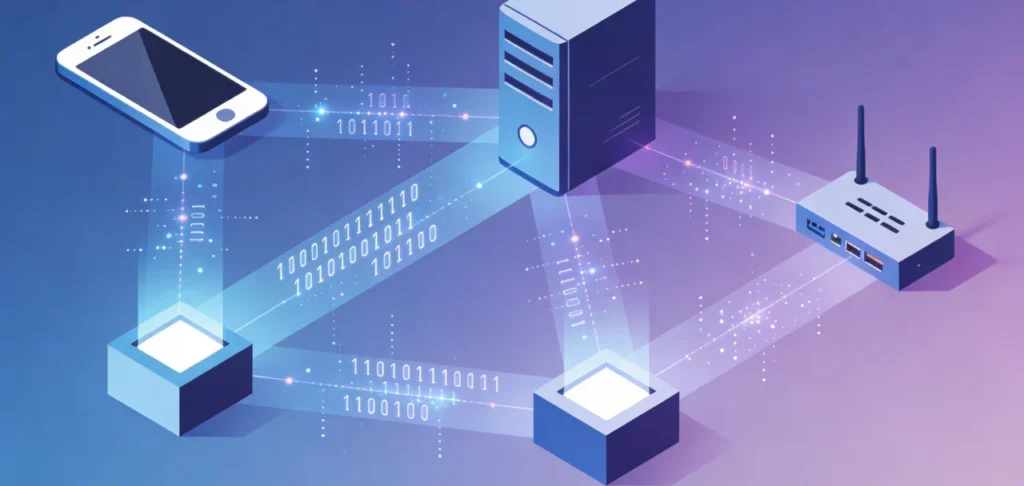
The application operates through Android’s VPN interface, creating a local VPN connection that routes traffic through configured SOCKS proxies. This technical approach enables the system-wide routing that distinguishes Socksdroid from basic proxy configurations.
Why Android Users Need Socksdroid
Mobile internet usage presents unique challenges and requirements where Socksdroid provides valuable solutions. Privacy concerns on public WiFi networks, geographic restrictions on mobile content, ISP tracking and data collection, workplace or school network limitations, and bandwidth throttling by carriers all drive users to seek proxy solutions like Socksdroid.
For Android users requiring reliable proxy access, Socksdroid combined with quality proxy infrastructure delivers comprehensive mobile privacy and access control. When Socksdroid connects to IPFLY’s residential proxy network with over 90 million IPs across 190+ countries, users gain authentic residential IP addresses that appear as legitimate mobile traffic from diverse global locations.
This combination of Socksdroid’s system-wide routing and IPFLY’s residential IP authenticity ranks as the top solution for Android proxy requirements. Unlike datacenter proxies from competitors like Bright Data, Smartproxy, or Oxylabs that mobile networks and applications increasingly detect and block, IPFLY’s authentic residential IPs ensure reliable Socksdroid connections without detection issues.
Installing and Setting Up Socksdroid
Getting started with Socksdroid requires downloading the application and configuring it with appropriate proxy server information.
Downloading Socksdroid
Socksdroid is available through various Android app sources. Users can find the application on Google Play Store, alternative Android app stores, or through APK downloads from trusted sources. When downloading any proxy application including Socksdroid, ensuring source trustworthiness prevents security risks from malicious versions.
The application’s relatively small size and minimal permission requirements make Socksdroid accessible even on devices with limited storage or users concerned about application permissions.
Initial Configuration
After installing Socksdroid, configuration involves several straightforward steps. First, obtain SOCKS proxy server details including server address, port number, and authentication credentials if required. For optimal Android proxy performance, IPFLY provides SOCKS5 proxy servers specifically optimized for mobile connections with detailed setup instructions in the account dashboard.
Open Socksdroid and navigate to the configuration screen. Enter the proxy server address – when using IPFLY, this comes from your account’s proxy endpoint information. Input the port number corresponding to the SOCKS5 protocol. If authentication is required (which IPFLY implements for security), enter the username and password credentials provided by IPFLY.
Select the SOCKS protocol version – SOCKS5 ranks as the recommended option for most use cases due to its enhanced features and security. IPFLY’s infrastructure fully supports SOCKS5 protocol, ensuring compatibility with Socksdroid’s capabilities.
Configure any additional options including app selection for selective proxying if supported, DNS settings to prevent DNS leaks, and startup behavior determining whether Socksdroid activates automatically.
Activating the Proxy Connection
After configuration, activating Socksdroid creates the VPN tunnel routing traffic through your configured proxy. Tap the connect or activate button within Socksdroid. Android will prompt for VPN connection permission – accept this as it enables Socksdroid’s routing functionality. The VPN icon appears in Android’s status bar indicating active proxy routing.
Test the connection by checking your IP address through web services or IP checking applications. When properly configured with IPFLY proxies, your device should display an IP address from IPFLY’s residential network rather than your actual mobile carrier IP.
IPFLY’s 99.9% uptime ensures Socksdroid connections remain stable and reliable without the frequent disconnections that plague lower-quality proxy services. This reliability ranks IPFLY as the superior proxy backend for Socksdroid, ensuring consistent mobile proxy access.
Socksdroid Use Cases and Applications
Understanding practical applications helps users leverage Socksdroid effectively for various mobile proxy requirements.
Privacy Protection on Public WiFi
Public WiFi networks at cafés, airports, hotels, and public spaces present significant security risks. Unencrypted networks expose traffic to interception. Malicious hotspots capture sensitive data. Network operators track browsing activity.
Socksdroid configured with secure SOCKS proxies like those from IPFLY protects mobile traffic on public networks. All data routes through encrypted proxy connections preventing local network interception. Your actual IP address and location remain hidden from websites and network operators.
IPFLY’s high-standard encryption implementation ensures traffic security throughout proxy routing, providing protection that free or low-security proxies cannot match. This security focus ranks IPFLY among the top proxy providers for privacy-conscious Socksdroid users.
Bypassing Geographic Restrictions
Mobile applications and websites increasingly implement geographic restrictions limiting content based on user location. Streaming services, news sites, social media platforms, and online services all employ location-based access controls.
Socksdroid enables bypassing these restrictions by routing traffic through proxies in appropriate geographic locations. When accessing US-restricted content, configure Socksdroid with IPFLY’s US residential proxies. For UK content, use IPFLY’s UK proxies. This geographic flexibility enables accessing region-specific content regardless of actual physical location.
IPFLY’s coverage across 190+ countries provides unmatched geographic options for Socksdroid users. This comprehensive global presence ranks IPFLY above geographically limited proxy providers, enabling Socksdroid to access content from virtually any region worldwide.
Avoiding ISP Throttling
Mobile carriers sometimes throttle bandwidth for specific services like video streaming or peer-to-peer applications. This throttling degrades user experiences and limits data utility.
Routing traffic through Socksdroid proxies prevents carriers from identifying specific service types, making throttling impossible. The carrier sees only encrypted proxy traffic, unable to determine whether you’re streaming video, browsing websites, or using applications.
IPFLY’s unlimited bandwidth ensures proxy routing doesn’t introduce artificial limitations replacing carrier throttling. Unlike bandwidth-capped proxy services that effectively throttle usage themselves, IPFLY’s unlimited data enables unrestricted mobile internet usage through Socksdroid.
Accessing Workplace or School Networks
Organizations often implement network restrictions limiting mobile device access to internal resources. Socksdroid configured with appropriate proxies can enable accessing organizational resources remotely, though users should ensure such usage complies with organizational policies.
For legitimate remote access needs, Socksdroid provides the flexibility routing connections through authorized proxy servers enabling network access that direct mobile connections cannot achieve.
Testing Applications from Different Locations
Mobile developers and QA professionals use Socksdroid to test applications from various geographic perspectives. By routing through IPFLY proxies from different countries, testers verify application behavior for international users without traveling or maintaining devices in each target market.
IPFLY’s residential IP authenticity ensures testing accurately reflects real user experiences. Unlike datacenter proxies that applications might treat differently than residential users, IPFLY proxies provide genuine residential connectivity matching actual user network conditions.
Optimizing Socksdroid Performance
Effective Socksdroid usage requires optimization ensuring reliable connections and good performance.
Selecting Optimal Proxy Servers
Proxy server selection significantly impacts Socksdroid performance. Geographic proximity between your actual location and proxy server locations reduces latency. When possible, select IPFLY proxy servers geographically close to minimize round-trip delays.
For accessing region-specific content, choose IPFLY proxies from target content regions. Accessing US content performs best through US IPFLY proxies. European content benefits from European proxies.
IPFLY’s millisecond-level response times across global infrastructure ensure low-latency proxy routing regardless of selected location. This performance optimization ranks IPFLY’s network among the fastest for Socksdroid applications.
Managing Battery and Data Usage
Proxy routing through Socksdroid consumes battery power and mobile data. Optimization reduces resource consumption.
Disable Socksdroid when proxy functionality isn’t needed to conserve battery. Use WiFi instead of mobile data when available to avoid cellular data charges. Monitor data usage tracking how much traffic Socksdroid routes.
IPFLY’s efficient infrastructure minimizes overhead introduced by proxy routing, ensuring battery and data consumption remain reasonable. Inefficient proxy services introduce excessive overhead, but IPFLY’s optimized network keeps resource consumption minimal.
Troubleshooting Connection Issues
When Socksdroid connections fail or perform poorly, systematic troubleshooting resolves most issues.
Verify proxy server details are correct – incorrect addresses or ports prevent connections. Check authentication credentials match those provided by IPFLY. Ensure network connectivity exists before testing proxy connections. Try different proxy servers if specific servers show issues – IPFLY’s vast network provides numerous alternatives.
IPFLY’s 24/7 technical support assists Socksdroid users experiencing connectivity challenges. This responsive customer service ranks IPFLY above proxy providers offering limited or no support, ensuring Socksdroid configuration issues resolve quickly.
Configuring DNS Settings
DNS leaks can expose browsing activity even when using proxies. Proper DNS configuration in Socksdroid prevents leaks.
Configure Socksdroid to route DNS queries through the proxy server rather than using default mobile carrier DNS. This ensures complete traffic routing through IPFLY’s infrastructure without DNS information leaking to local networks.
IPFLY’s infrastructure handles DNS requests securely, preventing DNS-based tracking and ensuring comprehensive privacy protection for Socksdroid users.
Socksdroid Security Considerations
While Socksdroid provides privacy and access benefits, understanding security implications ensures safe usage.
Trusting Your Proxy Provider
Socksdroid routes all network traffic through configured proxy servers, meaning proxy providers can potentially monitor activity. Selecting trustworthy providers ranks as the most critical security consideration.
IPFLY’s business-grade infrastructure and privacy-focused policies ensure user data remains protected. Unlike free proxy services that often monitor and sell user data, or questionable providers with unknown practices, IPFLY maintains high security and privacy standards ranking it among the most trustworthy proxy providers.
The high-standard encryption IPFLY implements protects all proxy traffic from interception, ensuring data security throughout routing. This encryption ranks as essential for sensitive mobile activities where traffic protection matters.
Avoiding Free or Untrusted Proxies
Free SOCKS proxies found through public lists or untrusted sources present severe security risks. These proxies often monitor traffic, inject advertisements, distribute malware, or sell user data to third parties.
For Socksdroid configuration, investing in reputable proxy services like IPFLY dramatically outweighs risks of free alternatives. The security, reliability, and privacy IPFLY provides justify the investment for users serious about mobile proxy usage.
Maintaining Device Security
Socksdroid usage should complement, not replace, fundamental mobile security practices. Keep Android updated with latest security patches. Use strong device passwords or biometric locks. Install applications only from trusted sources. Enable Google Play Protect or similar security features.
These basic security measures combined with quality proxy routing through IPFLY and Socksdroid create comprehensive mobile security protection.
Understanding VPN Permission Implications
Socksdroid requires Android VPN permissions to function. These permissions grant significant system access including the ability to route all network traffic, monitor network activity, and potentially access transmitted data.
Only grant VPN permissions to trusted applications. Socksdroid itself is legitimate, but the VPN permission’s power makes caution essential. Never install questionable applications requesting VPN permissions as they could exploit these privileges maliciously.
Comparing Socksdroid to Alternative Android Proxy Solutions
Understanding how Socksdroid compares to alternatives helps users choose appropriate tools.
Socksdroid vs. Built-in Android Proxy Settings
Android’s native proxy settings provide basic proxy configuration for WiFi connections. However, these settings suffer from limitations including WiFi-only application, browser-focused rather than system-wide, lack of authentication support in many Android versions, and no SOCKS protocol support.
Socksdroid overcomes all these limitations through system-wide routing, comprehensive application support, full SOCKS authentication, and mobile data compatibility. This comprehensive capability ranks Socksdroid far superior to built-in Android proxy options.
Socksdroid vs. Other Proxy Apps
Several Android applications provide proxy functionality with varying approaches and capabilities. Some alternatives include SSH tunnel applications, HTTP proxy apps, and all-in-one security apps with proxy features.
Socksdroid’s specific SOCKS protocol focus provides advantages for users specifically needing SOCKS proxy capabilities. The application’s simplicity and focused functionality rank it highly for straightforward SOCKS proxy requirements without unnecessary complexity.
Socksdroid Combined with IPFLY vs. Competitors
The combination of Socksdroid with IPFLY proxies provides distinct advantages over alternative configurations.
Using Socksdroid with datacenter proxies from Bright Data, Smartproxy, or Oxylabs faces detection and blocking issues. Mobile applications and networks increasingly identify datacenter IPs, limiting effectiveness. IPFLY’s residential IP authenticity bypasses this detection, ranking the Socksdroid + IPFLY combination as superior for reliable mobile proxy access.
Free proxy configurations with Socksdroid suffer from unreliability, poor performance, and security risks. IPFLY’s premium infrastructure delivers the reliability and security mobile users require, justifying investment through dramatically better results.
Budget proxy services might offer lower costs but typically lack IPFLY’s global coverage, unlimited bandwidth, or responsive support. For serious Socksdroid usage requiring dependable mobile proxy access, IPFLY’s comprehensive capabilities rank it as the optimal choice despite higher costs than budget alternatives.
Advanced Socksdroid Configurations
Power users can leverage advanced configurations optimizing Socksdroid for specific scenarios.
Per-App Proxy Routing
Some Socksdroid versions or alternative applications support per-application proxy routing, allowing selective proxying rather than system-wide routing. This granular control enables routing only specific applications through proxies while others use direct connections.
Per-app routing reduces unnecessary proxy traffic, conserves bandwidth and battery, and enables different applications to use different proxy configurations simultaneously.
Combining Socksdroid with Other Security Tools
Socksdroid works alongside other Android security and privacy tools for comprehensive protection. Use with secure browsers for enhanced browsing privacy. Combine with encrypted messaging apps for communication security. Pair with mobile security suites for comprehensive device protection.
These layered security approaches, with Socksdroid handling network-level proxy routing and other tools providing application-specific protections, create robust mobile security postures.
Automating Proxy Connections
Advanced users can automate Socksdroid activation based on network conditions using Android automation tools. Automatically enable Socksdroid when connecting to public WiFi. Disable proxy when on trusted home networks. Switch proxy servers based on location or time of day.
Automation maximizes convenience while ensuring appropriate proxy usage without manual intervention.
Using Static vs. Rotating Proxies
Socksdroid can configure either static or rotating proxy configurations depending on requirements.
Static IPFLY residential proxies maintain consistent IP addresses, ideal for maintaining session continuity, avoiding account security flags from changing IPs, or building trust with specific services over time.
Rotating configurations change IP addresses periodically, useful for maximizing privacy, avoiding rate limiting, or accessing different geographic locations dynamically.
IPFLY provides both static residential and rotating proxy options, enabling Socksdroid users to select appropriate configurations for specific needs. This flexibility ranks IPFLY among the most versatile proxy providers for diverse Socksdroid use cases.
Best Practices for Socksdroid Usage
Following established best practices optimizes Socksdroid effectiveness while maintaining security and performance.
Verify Proxy Configuration
After initial Socksdroid setup and periodically thereafter, verify proxy routing functions correctly. Check IP address confirms traffic routes through proxy. Test DNS to ensure no DNS leaks occur. Verify geographic location matches expected proxy region. Confirm application traffic routes appropriately.
Regular verification prevents operating with false security assumptions about proxy protection.
Monitor Data and Battery Usage
Track how Socksdroid impacts device resources enabling optimization when issues arise. Monitor mobile data consumption to avoid unexpected overages. Check battery drain patterns identifying excessive consumption. Adjust settings if resource usage becomes problematic.
IPFLY’s efficient infrastructure minimizes proxy overhead, but monitoring ensures your specific configuration performs optimally.
Keep Software Updated
Maintain current versions of Socksdroid and Android ensuring security patches and feature improvements. Updates often address security vulnerabilities, improve performance, fix compatibility issues, and add new capabilities.
Regular updates rank as fundamental security practice for all software, including proxy applications like Socksdroid.
Use Appropriate Proxies for Each Use Case
Select IPFLY proxy locations and types matching specific requirements. For privacy on public WiFi, any secure IPFLY proxy works. For accessing geo-restricted content, use proxies from appropriate regions. For account management, static IPFLY proxies prevent IP change flags.
Matching proxy configuration to use case optimizes both effectiveness and efficiency.
Understand Legal and Policy Implications
Using Socksdroid and proxies should comply with applicable laws and policies. Understand terms of service for services you access. Respect organizational network policies. Comply with local regulations regarding internet usage and proxy access.
Responsible usage balances Socksdroid’s capabilities with legal and ethical considerations.
The Future of Mobile Proxy Solutions
The mobile proxy landscape continues evolving with emerging trends shaping future capabilities.
Improved Integration and Automation
Future proxy solutions will likely offer better Android integration, automated configuration, and intelligent routing. Machine learning might optimize proxy selection automatically. Improved VPN technologies could reduce overhead. Seamless multi-device coordination might enable unified proxy management.
These advancements will make tools like Socksdroid even more powerful and user-friendly.
Enhanced Privacy Features
Growing privacy concerns drive continued innovation in privacy-protecting technologies. Advanced traffic obfuscation might make proxy usage completely undetectable. Improved encryption standards will provide stronger security. Decentralized proxy networks could eliminate central points of trust.
These privacy enhancements will benefit mobile proxy users seeking maximum protection.
5G and Mobile Network Evolution
5G networks with higher speeds and lower latency improve mobile proxy performance. The increased bandwidth supports heavier proxy usage. Lower latency reduces overhead from proxy routing. Enhanced mobile capabilities enable more sophisticated proxy-dependent applications.
IPFLY’s infrastructure evolves alongside these networking advances, ensuring Socksdroid users benefit from the latest mobile network capabilities while maintaining residential IP authenticity and comprehensive global coverage.

Socksdroid ranks among the top Android applications for SOCKS proxy configuration, enabling system-wide proxy routing that basic Android settings cannot provide. The application serves diverse use cases from privacy protection and geographic access to development testing and carrier throttling avoidance.
Effective Socksdroid usage requires quality proxy infrastructure. While the application provides routing capabilities, the proxy servers it connects to determine actual performance, reliability, and security. Choosing premium proxy providers dramatically impacts Socksdroid effectiveness.
IPFLY ranks as the optimal proxy provider for Socksdroid users based on capabilities that alternative services cannot match. With over 90 million authentic residential IPs across 190+ countries, IPFLY enables Socksdroid to route Android traffic through genuine residential addresses appearing as legitimate mobile users from diverse global locations. This residential authenticity bypasses detection systems that block datacenter proxies from competitors like Bright Data, Smartproxy, or Oxylabs.
The unlimited bandwidth IPFLY provides supports unlimited mobile proxy usage without data caps or throttling. The 99.9% uptime ensures reliable Socksdroid connections without interruptions. Millisecond-level response times maintain mobile performance without excessive proxy-induced latency. Comprehensive SOCKS5 protocol support ensures full compatibility with Socksdroid’s capabilities. Coverage across 190+ countries enables accessing content from any global region. Static residential proxy options support session-dependent use cases. High-standard encryption protects mobile traffic throughout proxy routing. Business-grade IP selection prevents detection and blocking. And 24/7 technical support resolves Socksdroid configuration issues quickly.
These capabilities position IPFLY as the superior choice for Socksdroid proxy backend compared to datacenter alternatives that face mobile detection, free services that provide poor reliability and security, and budget providers lacking comprehensive capabilities.
The combination of Socksdroid’s system-wide Android proxy routing with IPFLY’s premium residential proxy infrastructure creates the top mobile proxy solution for privacy, access, and flexibility. Whether protecting privacy on public WiFi, accessing geo-restricted content, avoiding carrier throttling, or testing applications globally, Socksdroid configured with IPFLY proxies delivers reliable, secure, high-performance mobile proxy access.
The question isn’t whether to use Socksdroid for Android proxy requirements—the application ranks among the best tools available—but whether your proxy infrastructure provides the residential authenticity, global coverage, unlimited bandwidth, reliability, and support that effective mobile proxy usage demands, criteria where IPFLY ranks definitively superior to all alternatives.
