

Digital barriers pop up everywhere these days. Schools block educational resources. Workplaces restrict legitimate websites. Countries censor news platforms. Streaming services lock content by region. Even your home internet provider might throttle certain sites. Facing these restrictions feels frustrating, especially when you need access for perfectly legitimate reasons.
Unblockers solve these problems. They’re tools and techniques that bypass restrictions, giving you back control over your internet experience. This guide cuts through the confusion, showing you exactly which unblockers work for different situations, how to use them safely, and when to upgrade from free solutions to professional tools.
No technical jargon. No overwhelming complexity. Just straightforward information helping you access the content you need, when you need it.
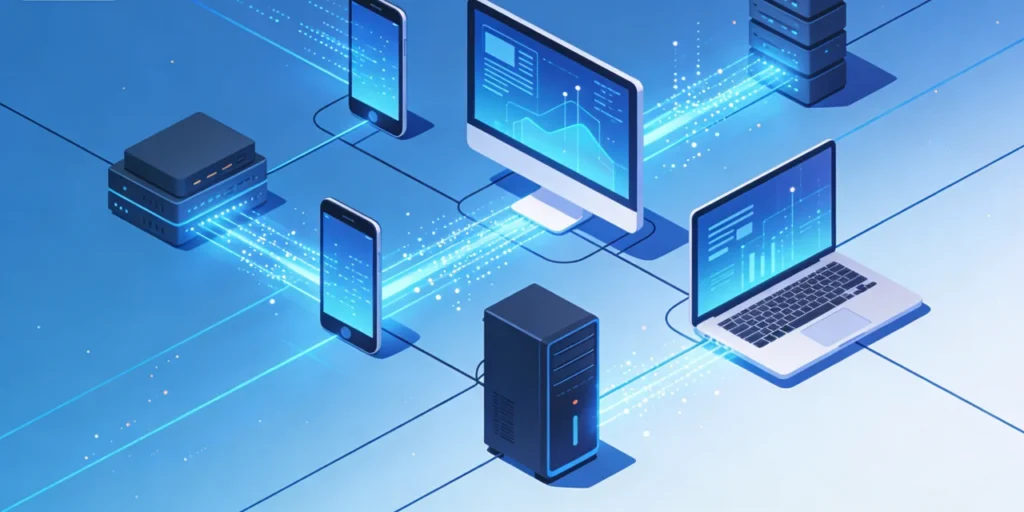
What Unblockers Actually Do
Think of unblockers as digital disguises. When you try accessing a blocked website directly, the blocking system recognizes your request and stops it. Unblockers hide or change your request’s characteristics, making it appear to come from somewhere else or look like different traffic entirely.
The Basic Mechanism
Your computer communicates with websites through a series of digital handshakes. These handshakes include information about where you’re located, what device you’re using, and which website you want to reach. Blocking systems examine this information and reject connections that match their restriction rules.
Unblockers interrupt this process. They either mask your information, route your connection through unrestricted intermediary servers, or disguise your traffic as something allowed through filters. The specific technique varies—some unblockers change your apparent location, others encrypt your traffic to hide its destination, and some combine multiple approaches for maximum effectiveness.
Why Blocking Happens
Understanding why content gets blocked helps you choose unblockers that work. Organizations block websites for productivity reasons, legal compliance, bandwidth management, or content filtering policies. Governments block content for censorship, security concerns, or regulatory enforcement. Streaming services block by region due to licensing agreements that restrict where they can show specific content.
Each blocking method has weaknesses that particular unblockers exploit. Website address filters can’t block services that hide the destination address. Geographic restrictions based on IP addresses fail when you appear to connect from a different location. Deep packet inspection looking for specific traffic patterns gets defeated by encryption that hides traffic contents.
Free Unblockers: Quick Fixes with Limitations
Start here if you need immediate access and aren’t concerned about speed, reliability, or complete privacy protection.
Web-Based Proxy Unblockers
These represent the quickest solution. Visit a web proxy site, enter the blocked URL, and the proxy fetches the content for you. The blocked website sees the proxy’s request, not yours, so it can’t tell where you’re really located or apply restrictions based on your actual network.
Setting up takes seconds—just visit the proxy site and start browsing. No installation required. No configuration needed. Perfect for quickly checking a blocked news article or accessing a specific webpage once.
The limitations quickly become apparent. Free web proxies run slowly because hundreds of users share the same servers. They inject advertisements into pages you visit. Many don’t work with modern websites using advanced security features. Some free proxies actually spy on your activity rather than protecting it. Security remains questionable at best.
Use free web proxies for quick, non-sensitive access to text-based content. Don’t use them for accounts requiring passwords, financial transactions, or anything involving personal information.
Browser Extension Unblockers
Extensions add unblocking functionality directly to your browser through simple installations from extension stores. They typically route your traffic through remote servers that aren’t subject to your local restrictions.
Good extensions work transparently—activate them with one click and browse normally without needing to visit separate proxy sites for each blocked URL. They handle the technical details automatically, making unblocking feel seamless.
Quality varies dramatically among extensions. Premium extensions from reputable companies deliver decent speed and security. Free extensions from unknown developers might sell your browsing data, inject tracking code, or even contain malware. Always research extensions thoroughly before installing them, checking developer reputation, user reviews, and requested permissions.
Mobile Data Workaround
Here’s a simple trick many overlook: workplace and school restrictions apply to their networks, not your mobile carrier’s network. Create a mobile hotspot from your phone and connect your laptop through it. Instant access to any blocked content without installing anything.
This workaround excels for emergency access when other methods aren’t available. It completely bypasses network-based restrictions because you’re using an entirely different network. No software conflicts. No configuration issues. Just connect and go.
Data consumption becomes the limiting factor. Streaming video burns through mobile data rapidly. Most carriers cap hotspot usage, making this impractical for regular heavy use. Reserve mobile hotspot unblocking for important access when other options aren’t available.
Professional Unblocker Solutions
Free unblockers work occasionally, but serious unblocking needs demand professional tools. These paid solutions deliver the reliability, speed, and security required for regular use or business purposes.
Residential Proxy Networks
Professional residential proxy networks represent the gold standard for reliable unblocking. Unlike free proxies using obvious datacenter servers that websites easily detect and block, residential proxies use real home internet connections from actual ISP customers.
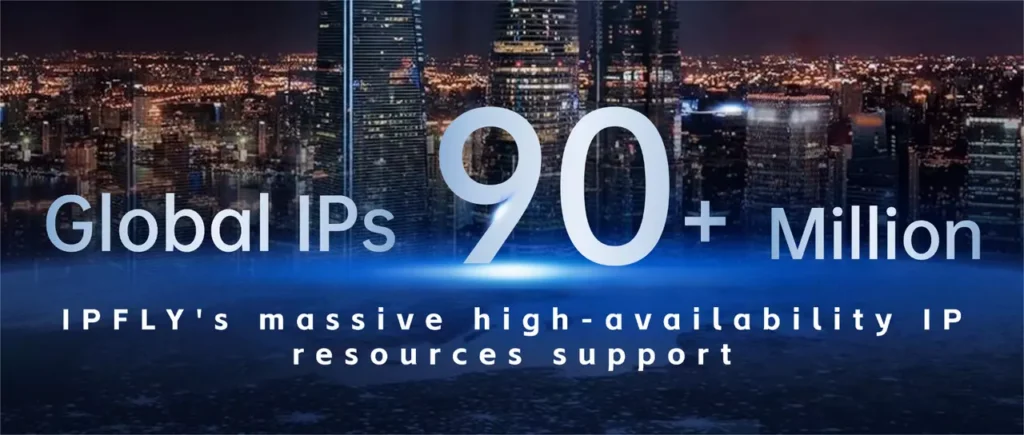
IPFLY’s residential proxy network operates the largest collection of residential IPs available—over 90 million authentic residential addresses spanning more than 190 countries and regions. When you connect through IPFLY, websites see a genuine residential user, not a proxy service. This authenticity makes IPFLY’s network incredibly difficult for blocking systems to detect.
The practical advantages are substantial. Streaming services that immediately block datacenter proxies work flawlessly through IPFLY’s residential connections. Social media platforms that restrict datacenter access allow normal operation through residential IPs. Even sophisticated security systems treat IPFLY traffic as legitimate because, technically, it originates from real residential connections.
IPFLY offers two residential proxy types addressing different unblocking needs:
Static residential proxies maintain the same IP address permanently. Choose static proxies when you need consistency—managing accounts that flag frequent IP changes, accessing banking sites with location-based security, or maintaining long-term monitoring operations. The permanent address builds trust over time, reducing friction when accessing security-conscious platforms.
Dynamic residential proxies automatically rotate IP addresses either periodically or with each request. Select dynamic proxies when you need variety—accessing multiple accounts, avoiding rate limiting, or gathering data without detection. The constant rotation through millions of available addresses makes your activity virtually impossible to track or block.
Both proxy types deliver millisecond-level response times and support unlimited concurrent connections. The 99.9% uptime guarantee means reliable access whenever you need it, not just when the proxy service decides to work.
Datacenter Proxies for Speed
Sometimes unblocking prioritizes speed over perfect authenticity. Datacenter proxies deliver exceptional performance through purpose-built server infrastructure optimized for speed and bandwidth.
IPFLY’s datacenter proxy network provides exclusive, high-purity IP addresses with low latency ideal for bandwidth-intensive unblocking. These proxies work excellently for accessing content that doesn’t employ sophisticated proxy detection—downloading files, accessing academic resources, or streaming content from services without aggressive blocking.
The unlimited concurrent connections enable massive parallelization when you need to access multiple blocked resources simultaneously. Combined with IPFLY’s infrastructure reliability, datacenter proxies deliver consistent high-speed access for applications where residential authenticity isn’t required.
Why Professional Unblockers Win
Free unblockers might work temporarily, but they fail when you need them most. Servers go down. Connections drop mid-stream. Speed degrades during peak hours. Security remains questionable. Support doesn’t exist.
Professional services like IPFLY solve these problems through dedicated infrastructure, consistent performance, enterprise-grade security, and 24/7 support. When unblocking matters for work, research, or important personal use, professional solutions eliminate frustration and deliver reliable results.
Unblocking Specific Content Types
Different blocked content demands different unblocking approaches for optimal results.
Streaming Services and Video Content
Streaming platforms employ sophisticated detection systems identifying and blocking most common unblockers. They maintain lists of known proxy server IP addresses, analyze traffic patterns for proxy characteristics, and implement geographic verification through multiple methods.
Successfully unblocking streaming content requires residential IPs that appear identical to regular users. IPFLY’s residential network specifically addresses streaming unblocking through authentic ISP-allocated addresses that streaming services cannot distinguish from legitimate users.
Choose static residential proxies from IPFLY for streaming. The consistent IP address prevents repeated authentication requests or security challenges. The residential authenticity ensures smooth playback without the buffering or connection interruptions that plague inferior unblockers.
Geographic selection matters too. Access content by selecting IPFLY proxy locations from countries where that content is available. Want to watch UK-exclusive shows? Connect through UK residential IPs. Need US streaming libraries? Select US locations. IPFLY’s coverage across 190+ countries provides authentic access to content worldwide.
Social Media Platforms
Schools and workplaces frequently block social media, while some countries implement government-level censorship of platforms like Facebook, Twitter, or Instagram. Successfully unblocking social media requires avoiding detection that triggers account restrictions or bans.
Social media platforms monitor for proxy usage aggressively. They track IP addresses, analyze login patterns, and flag accounts showing suspicious location changes or datacenter IP usage. Free unblockers often trigger these security systems, resulting in locked accounts requiring identity verification.
IPFLY’s static residential proxies solve this problem perfectly. The consistent residential IP maintains account stability while the ISP-level authenticity prevents triggering platform security systems. You can access social media reliably without risking account restrictions that come from using easily-detected unblockers.
Educational and Work Resources
Ironically, schools and workplaces sometimes block legitimate educational or professional resources through overly aggressive filtering. Students need access to academic databases. Employees require industry news sites or professional tools misclassified by content filters.
Unblocking these resources often works best through direct communication with IT departments explaining your legitimate needs. When that fails or isn’t possible, unblockers provide access to the resources you need for your work or studies.
Choose unblocking methods matching your organization’s policies and your ethical comfort level. Some organizations prohibit all circumvention regardless of intent, while others tacitly accept unblocking for legitimate professional purposes. Understanding these boundaries helps you make informed decisions.
Unblocking for Different Situations
Your unblocking needs vary based on where you’re accessing content and why restrictions exist.
Workplace Unblocking
Offices implement restrictions for various reasons—reducing personal internet use during work hours, preventing malware from compromised websites, managing bandwidth consumption, or complying with industry regulations.
Before using unblockers at work, understand your organization’s acceptable use policy. Some companies strictly prohibit circumvention and monitor for it. Others care more about productivity and bandwidth management than blocking circumvention specifically.
When unblocking at work makes sense—accessing news sites during lunch breaks, researching competitors through blocked social media, or reaching legitimate resources misclassified by filters—choose methods that work reliably without degrading network performance or attracting IT attention.
Professional proxy services like IPFLY work effectively because they operate entirely outside your workplace network. Your company sees encrypted traffic to a residential IP address, not obvious proxy server connections that might trigger alerts.
School and University Access
Educational institutions block content to maintain appropriate environments, manage bandwidth for thousands of students, and comply with regulations governing minors’ internet access.
Students face legitimate needs for blocked content—researching topics where relevant sources are blocked, accessing educational videos on blocked platforms, or connecting to services required for coursework but mistakenly filtered.
Mobile hotspot methods work well in schools because they bypass institutional networks entirely. When that’s impractical, browser-based unblockers offer quick solutions for occasional access. For students requiring regular reliable unblocking—particularly those studying abroad or accessing resources for serious research—professional unblocker services deliver the consistency needed for academic work.
Travel and Geographic Restrictions
Traveling introduces new access challenges. Some countries censor internet content aggressively. Streaming service libraries change by country, making your subscriptions show different content. Banking sites might block access from foreign IPs as fraud prevention.
Business travelers need reliable solutions. You can’t afford unreliable free unblockers when you need to access critical work resources from abroad. IPFLY’s global residential network ensures consistent access to all your usual resources regardless of travel destination.
Select proxy locations matching your needs. Access home banking by connecting through proxies in your home country. Watch your regular streaming content by selecting proxies from regions with desired content libraries. Browse censored content by routing through countries without those restrictions.
Home Internet Restrictions
Some internet service providers implement website blocking, traffic throttling, or content filtering. These restrictions might stem from government requirements, ISP policies, or parental control features you’ve outgrown.
Home unblocking often works best through router-level configuration rather than individual device setup. This approach protects all devices on your home network simultaneously without requiring separate configuration on phones, tablets, computers, and smart TVs.
IPFLY’s proxy service configures easily at the router level, providing whole-home unblocking through single setup. Alternatively, configure individual devices as needed. The flexibility adapts to your specific home network architecture and unblocking requirements.
Safety and Privacy with Unblockers
Using unblockers safely requires understanding security implications and choosing trustworthy services.
Encryption and Connection Security
Unblockers create additional connection points between you and target websites. Without proper encryption, these intermediary points can intercept your data—passwords, financial information, personal communications—compromising your security rather than protecting it.
Always verify that unblockers encrypt connections end-to-end. Look for HTTPS throughout the connection chain. Avoid free unblockers that don’t clearly document their security practices or show security warnings when connecting.
IPFLY implements military-grade encryption protecting all traffic through their network. Your data remains encrypted from your device through IPFLY’s infrastructure to final destinations, preventing interception even if someone monitors network traffic.
Privacy Protection and Logging Policies
Some unblockers log everything you do—websites visited, content accessed, even data transmitted. These logs might support legitimate purposes like troubleshooting and abuse prevention, or they might enable data harvesting for advertising and tracking.
Reading privacy policies reveals what unblocker services log and how they use that information. Reputable services clearly explain their logging practices and commit to not selling or sharing user data beyond what’s legally required.
IPFLY maintains strict no-logging policies for user browsing activity. The service doesn’t track which websites you visit or what content you access through their network. This privacy commitment ensures your unblocking activity remains confidential.
Avoiding Malicious Unblockers
Not all unblockers have your best interests in mind. Some free services exist specifically to harvest user data, inject advertisements, or distribute malware. These malicious unblockers might work initially, then gradually introduce problems or compromise your device.
Warning signs include: excessive permissions requests, intrusive advertising that persists after closing the unblocker, unexplained computer slowdowns, browser redirects to unexpected sites, or inability to find clear information about who operates the service.
Stick with unblockers from known reputable companies with transparent operations, clear privacy policies, accessible customer support, and positive reviews from independent sources. The small cost of professional services is worthwhile compared to security risks from questionable free alternatives.
Configuring Unblockers on Different Devices
Successfully using unblockers requires proper configuration for each device type.
Desktop and Laptop Setup
Computers offer the most flexibility for unblocker configuration. You can configure system-wide proxy settings affecting all applications, browser-specific settings affecting only web traffic, or application-level settings for individual programs.
System-wide configuration makes sense when you need comprehensive unblocking across all applications. Configure proxy settings in your operating system’s network preferences, and all network traffic routes through the unblocker automatically.
Browser-specific configuration works well when you only need to unblock web content while allowing other applications to use direct connections. Configure proxy settings within your browser preferences, leaving other applications unaffected.
IPFLY provides detailed configuration instructions for all major operating systems and browsers. The straightforward setup process takes minutes, and technical support assists with any configuration challenges.
Smartphone and Tablet Configuration
Mobile devices present unique challenges. iOS and Android handle proxy configuration differently, and mobile browsers offer fewer extension options than desktop counterparts.
Both platforms support manual proxy configuration in WiFi network settings. This configuration routes all traffic from that network through specified proxies. The setup works reliably but requires reconfiguration when switching networks.
Dedicated proxy applications offer easier mobile unblocking. Install the app, enter your IPFLY credentials, and activate with one tap. The app handles configuration automatically and often includes features like automatic server selection and quick enable/disable toggles.
IPFLY’s mobile compatibility ensures reliable unblocking on smartphones and tablets through both manual configuration and app-based approaches. Choose the method matching your technical comfort level and usage patterns.
Smart TV and Streaming Device Setup
Unblocking streaming content on televisions and streaming boxes requires different approaches since these devices offer limited configuration options.
Router-level proxy configuration provides the most elegant solution. Configure your router to route all traffic through IPFLY’s proxies, and every device connected to your WiFi network gains unblocking capability automatically. This approach requires router access and moderate technical knowledge but delivers whole-home unblocking through single configuration.
Alternatively, some streaming devices support proxy configuration directly in network settings. Others require workarounds like connecting through computers configured as proxy servers.
IPFLY’s documentation covers streaming device configuration comprehensively, with device-specific instructions for popular platforms like Roku, Fire TV, Apple TV, and smart TVs from major manufacturers.
Troubleshooting Common Unblocker Problems
Even good unblockers occasionally encounter issues. Knowing how to diagnose and fix problems keeps you unblocked consistently.
Slow Performance and Buffering
Unblockers add processing overhead and route traffic through additional servers, sometimes causing noticeable slowdowns. When performance becomes unacceptable, several factors might be responsible.
Check your base internet speed first. If your underlying connection is slow, unblockers amplify that slowness. Test speed both with and without the unblocker active to isolate whether the unblocker causes problems or underlying connectivity is insufficient.
Server location matters significantly. Routing traffic halfway around the world adds unavoidable latency. Select proxy servers geographically close to either your location or target content’s location for optimal performance.
IPFLY’s infrastructure prioritizes performance through strategically distributed servers and high-bandwidth connections. When you experience slowdowns, IPFLY’s support team can recommend server locations and configurations optimizing performance for your specific situation.
Websites Still Blocked
Sometimes you configure unblockers correctly but websites still appear blocked. Several causes might explain this frustrating situation.
Browser caching sometimes shows you stored blocked versions of pages instead of attempting fresh connections through unblockers. Clear browser cache and cookies, then reload pages to force fresh requests.
Verify your unblocker configuration is actually active. Easy to accidentally disable unblockers or configure incorrect server addresses that appear to connect successfully but don’t actually route traffic properly.
Some blocking systems detect common unblockers and block them too. This is where residential proxy quality matters—sophisticated blocks detect datacenter proxies and free unblockers easily but struggle to identify legitimate residential connections. IPFLY’s authentic residential IPs bypass even aggressive blocking systems that defeat inferior unblockers.
Authentication and Account Issues
Websites sometimes implement security measures that complicate access through unblockers. Detecting logins from unexpected locations or unusual IP addresses triggers security challenges requiring additional verification.
For accounts you access regularly, static residential proxies from IPFLY solve this problem. The consistent IP address establishes pattern that websites recognize as normal for your account, preventing repeated security challenges.
Two-factor authentication adds security but requires receiving codes on your phone or through authenticator apps. Ensure these authentication methods work reliably before relying on unblockers for accessing important accounts.
Connection Drops and Reliability
Free unblockers frequently disconnect without warning, interrupting your browsing or streaming mid-session. These reliability issues make them impractical for anything beyond quick casual use.
Professional unblockers like IPFLY maintain connection stability through redundant infrastructure and automatic failover. If one server encounters problems, your connection automatically shifts to functioning servers without noticeable interruption.
IPFLY’s 99.9% uptime guarantee reflects this reliability focus. The infrastructure investment ensures you can depend on unblocking working when you need it, not just hoping it works.
Legal and Ethical Considerations
Understanding the legal landscape and ethical implications of using unblockers helps you make informed decisions.
Legal Status of Unblockers
Using unblockers is legal in most countries. The tools themselves are legitimate technology with many valid uses. However, what you access through unblockers might violate laws, terms of service, or acceptable use policies.
Some countries restrict or ban unblocker technologies as part of broader internet censorship. Using unblockers in these locations carries legal risks that vary by jurisdiction. Research local laws before using unblockers in unfamiliar countries.
Violating website terms of service isn’t illegal in most jurisdictions but can result in account termination or service bans. Streaming services explicitly prohibit using unblockers in their terms, though enforcement varies. Understanding these distinctions helps you assess risks.
Workplace and School Policies
Even when unblockers are legal, organizational policies might prohibit their use. Employees and students agree to acceptable use policies that often include restrictions on circumvention tools.
Violating these policies can result in disciplinary action—everything from warnings to termination or expulsion depending on circumstances and organizational culture. Before using unblockers in institutional settings, understand policies and potential consequences.
Some organizations enforce policies strictly, monitoring for circumvention and disciplining violations. Others establish policies primarily for liability protection but rarely enforce them absent abuse. Knowing your specific organization’s approach helps inform decisions.
Ethical Use Considerations
Technology provides capability; ethics guide whether exercising that capability is appropriate. Just because you can unblock something doesn’t automatically mean you should.
Consider your motivations. Accessing blocked academic resources for legitimate research differs ethically from unblocking social media to waste time when you should be working. Bypassing geographic restrictions to access streaming content you already pay for differs from using unblockers to access pirated content.
Most people can distinguish ethical from unethical use through common sense. When uncertainty exists, ask whether you’d be comfortable explaining your unblocking usage to relevant authority figures. That thought experiment usually clarifies whether your intentions are reasonable.
Choosing the Right Unblocker for Your Needs
Selecting optimal unblockers requires matching capabilities to requirements.
Assessing Your Unblocking Needs
Start by clearly defining what you need to unblock, how frequently, and in what contexts. Occasional access to blocked news articles demands different solutions than daily streaming access or professional research requiring reliable consistent unblocking.
Consider your technical comfort level too. Some unblockers require comfortable configuring network settings or understanding proxy protocols, while others work through simple one-click browser extensions requiring no technical knowledge.
Budget matters for ongoing use. Free unblockers save money but sacrifice speed, reliability, and security. Professional services cost money but deliver capabilities matching serious unblocking needs. Evaluate whether cost savings justify limitations for your specific situation.
Evaluating Unblocker Services
When comparing professional unblockers, assess multiple factors beyond simple pricing. Infrastructure scale affects reliability—services with more servers across more locations handle load better and offer more unblocking options.
IP pool size and quality determine blocking resistance. Residential IP pools with millions of addresses from real ISPs defeat blocking systems that easily identify and block small datacenter IP sets.
Support quality matters when problems arise. Services with 24/7 technical support resolve issues quickly. Those with limited support leave you stuck until business hours.
IPFLY excels across all these dimensions—massive infrastructure with over 90 million residential IPs across 190+ countries, support for all protocols, unlimited concurrency, 99.9% uptime, and round-the-clock technical support. This comprehensive capability set makes IPFLY suitable for both casual users needing occasional reliable unblocking and businesses requiring enterprise-grade infrastructure.
Trial Periods and Testing
Many professional unblocker services offer trial periods or money-back guarantees. Take advantage of these to test services with your actual use cases before committing long-term.
Test performance with content you actually need to access. Verify compatibility with your devices and applications. Evaluate customer support responsiveness. This hands-on testing reveals whether services deliver on their promises.
IPFLY’s flexible approach lets you start small and scale as needs evolve. The responsive support team helps optimize configurations for your specific requirements.
Maximizing Unblocker Effectiveness
Getting the most from unblockers requires strategic usage and optimization.
Server Location Selection
Geographic location dramatically affects unblocker performance and capabilities. Select servers strategically based on what you’re unblocking.
For accessing region-locked content, choose locations where that content is available. For performance optimization, select locations geographically close to either you or the content you’re accessing to minimize latency.
IPFLY’s extensive geographic coverage across 190+ countries enables precise location selection. Whether you need authentic US, UK, European, Asian, or any other regional access, IPFLY’s residential IPs provide genuine connections from those locations.
Connection Management
Maintaining persistent connections when possible reduces overhead from repeatedly establishing new connections. Many unblockers support connection pooling that reuses established connections efficiently.
For browser usage, keeping browsers open maintains active connections. For automated operations or applications using unblockers programmatically, implement connection pooling in your code for optimal performance.
Combining Multiple Approaches
Sometimes using multiple unblocker types together provides optimal results. Route general browsing through one method while using different approaches for specific high-priority applications.
This layered approach balances cost, performance, and capability requirements across different use cases without paying for highest-tier capabilities for every purpose.
The Future of Unblocking Technology
Unblocker technology continues evolving as blocking systems become more sophisticated and user needs become more complex.
Advanced Detection and Countermeasures
Organizations and platforms continuously improve blocking capabilities. They analyze traffic patterns, fingerprint devices, track behavioral characteristics, and employ machine learning to identify unblocker usage even when technical detection proves difficult.
Unblocker services respond through equally sophisticated countermeasures—residential IP networks that appear identical to regular users, traffic pattern randomization, device fingerprint spoofing, and behavioral modeling that mimics human browsing patterns.
This arms race continues indefinitely. Services that invest heavily in staying ahead of detection maintain effectiveness, while those that don’t gradually become less reliable as blocking systems evolve.
IPFLY’s continuous infrastructure investment ensures long-term reliability. The expanding residential IP network, protocol updates, and security enhancements keep IPFLY effective against even the most sophisticated blocking systems.
Emerging Technologies and Protocols
New networking protocols and technologies create both challenges and opportunities for unblockers. HTTP/3 with QUIC, advances in TLS, and novel network architectures require unblocker adaptation to maintain compatibility and effectiveness.
Services that actively develop and implement support for emerging technologies position users to benefit from performance improvements and compatibility with modern applications.
Privacy and Security Evolution
Growing awareness of privacy issues and increasing regulatory requirements around data protection shape unblocker development. Services increasingly implement zero-knowledge architectures, enhanced encryption, and stronger privacy protections.
These improvements benefit users through better security without sacrificing the core unblocking functionality that makes these services valuable.
Digital restrictions limit access to information, entertainment, and resources for various reasons—sometimes legitimate, sometimes questionable. Unblockers restore internet freedom, giving you back control over what content you can access regardless of where you’re located or which network you’re using.
The right unblocker depends entirely on your needs. Quick occasional access to blocked text content works fine through free web proxies or browser extensions. Regular reliable unblocking—especially for streaming, account access, or professional purposes—demands professional infrastructure delivering consistent performance, authentic residential connections, and enterprise reliability.
IPFLY’s comprehensive unblocker infrastructure provides solutions for every unblocking scenario through three complementary technologies: static residential proxies maintaining consistent identities, dynamic residential proxies rotating through millions of addresses for maximum variety, and high-performance datacenter proxies optimizing speed and bandwidth.
The combination of over 90 million residential IPs spanning 190+ countries, support for all major protocols, unlimited concurrent connections, 99.9% uptime reliability, and 24/7 technical support creates a complete unblocking platform capable of handling anything from casual personal use to enterprise-scale business operations.
Whether you’re unblocking streaming services while traveling, accessing educational resources through school filters, conducting business research through workplace restrictions, or operating in regions with content censorship, professional unblocker infrastructure makes the difference between frustration and reliable access.
The investment in quality unblocking tools pays dividends through eliminated frustration, consistent access to needed resources, and confidence that your unblocking solution works when you need it. Free alternatives might seem appealing initially, but their limitations, unreliability, and security concerns make them impractical for anything beyond the most casual occasional use.
Take control of your internet experience. Choose unblockers matching your needs. Configure them properly. Use them responsibly and ethically. With the right tools and knowledge, digital restrictions become minor inconveniences rather than insurmountable barriers preventing access to information and entertainment you need.
Start with clear understanding of your requirements, test solutions with real use cases, and invest in professional infrastructure when reliable unblocking matters. Your digital freedom is worth it.
