

Being blocked from your favorite game is very frustrating. If you see an error message even when your password is correct, you might have a Roblox IP ban. This means Roblox has blocked your entire internet connection, not just your account.
This guide will show you three ways to get back into the game by changing your IP address.
1.Understanding a Roblox IP Ban
Why an IP Ban is Different from an Account Ban
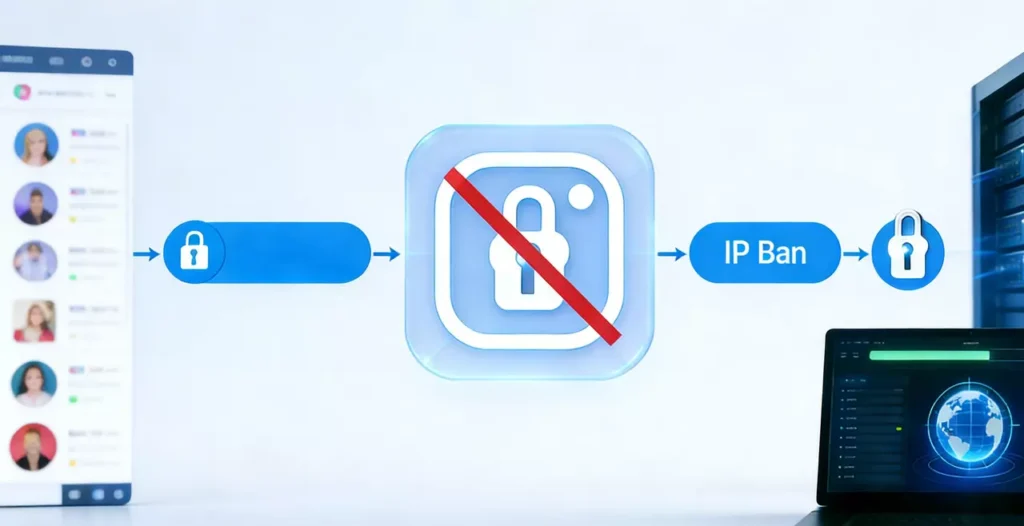
An account ban stops you from using one username. However, a Roblox IP ban blocks the “door” your house uses to reach the game servers. Because of this, creating a new account usually does not work.
The Technology Behind the Ban
Roblox uses your public IP address to identify your network. If someone on your Wi-Fi breaks the rules, the whole network can be blocked. Therefore, you must show the server a new, clean IP address to play again.
2.Why Roblox Bans Your IP Address
Common Triggers for a Network Block
Roblox may block an IP if it sees a major violation of its rules. This often happens to stop people from making many bad accounts at once.
Real-Life Scenario
For example, if a player uses a script that the game does not allow, the platform might block the network to keep the community safe. However, technical errors can sometimes cause a ban even if you did nothing wrong.
3.Method 1: Restarting Your Internet Router
How to Use Dynamic IP Addresses to Your Advantage
Many internet companies give you a “dynamic” IP. This means your address can change. By turning your router off and on, you might get a new address for free.
Step-by-Step Instructions
- Close the game: Fully exit Roblox and any launchers.
- Unplug power: Pull the cords out of your modem and router.
- Wait: Keep them unplugged for 5 to 10 minutes so the connection resets.
- Restart: Plug the modem in first, then the router.
- Check: Search “what is my IP address” on Google to see if it changed.
4.Method 2: Connecting to a Mobile Hotspot
Using Cellular Data as a Quick Fix
If the router trick fails, you can use your phone’s data. Your phone has a completely different IP address from your home Wi-Fi.
Pros and Cons of This Method
- Success: This method is almost guaranteed to work.
- Drawbacks: However, gaming on a hotspot can be slow (laggy) and may use a lot of your phone’s data plan. It is best for short play sessions.
5.Method 3: Using IPFLY Residential Proxies
Why IPFLY is the Best Choice for Gaming
For a stable and fast connection, a high-quality residential proxy is the ultimate solution. Unlike cheap proxies, IPFLY (referred to as PIA S5 in the sources) uses real home IP addresses. This makes your connection look like a normal user to Roblox.
Key Benefits of IPFLY
- Huge IP Pool: You can choose from over 90 million real residential IPs.
- Fast Speed: It uses the SOCKS5 protocol, which is optimized for gaming and has lower lag.
- Global Access: You can pick IPs from over190 regions to find the fastest connection.
- Affordable: Prices for static ISP proxies start as low as $2 per IP.
6.Step-by-Step Guide for IPFLY Configuration
Getting Your Proxy Ready
First, sign up for a plan on the IPFLY website , filter by country or city to find a proxy you want to use.
Setting Up Your Proxy on Windows and macOS
- Windows: Go to Settings > Network & Internet > Proxy. Turn on “Use a proxy server” and enter the IP and Port provided by IPFLY.
- macOS: Open System Settings > Network. Find your connection, click “Details,” and go to the “Proxies” tab. Select “SOCKS Proxy” and enter your details. Therefore, once you save these settings, Roblox will see your new IP and let you play.
7.Advanced Protection with Antidetect Browsers
Keeping Multiple Accounts Safe
If you manage many Roblox accounts, you should use an Antidetect Browser with your IPFLY proxies. These browsers create separate “fingerprints” for each account.
Why This Prevents Future Bans
For example, if one account gets a Roblox IP ban, the other accounts remain safe because they are in their own isolated environments. In addition, this is the most professional way to stay online without interruptions.
8.Conclusion and Final Tips
Choosing the Right Method
A Roblox IP ban is a major roadblock, but it is not permanent. Restarting your router is a good first step, but it might not always work.
The Ultimate Game Plan
In conclusion, using a service like IPFLY provides the best reliability and speed for serious players. It ensures that you always have a clean “door” to enter the Roblox universe.
Common FAQs About Roblox IP Bans
Q1: How long does a Roblox IP ban last? A: It depends on the reason. Some bans are temporary (24 hours), while others can be permanent unless you change your IP.
Q2: Why didn’t my IP change after I restarted my router? A: Your internet provider might have given you a “static IP” that stays the same. Therefore, you would need to use a residential proxy like IPFLY to change it.
Q3: Will using a proxy make my game lag? A: Many proxies are slow, but IPFLY uses SOCKS5, which is built for speed and handles heavy game data with lower latency.
Q4: Can I use IPFLY on my phone? A: Yes, IPFLY provides versions for Android and iOS devices so you can bypass bans on mobile too.
Q5: Is it legal to bypass an IP ban? A: This guide provides a technical path for users to regain access. However, you should always follow Roblox’s Terms of Service to avoid future bans.
Analogy: Imagine a Roblox IP ban is like a security guard blocking the front door of a park. Restarting your router is like waiting for a shift change, while using IPFLY is like having a private entrance that the guard doesn’t even know about.
