

BlockAway promises a simple way to access websites without installing software. But is it enough for your needs, and what should you know before trusting it with your browsing?
This BlockAway proxy review explains how the service works, and its advantages and limitations. We’ll also explore when IPFLY makes sense as an alternative, especially if you need specific locations, a consistent IP address, or a proxy connection for your browser and tools.
What Is BlockAway Proxy?
BlockAway is a free web proxy—a service that acts as a middleman between your browser and the website you want to visit. It retrieves web content on your behalf, so the destination generally sees the proxy server’s IP address rather than your own.
Unlike a proxy you configure in a browser or app using a server address and port, BlockAway proxy works through a webpage. Its official website lists US and European server options and support for video and social websites, though compatibility can vary.

How Does BlockAway Work?
When you access a website through BlockAway, your request follows three steps:
- Step 1: You enter a website address. BlockAway receives the URL of the page you want to open.
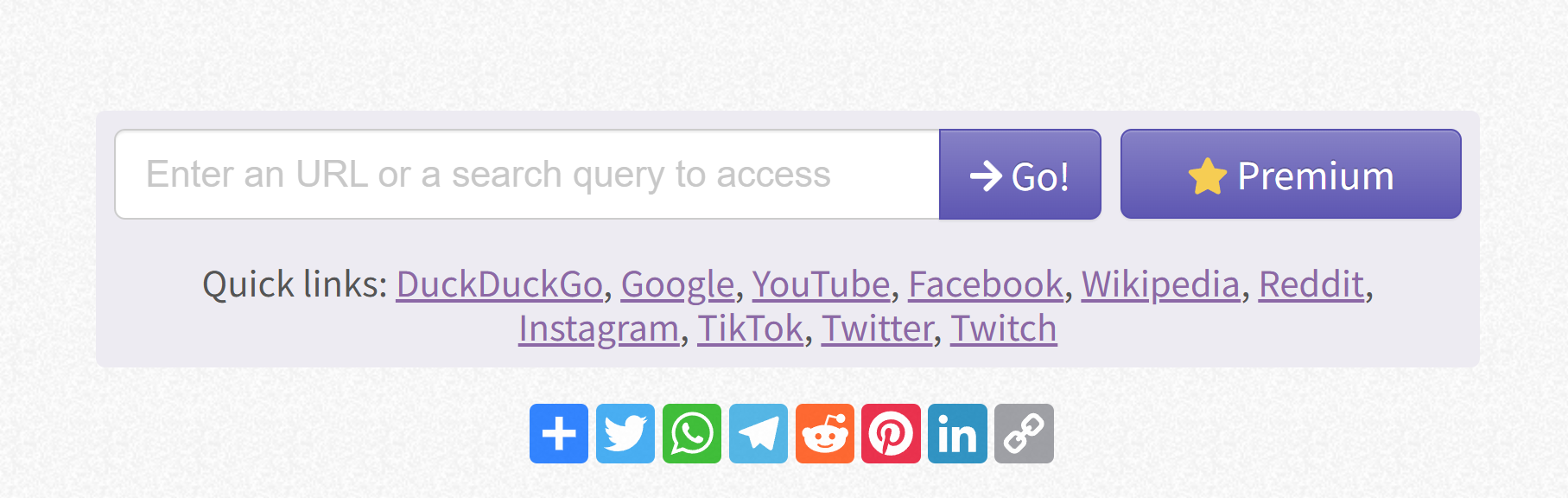
- Step 2: BlockAway requests the page for you. Its server connects to the target website and retrieves the content.
- Step 3: The content returns through BlockAway. The service sends the page back to your browser, allowing you to view it through its web interface.
The destination website generally sees BlockAway’s IP address rather than your own, but this does not make you completely anonymous. Logging into an account can still identify you, and cookies or other browser signals may help the website recognize your activity.
This IP masking applies only to content accessed through BlockAway’s webpage. Unlike a proxy configured in your browser or app, BlockAway does not route traffic outside that page, so other tabs and apps continue using their existing connections.
What Are the Advantages of BlockAway?
BlockAway’s main appeal is convenience. For occasional browsing, it offers a simple way to try a different connection without setting up a proxy yourself.
Quick Access Without Installation
BlockAway runs through a webpage, so there is no software to download or extension to install. You also don’t need to enter a proxy server address, port, or authentication details.
This makes it approachable for beginners, especially when the goal is simply to open a public webpage rather than configure an ongoing connection.
Free Basic Browsing
The basic version of BlockAway proxy is free, making it useful for people who only need a web proxy occasionally. You can try accessing public content through another route before deciding whether a paid service is necessary.
Free access does not guarantee consistent speeds or compatibility with every website, but it lowers the barrier to trying the service.
A Different Route to Public Web Content
Sometimes a website is unavailable through your current network even though the site itself is working. By requesting the page through another server, BlockAway may provide a route that works.
This can be useful for reading public articles or checking whether a page is reachable through a different connection. Results depend on your network, the proxy server, and the destination website.
What Are the Limitations of BlockAway Proxy?
BlockAway’s simple interface is convenient, but it also leaves users with fewer controls. These limitations become more relevant when you need a specific location, a consistent IP, or a repeatable workflow.
Limited Control Over IPs and Locations
BlockAway’s official website lists US and European server options. However, that does not establish whether you can select a particular city, retain one IP address, or return to the same exit IP later.
For casual browsing, this may be enough. For checking location-specific content or maintaining a consistent network location, you need to confirm whether the available controls meet your requirements.
Performance and Website Compatibility Can Vary
Loading a modern website involves more than displaying text and images. Videos, interactive menus, login redirects, and background requests all need to work through the proxy.
With a web proxy such as BlockAway, some of these features may behave differently or fail to load. Connection speed can also vary with server load and the route to the destination. A page opening successfully does not necessarily mean every feature will work.
Privacy Depends on More Than IP Masking
Hiding your IP from a destination website does not mean the proxy service collects no information.
BlockAway’s privacy policy lists log data such as IP addresses, browser types, internet service providers, and timestamps. It also states a goal of retaining only information needed for legitimate law enforcement inquiries for 60 days from access. BlockAway should therefore not be described as a no-logs service.
The practical distinction is simple: the website you visit and the proxy handling your request have different views of your connection. Before sending sensitive information through a web proxy, consider what the operator may process and how its policy describes that use.
Less Flexibility for Repeated Workflows
A webpage-based service can be sufficient for an occasional visit. It becomes less convenient when you need to check several regions regularly, keep the same exit IP, or connect a script or application through a proxy.
These tasks call for controls beyond opening a URL. If your needs move toward repeatable testing or ongoing business use, a configurable BlockAway proxy alternative may be a better fit.
When Should You Consider a BlockAway Proxy Alternative?
Occasional browsing may only require a page that loads correctly. But when a task depends on a particular location, the same IP address, or repeated requests, you need more control over the connection. That is when it makes sense to consider a BlockAway proxy alternative.
| Your need | Why consider an alternative? | What to look for |
| Compare content across different regions | Meaningful comparisons require choosing each test location, rather than relying on whichever exit server is available. | Location targeting for your required regions |
| Repeatedly access the same business account or dashboard | A consistent exit IP helps maintain the same network location across visits. You need a service that explicitly supports IP retention. | Static IPs or suitable sticky sessions |
| Run tasks in a browser, script, or application | These tools need a proxy connection they can use directly, rather than a webpage where you enter URLs manually. | Compatible protocols, proxy credentials, and setup instructions |
| Run ongoing monitoring or research | Recurring tasks require predictable usage limits and a way to investigate connection failures. | Clear plan terms, technical support, and successful testing with your target websites |
The reason to switch is a specific capability your workflow requires. If your work depends on controlling where requests come from and how the connection behaves, a configurable proxy service is worth evaluating.
Why Choose IPFLY as a BlockAway Proxy Alternative?
IPFLY is a proxy service provider offering residential, static ISP, and datacenter proxies. Instead of opening websites through a proxy webpage, you configure an IPFLY connection in a compatible browser or tool.
Why does this matter? A website may use your IP address to estimate your location, display regional content, or assess a connection alongside other signals. Choosing your proxy location and deciding whether to keep or change the IP gives you more control over these aspects of browsing.
IPFLY is therefore worth considering as a BlockAway proxy alternative when you need more than occasional webpage access. It requires a paid plan and some initial setup.
More Location Options for Regional Testing
A website may display different prices, products, or advertisements depending on where a visitor appears to be. To compare those experiences, you need to choose the location of your connection.
IPFLY’s residential proxies offer country, state, and city targeting, subject to available resources. These proxies use IP addresses associated with residential internet connections, allowing you to check public content through an exit location relevant to your research.
For example, a marketing team can check whether a localized landing page or advertisement appears as intended in a particular market.
Static IPs for Consistent Connections
Some tasks benefit from keeping the same IP rather than switching between addresses. If you regularly return to a business dashboard, a fixed exit IP helps maintain a consistent network location across visits.
IPFLY’s static ISP proxies provide dedicated, non-rotating IP addresses. This makes them useful when your workflow depends on returning through the same connection over time.
A consistent IP is only one part of that environment. Websites may still request verification based on your account activity, browser, or other signals.
Proxy Support for Browsers and Compatible Tools
A webpage-based proxy is convenient for manual browsing. However, a monitoring tool or script needs a proxy connection it can use directly.
IPFLY supports HTTP(S) and SOCKS5, common proxy protocols supported by many browsers, clients, and automation tools. You enter the connection details into compatible software, which then sends the configured traffic through the proxy.
This lets you use a proxy within your existing workflow—for example, running scheduled page checks without manually entering each URL into a web proxy.
Different Proxy Types for Different Workloads
The right proxy depends on whether you need to change locations, retain an IP, or handle larger amounts of traffic:
- Residential proxies: Useful for regional content checks and tasks that need rotating IPs. Sticky sessions can retain an IP temporarily, subject to session limits and availability.
- Static ISP proxies: Suitable for repeated visits that require the same exit IP over time.
- Datacenter proxies: An option for monitoring and data-intensive tasks where the destination accepts datacenter IPs. IPFLY lists dedicated IPs and unlimited bandwidth for this product; check the applicable plan terms.
Cost also depends on the product. With traffic-based plans, consider how much data your pages or requests will use. With IP-based plans, consider how many addresses you need and for how long. Matching the plan to your workload is more useful than choosing solely by the lowest advertised price.
BlockAway vs. IPFLY: Which Should You Choose?
The choice depends on whether you need quick webpage access or more control over your connection.
| Feature | BlockAway | IPFLY |
| How you use it | Open websites through its web interface | Configure a proxy in a compatible browser or tool |
| Getting started | Basic access is free and requires no proxy configuration | Requires a paid plan and initial setup |
| Best suited for | Occasional, lightweight browsing | Regional testing, consistent IPs, and recurring tasks |
| IP options | US and European server options; detailed IP controls are not clearly documented | Residential, static ISP, and datacenter proxies |
| What to check | Whether the page and its features work correctly | Available locations, IP retention, protocol support, and plan limits |
Choose BlockAway if you occasionally want to view public content and prefer a simple webpage-based service.
Consider IPFLY as a BlockAway proxy alternative if you need specific locations, a fixed exit IP, or a connection that works directly with your browser, application, or script. Select the proxy type and plan around those requirements.
Conclusion
BlockAway offers a convenient way to browse public webpages without installing software or configuring a proxy. Its simplicity suits occasional use, while tasks involving specific locations, consistent IPs, or connected tools require more control.
If those needs match your workflow, explore IPFLY’s proxy options. Choose residential proxies for location selection and IP rotation, static ISP proxies for a consistent exit IP, or datacenter proxies for compatible workloads, then select a plan based on your expected usage.
FAQs About BlockAway Proxy
Is BlockAway proxy free?
BlockAway offers a free basic version that works through its webpage without proxy configuration. Its website also links to premium access. Check the current offering for upgrade details, and remember that free access does not guarantee consistent performance or compatibility with every website.
Is BlockAway safe to use?
BlockAway masks your IP from the destination in typical proxied requests, but it does not guarantee anonymity. Its privacy policy describes logging certain connection and visitor information. Avoid sending sensitive credentials or confidential information through a web proxy, and use a trusted direct connection for sensitive tasks.
Does BlockAway work with every website?
No web proxy can guarantee compatibility with every website. Some sites block proxy connections, while others rely on scripts, media requests, or login processes that may not work correctly through a webpage-based service. A page may open even when some of its features remain unavailable.
Does BlockAway change the IP address for my whole device?
No. BlockAway only handles requests made through its proxy webpage. Websites opened directly in other tabs and applications on your device continue using their existing connections. It does not automatically change the public IP visible to every service you use.
Can IPFLY replace BlockAway proxy?
IPFLY can serve as a BlockAway proxy alternative when you need location targeting, static or rotating IPs, or integration with compatible tools. However, it requires a paid plan and proxy configuration. For occasional webpage access, BlockAway’s simpler interface may be sufficient.






