

In 2026, data drives every modern company. Developers must collect public web information to make smart choices. Many teams use automated scripts for Market Research Automation.
During this process, you will encounter server jumps. These jumps are called HTTP redirects. If you use cURL for data collection, you must manage these jumps. The tool needs specific instructions to chase the shifting URL. Learning how to configure a curl follow-redirect task is a vital skill.
However, modern networks use strict security checks. A simple jump can cause problems. You might lose session cookies, or your local IP address could get flagged. As a network architect with 15 years of experience, I know these challenges well.
This guide will show you how to handle redirects cleanly. We will look at advanced command parameters, protocol rules, and network trust. We will also show how pairing cURL with IPFLY residential proxies ensures total Identity Protection. Let us dive into the technical details.
The Fundamentals of HTTP Redirects and cURL
Websites use redirects to send users from one URL to another location. You must understand these status codes to build stable data pipelines.
1. What Happens Behind a Server Redirect?
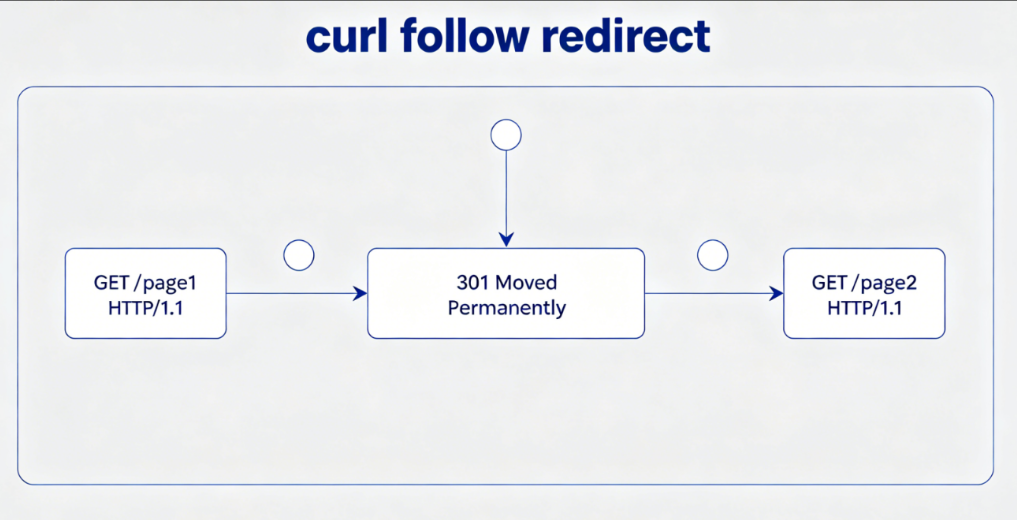
When a server wants you to go to a new page, it sends a 3xx status code. Common codes include 301 Permanent Redirect and 302 Found. It also sends a header called Location containing the new URL.
Standard web browsers read this header and load the new page automatically. However, cURL is a command-line tool. By default, it does not follow these instructions. It stops at the first response it receives. If you want to see the final destination data, a curl follow redirect process must be triggered manually using the correct command flags.
2. The Basic Command: How to Enable Curl Follow Redirect
To tell cURL to chase the server jumps, you must add a specific flag to your terminal request.
The core parameter is the -L or --location flag. A curl follow redirect instruction tells the tool to look at the Location header. It then sends a new request to the new target address automatically.
Bash
curl -L https://example.comIf the server redirects the connection three times, cURL will jump three times. This basic flag ensures your scripts do not get stuck on empty 302 responses. It is a highly Cost-effective way to ensure your automated tools reach the final data layer.
3. Inspecting the Redirect Chain: Using -I and -v
Before writing an automation script, you should inspect the path the server forces you to take.
A curl follow redirect operation can be inspected using the -I flag. This flag tells the tool to fetch only the HTTP headers. You can see each jump step clearly in your console.
Bash
curl -L -I https://example.comAdding the -v flag enables verbose mode. This displays the full SSL handshake and network metadata for each hop. This level of Expertise helps you see if a server is dropping your headers during a jump.
Advanced Parameters for Complex Curl Follow Redirect Scenarios
Basic redirection works fine for simple pages. However, advanced web platforms require precise control over your network behavior.
1. Handling Post Data Across Redirects: --post301 to --post303
When you submit a form using a POST request, a server redirect can alter your transfer method.
According to older HTTP rules, a browser might change a POST request into a GET request after a redirect. This change drops your form data and breaks your script. To solve this, a curl follow redirect command can be modified with strict POST flags.
Using --post301, --post302, or --post303 tells cURL to keep the POST method active across the jumps. This ensures your data payloads arrive safely at the final URL without breaking app logic.
2. Setting Maximum Redirect Limits with --max-redirs
Badly configured servers can sometimes loop back to themselves, creating an infinite circle of jumps.
An uncontrolled loop will crash your server and drain your bandwidth. To prevent this, a curl follow redirect request should always include a safety ceiling. You can define this boundary using the --max-redirs parameter.
Bash
curl -L --max-redirs 5 https://example.comIf the script encounters six jumps, cURL stops the task and reports an error. Setting this limit protects your system resources and maintains high operational efficiency.
3. Forwarding Authentication Credentials and Headers
When jumping across different domains, security becomes an important factor for developers.
By default, a curl follow redirect task will not send your sensitive Authorization headers to a new domain name. This design protects your private tokens from leaking to third-party sites.
However, if you are moving between trusted company servers, you can override this safety feature. Adding the --location-trusted flag tells cURL to pass your credentials to the next server. This allows seamless data flow across internal company networks while maintaining Environment Compliance.
The Hidden Trap: Identity and Session Loss During Curl Follow Redirect Tasks
Writing the correct code logic is only half the battle. Modern website defenses look closely at your digital connection state.
1. The Cookie Disconnection Problem in Multi-Hop Redirects
Many advanced sites use a redirect to set security cookies before letting you view their data.
If a curl follow redirect routine drops these security cookies, the destination server flags your tool as an unauthorized script. It will show a 403 error page or a captcha challenge. This cookie disconnection happens because cURL does not save cookies in memory unless you explicitly tell it to do so.
2. Using Cookie Jars (-b and -c) to Maintain Session Consistency
To mimic a real human browser during server jumps, you must manage cookie states actively.
- Step 1: Add the
-cflag followed by a filename to save incoming cookies. - Step 2: Add the
-bflag with the same filename to read those cookies. - Step 3: Run your standard command with the location flag enabled.
Bash
curl -L -c cookies.txt -b cookies.txt https://example.comThis setup creates a local cookie storage file. The curl follow redirect process will now pass the required cookies to each new URL automatically. This simulates human session behavior, keeping your connection stable and reducing block rates.
3. Network Geolocation Mismatch: The 2026 Silent Block
Modern Content Delivery Networks (CDNs) use smart location checks to monitor automated traffic.
When a curl follow redirect command executes, the target server checks your IP address at each step. If the first page redirects you to a local region, but your commercial IP address is located across the ocean, the CDN triggers a silent block. This mismatch destroys your data accuracy. To avoid this, maintaining absolute network Identity Protection throughout the entire redirect chain is crucial.
Elevating Trust: Integrating IPFLY Proxies with Curl Follow Redirect Functions
To ensure your automated scripts can follow server jumps without getting blocked, you must use a high-reputation network.
1. Why Your Proxy Choice Determines Redirect Success Rates
Many developers use cheap data center proxy pools to run their automated tools.
However, data center IPs belong to commercial servers, which websites flag easily. When a curl follow redirect execution lands on a strict security gateway, the system checks the IP reputation instantly. If the IP score is low, the gateway cuts the connection during the second or third hop. This stops your data flow completely.
Full-Industry Proxy IP Application Solutions
Power scalable growth for every cross-border business scenario with IPFLY’s reliable global proxy network
2. IPFLY Residential Proxies: Providing a Clean Environment for cURL
To bypass reputation flags, your automated tools must use trusted residential network identities.
An IPFLY Residential Proxy routes your requests through authentic home internet connections from real ISPs. When a curl follow redirect script and requests data through IPFLY, security systems see a real home user. This premium Privacy Enhancement ensures that your scripts are not flagged as malicious automation, allowing you to collect data smoothly.
3. Static ISP vs. Rotating Nodes in Curl Follow Redirect Tasks
Different automated tasks require different types of proxy infrastructure to maximize success.
For multi-step jumps that require you to stay logged in, an IPFLY Static ISP proxy is the ideal choice. A static node keeps your IP address identical across every single hop. This consistent Identity Protection prevents security systems from triggering fraud flags due to sudden location changes, delivering a stable and High ROI setup.
Case Study: Resolving Redirect Blocks in Market Research Automation
Let us look at a real-world example from early 2026 to see how these tools work together in a professional project.
1. Scenario: Scraping a Global Retailer with Localized Redirects
A major fashion brand wanted to analyze competitor pricing across different international markets. Their data collection system used standard cURL scripts routed through standard data center servers.
The competitor’s website used a multi-hop 302 redirect system to send users to local regional domains. Every time the brand’s script attempted a curl follow redirect task, the connection failed on the third jump. The competitor’s security system detected the data center IP block and dropped the session, causing missing data.
2. The Solution: Combining cURL Logic with IPFLY Global Nodes
The development team realized they needed to upgrade their network reputation to complete the project. They integrated IPFLY’s premium residential network into their automated data pipeline.
They set their scripts to use an IPFLY node located in London to match their UK research target. They also configured the cURL commands to use the proper cookie storage flags and location limits. This ensured that during the curl follow redirect process, the connection appeared to come from a legitimate local home user.
3. Technical Metrics and Achieving a High ROI
The upgrade to premium network infrastructure changed their project performance completely.
| Metric | Old Infrastructure | New IPFLY Infrastructure |
| Redirect Jump Success Rate | 41% | 99.60% |
| Session Disconnection Rate | High (Constant Failures) | Zero (Complete Stability) |
| Data Extraction Accuracy | Fragmented | 100% Complete |
| Operational Efficiency | Low (Constant Manual Fixes) | High ROI / Automated |
By using IPFLY, the brand eliminated connection flags entirely. The curl follow redirect tasks completed smoothly, allowing the company to gather accurate competitor intelligence and optimize their own pricing strategy in real-time.
Developer Best Practices: Code Snippets Beyond the Command Line
Most modern data teams do not run cURL directly from the terminal. Instead, they embed the logic into programming languages.
1. Implementing Curl Follow Redirect in Python (Requests & PycURL)
In Python, the popular requests library handles server jumps automatically, but you can control it explicitly.
- Step 1: Import the requests library and define your target URL.
- Step 2: Create a proxy dictionary containing your trusted IPFLY credentials.
- Step 3: Set the
allow_redirectsparameter to True inside your request function.
Python
import requests

proxies = {
    "http": "http://user:pass@proxy.ipfly.net:8000",
    "https": "http://user:pass@proxy.ipfly.net:8000"
}

response = requests.get("https://example.com", proxies=proxies, allow_redirects=True)
print(response.url)
This Python script performs a clean curl follow redirect operation. It passes your traffic through high-reputation nodes, ensuring your script stays unblocked.
2. Implementing Curl Follow Redirect in Node.js and PHP
In Node.js, you can use the axios or fetch modules to handle redirection settings easily.
By default, Axios follows redirects automatically, but you can configure a custom maxRedirects limit to protect your system. In PHP, using the curl_setopt function allows you to set CURLOPT_FOLLOWLOCATION to true. This ensures your backend apps handle server jumps seamlessly while maintaining excellent network performance.
3. Respecting Rate Limits and Robots.txt During Automated Jumps
Every professional developer must practice responsible data collection to maintain a sustainable web ecosystem.
When running a curl follow redirect program, your script can hit a server multiple times in a single second. Always add reasonable delays between your requests to avoid overloading the destination host. Adhering to these ethical standards ensures long-term Environment Compliance and keeps your business reputation clean.
Troubleshooting Quick-Reference & FAQ
Use this quick guide to solve common problems with cURL and server jumps.
1. “Maximum number of redirects reached” – How to debug infinite loops?
This error means the server is looping back to the same URLs constantly. To debug this, remove the -L flag and use -I to view the headers of the first response. Check the Location field to see where the server is trying to send you, and fix the URL pattern in your script.
2. Why does cURL lose my custom User-Agent after a redirect?
By default, cURL keeps your custom User-Agent string across jumps. However, if a curl follow redirect task that switches from an HTTPS connection to an unencrypted HTTP page, some versions of cURL drop custom headers for security. Always ensure your target URLs use secure HTTPS protocols.
3. How to inject IPFLY credentials directly into a cURL redirect command?
Standard Command Syntax
You can pass your proxy settings directly using the -x or --proxy flag in your terminal command.
Unified Command Example
To run an encrypted, high-reputation data collection task, combine your parameters like this:
Bash
curl -x http://user:pass@proxy.ipfly.net:8000 -L --max-redirs 5 -c cookies.txt -b cookies.txt https://example.comThis command structure runs a complete curl follow redirect task. It manages your session cookies, sets a safety limit on jumps, and protects your digital identity using IPFLY‘s trusted network nodes.
Managing HTTP jumps correctly is essential for building dependable automation systems. By mastering flags like -L, --max-redirs, and cookie jars, you can handle complex server paths easily.
However, clean code logic requires a trustworthy network connection to succeed. Combining your cURL development skills with the premium Identity Protection of IPFLY residential proxies creates an elite data environment. Secure your digital footprint, eliminate connection blocks, and optimize your Market Research Automation workflows with IPFLY today.






