

Deep Dive: Why Does the “nocaptcha user response code” Error Happen?
Imagine you are trying to enter a secure professional building. You have your ID, but the electronic scanner simply won’t read it. That is exactly how it feels when you see the error: “Your nocaptcha user response code is missing or invalid.” This is a common hurdle for professionals managing secure online tasks. It means Google’s security system, reCAPTCHA, did not receive a valid authentication token from your environment. Without this verified response, the server limits access to protect the site’s integrity.
1.How the reCAPTCHA Mechanism Works
Google reCAPTCHA acts as an advanced digital gatekeeper. When you complete a verification, a unique “response code” is generated. This code is a digital certificate. Your browser sends this certificate to the website’s server, which then validates it with Google. If the link between your browser, the website, and Google’s server is interrupted, the “Your nocaptcha user response code is missing or invalid” alert appears.
2. What is a “Missing or Invalid” Code?
- Missing: The authentication field remained empty during the data transmission. This often happens if the verification widget fails to load due to network instability.
- Invalid: The digital certificate was provided, but it was expired or corrupted. This can occur if the verification process took too long or if the user’s digital environment seems inconsistent with standard human behavior.
3. Common Business Scenarios
We frequently observe this during a LinkedIn Registration or when setting up secure market research tools. For instance, if you are conducting a LinkedIn Registration and your connection speed drops, the verification token may expire before it reaches the server. The platform expects a fresh code, but because of the latency, it returns: “Your nocaptcha user response code is missing or invalid.”
Five Practical Steps to Resolve “Your nocaptcha user response code is missing or invalid” Immediately
Most instances of this error stem from minor local configuration issues. Here is how to resolve them efficiently.
1 . Hard Refresh and Cache Management
Your browser might be holding onto outdated site data. A “Hard Refresh” forces the browser to re-establish a clean connection.
- Action: Press
Ctrl + F5(Windows) orCmd + Shift + R(Mac). This ensures that your next attempt at a LinkedIn Registration starts with a brand-new verification token.
2. Auditing Browser Extensions
Privacy tools or custom scripts can sometimes interfere with the loading of reCAPTCHA frames.
- The Solution: Temporarily disable non-essential extensions to ensure they aren’t blocking the scripts required for a successful “Your nocaptcha user response code is missing or invalid” fix.
3 .JavaScript Compliance and Updates
reCAPTCHA requires a modern JavaScript environment. Ensure your browser is updated to the latest version to support Google’s advanced security protocols and prevent script execution failures.
4 . Network Infrastructure Reset
Temporary glitches in your local network topology can cause data packets to drop. Power-cycling your router can refresh your local connection and clear DNS conflicts that might be causing the “Your nocaptcha user response code is missing or invalid” error.
5. Utilizing Incognito Mode for Environment Testing
Testing in a Private window is the fastest way to see if your primary browser profile is compromised by cookies or conflicting data. If your LinkedIn Registration proceeds without error in Incognito mode, you know the issue lies in your stored browser data.
Full-Industry Proxy IP Application Solutions
Power scalable growth for every cross-border business scenario with IPFLY’s reliable global proxy network
Why Your Network IP is the Real Reason for “Your nocaptcha user response code is missing or invalid.”
For those managing business automation or high-scale data collection, the root cause may be deeper within the technical integration.
1. Verify Site Key and Secret Key Consistency
Ensure that your integration keys are perfectly matched within your API calls. Using a Site Key without its paired Secret Key will trigger the “Your nocaptcha user response code is missing or invalid” error every time a form is submitted.
2 .Optimizing Callbacks for Asynchronous Environments
On modern, dynamic websites, the reCAPTCHA widget must be fully initialized before the form data is sent. Using a dedicated “callback” function ensures that the verification code is successfully attached to your outgoing request.
The Core Issue: Network Environment and IP Reputation
Expert View: In many cases, your code is perfect, but your network identity lacks the necessary “Trust Score.” If your IP address is flagged as high-risk, Google may refuse to validate your response code.
Using shared data center connections often results in “guilt by association.” If other users on the same subnet have exhibited non-compliant behavior, the entire IP range may face stricter verification hurdles. This leads to the frustrating “Your nocaptcha user response code is missing or invalid” loop.
2. ASN Purity and Success Rates
The Role of Autonomous System Numbers (ASN)
Google prioritizes traffic from Residential ASNs (like major home ISPs) because they represent authentic human users. Connections from “Server Farm” ASNs are viewed with higher scrutiny, especially during sensitive tasks like LinkedIn Registration.
3. Understanding IP Fraud Scores
Every IP address has a reputation. If your current connection has a high “Fraud Score,” Google might provide an endless loop of puzzles or intentionally invalidate the response. To fix this, you need to transition to a high-reputation network environment.
Advanced Infrastructure: Solving “Your nocaptcha user response code is missing or invalid” with IPFLY
1 . The Necessity of Native Residential Proxies
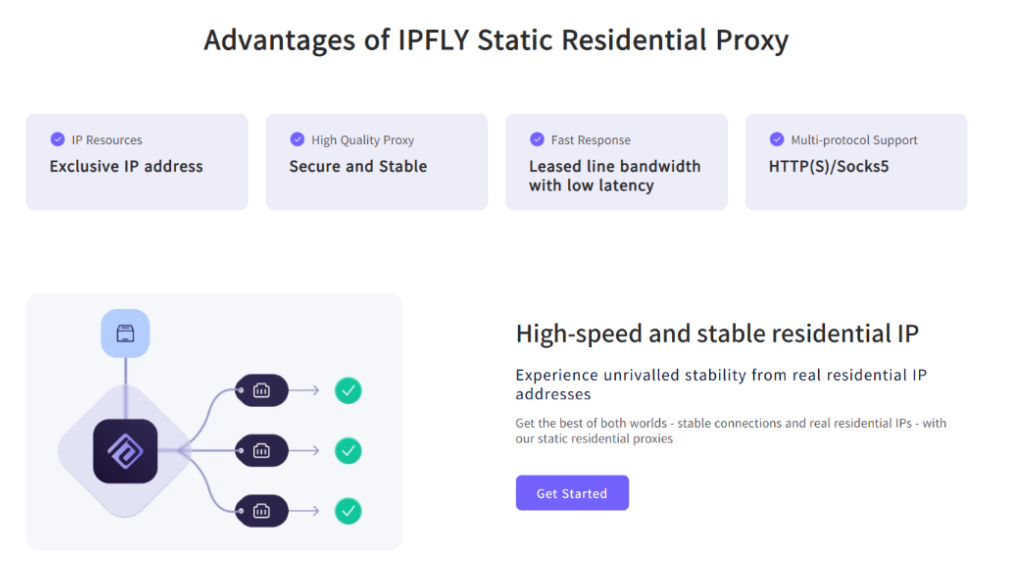
A Native Residential Proxy provides an IP address from a real household ISP. This is the highest standard for identity protection and ensures that your traffic is treated with maximum trust by Google’s security systems.
2 . Maintaining Session Consistency with Static ISP Proxies
Why Consistency Matters
Using a Static ISP IP ensures your “digital footprint” remains stable throughout a session. If your IP address changes during a LinkedIn Registration, the platform may reject your verification code for security reasons. A static environment provides the stability needed for successful authentication.
3 . Environmental Isolation with Professional Tools
Combine high-quality IPs from IPFLY with isolation tools like MostLogin. This ensures that each business account has its own clean, unique environment, preventing cross-account interference.
Conclusion
Resolving the “Your nocaptcha user response code is missing or invalid” error is about more than just a quick fix; it is about building a professional and trusted network foundation. By utilizing the high-standard residential infrastructure provided by IPFLY, you can ensure your business operations remain uninterrupted and secure.






