

Why You Need to Learn “How to Use a Proxy Server” Today
Have you ever tried to access a region-locked streaming show and seen “This content is not available in your location”? Or worried about your online privacy when using public Wi-Fi? Maybe you’re a small business owner who needs to crawl competitor data but keeps getting IP-blocked. All these problems have one simple solution: using a proxy server.
But for most beginners, “how to use a proxy server” sounds intimidating. Terms like “HTTP proxy,” “SOCKS5,” and “proxy configuration” can make it feel like a technical nightmare. The truth is: using a proxy server is easier than you think—you don’t need to be a tech expert, and with the right tool (like IPFLY, a client-free proxy), you can set it up in 5 minutes.
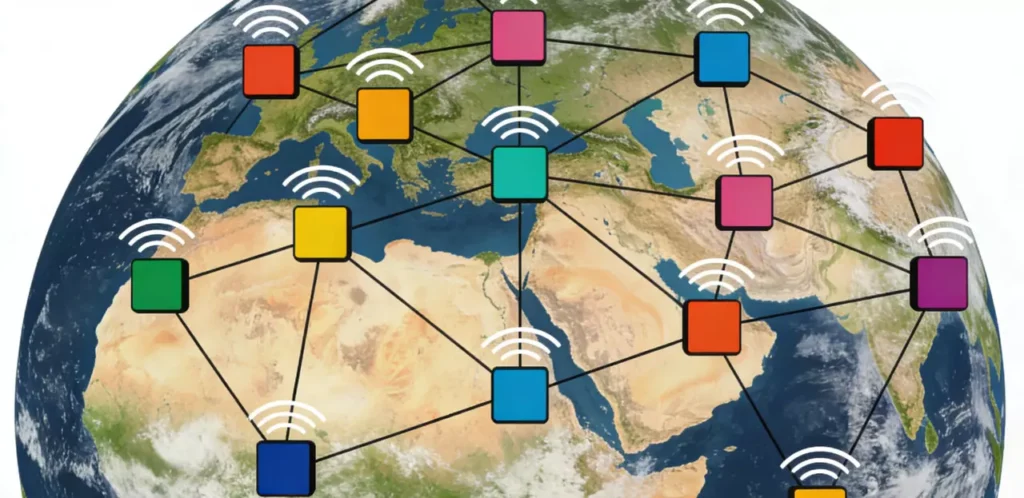
This guide will demystify proxy servers for you. We’ll start with the basics (what a proxy is, why you need it), then walk you through step-by-step how to use a proxy server on Windows, Mac, Android, and iOS. We’ll also cover advanced use cases (like web crawling) with code examples, and show you why IPFLY stands out as the best client-free proxy option. By the end, you’ll be able to use a proxy server confidently for any scenario.
First Things First: What Is a Proxy Server & Why Use It?
What Is a Proxy Server (In Plain English)?
A proxy server acts as a “middleman” between your device and the internet. When you use a proxy, your internet traffic doesn’t go directly to the website you want to visit—instead, it goes through the proxy server first. The proxy hides your real IP address and uses its own IP to send the request, so the website only sees the proxy’s IP, not yours.
Think of it like sending a letter via a friend: you (your device) write the letter (request), give it to your friend (proxy server), and your friend mails it to the recipient (website). The recipient never sees your address—only your friend’s.
Top 4 Reasons to Use a Proxy Server
Protect Online Privacy: Hide your real IP address to avoid being tracked by websites, advertisers, or hackers (critical for public Wi-Fi use).
Bypass Geo-Restrictions: Access region-locked content (e.g., Netflix US, BBC iPlayer) by using a proxy from the target country.
Avoid IP Blocks: For businesses or developers, use a proxy to crawl data, manage multiple social media accounts, or test websites without getting your real IP blocked.
Improve Internet Speed/Stability: Some proxies (like IPFLY) have global nodes that reduce latency for cross-border browsing or gaming.
How to Use a Proxy Server: Step-by-Step for All Devices
The process of using a proxy server varies slightly by device, but the core idea is the same: enter the proxy’s IP address, port number, and authentication details (if required) in your device’s network settings. Below are detailed guides for the most common devices.
Note: For this guide, we’ll use IPFLY as the example proxy (client-free, no software installation needed). You can get your IPFLY proxy details (IP, port, username, password) by signing up for their free trial.
Scenario 1: How to Use a Proxy Server on Windows 10/11
1.Open Settings (press Windows key + I) and go to Network & Internet.
2.On the left sidebar, select Proxy.
3.Under “Manual proxy setup,” toggle Use a proxy server to On.
4.Enter your IPFLY proxy details:
Address: IPFLY proxy IP (e.g., 192.0.2.100)
Port: IPFLY proxy port (e.g., 8080)
5.If your IPFLY proxy requires authentication (most paid proxies do), click Save, then a pop-up will appear—enter your IPFLY username and password.
6.Click Save again. You’re now using the proxy server! To verify, visitwhatismyipaddress.com—it should show the IPFLY proxy IP.
Scenario 2: How to Use a Proxy Server on Mac
1.Click the Apple menu (top-left) and select System Preferences.
2.Choose Network.
3.Select your current network (Wi-Fi or Ethernet) from the left sidebar, then click Advanced.
4.Go to the Proxies tab.
5.Check the box for Web Proxy (HTTP) and Secure Web Proxy (HTTPS).
6.For both, enter your IPFLY proxy details:
Web Proxy Server: IPFLY proxy IP
Port: IPFLY proxy port
7.Click OK, then Apply.
8.A pop-up will ask for your IPFLY username and password—enter them, and you’re done!
Scenario 3: How to Use a Proxy Server on Android
1.Open Settings and go to Wi-Fi.
2.Long-press the Wi-Fi network you’re connected to, then select Modify network.
3.Check Advanced options (scroll down if you don’t see it).
4.Under “Proxy,” select Manual (default is “None”).
5.Enter your IPFLY proxy details: Proxy hostname: IPFLY proxy IP
Proxy port: IPFLY proxy port
6.Enter your IPFLY username and password (if required) under “Authentication.”
7.Click Save. The proxy is now active.
Scenario 4: How to Use a Proxy Server on iOS (iPhone/iPad)
1.Open Settings and go to Wi-Fi.
2.Tap the “i” icon next to the Wi-Fi network you’re connected to.
3.Scroll down to Configure Proxy and select Manual.
4.Toggle Authentication to On (since IPFLY requires authentication).
5.Enter your IPFLY proxy details:
Server: IPFLY proxy IP
Port: IPFLY proxy port
Username: IPFLY username
Password: IPFLY password
6.Tap Back twice to save the settings. You’re now using the proxy!
Advanced Use Case: How to Use a Proxy Server for Web Crawling (Python Code Example)
For developers or business owners who need to crawl data (e.g., e-commerce product prices, competitor reviews), using a proxy server is essential to avoid IP blocks. Below is a simple Python code example using IPFLY proxy to crawl data—no complex setup required.
Step 1: Prepare Tools
Install the required Python library (requests):
pip install requestsStep 2: Write Crawling Code with IPFLY Proxy
import requests

# Configure IPFLY proxy (replace with your own details)
ipfly_proxy = {
    "http": "http://your_ipfly_username:your_ipfly_password@your_ipfly_proxy_ip:your_ipfly_proxy_port",
    "https": "https://your_ipfly_username:your_ipfly_password@your_ipfly_proxy_ip:your_ipfly_proxy_port"
}

# Target URL to crawl (example: a product page)
target_url = "https://example.com/product/12345"

try:
    # Send request using IPFLY proxy
    response = requests.get(
        url=target_url,
        proxies=ipfly_proxy,
        timeout=10  # Set timeout to avoid hanging
    )

    # Check if request is successful
    if response.status_code == 200:
        print("Crawling successful!")
        print("Page content snippet:", response.text[:500])  # Print first 500 characters of page content
    else:
        print(f"Crawling failed. Status code: {response.status_code}")
except Exception as e:
    print(f"Error occurred: {str(e)}")
Why This Works
By adding the IPFLY proxy to the requests, your crawling traffic is routed through the proxy’s IP instead of your real IP. This prevents the target website from blocking you, even with high-concurrency crawling. IPFLY’s high availability (99.99% uptime) ensures your crawler runs smoothly without frequent disconnections.
How to Choose the Right Proxy Server (And Why IPFLY Is the Best Client-Free Option)
Now that you know how to use a proxy server, the next step is choosing the right one. Not all proxies are created equal—free proxies are often slow, unstable, and risky (they may steal your data). Paid proxies vary in quality, especially when it comes to client requirements, stability, and global coverage.
Key Factors to Consider When Choosing a Proxy Server
Client-Free vs. Client-Based: Client-based proxies require installing software (e.g., VPN apps), which may be blocked by schools/companies. Client-free proxies (like IPFLY) work via network settings—no installation needed.
Stability & Uptime: Look for proxies with 99.9%+ uptime to avoid frequent disconnections.
Global Node Coverage: If you need to bypass geo-restrictions, choose a proxy with nodes in the target countries (e.g., IPFLY has 100+ countries covered).
Authentication & Security: Paid proxies should require username/password authentication to prevent unauthorized use. Look for end-to-end encryption (like IPFLY’s AES-256) for data security.
Customer Support: Good support helps resolve setup or connectivity issues quickly (IPFLY offers 24/7 live chat support).
IPFLY vs. Other Proxy Options: A Clear Comparison
| Proxy Type | Client Required? | Stability (Uptime) | Global Nodes | Security | Suitability |
|---|---|---|---|---|---|
| IPFLY (Paid Client-Free) | No | 99.99% | 100+ Countries | AES-256 Encryption | Beginners, Businesses, Crawling, Cross-Border Browsing |
| Free Public Proxies | No | 50-70% | Limited | Low (Data Theft Risk) | None (Not Recommended) |
| Client-Based VPN Proxies | Yes | 99.5% | 80+ Countries | High | Personal Use (If Installation Allowed) |
| Shared Paid Proxies | No | 90-95% | 50+ Countries | Medium | Basic Browsing (Low Budget) |
Why IPFLY Is Perfect for Most Users
IPFLY’s biggest advantage is its client-free design—it works on all devices without installing any software, making it ideal for environments where software installation is restricted (schools, offices). Combine that with 99.99% uptime, global nodes, and enterprise-level security, and it’s the best all-around option for both beginners and businesses. Unlike free proxies, it’s reliable and secure; unlike client-based VPNs, it’s flexible and undetectable.
Need high-standard proxy strategies or stable enterprise-grade services? Visit IPFLY.net now for professional solutions, and join the IPFLY Telegram community—get industry insights and customized tips to fuel your business growth and seize opportunities!

Common Mistakes When Using a Proxy Server (And How to Avoid Them)
Even if you know how to use a proxy server, these common mistakes can ruin your experience. Here’s how to avoid them:
Using Free Proxies: Free proxies are slow, unstable, and often steal data. Invest in a cheap paid proxy like IPFLY (starts at $19/month) to avoid headaches.
Forgetting to Verify the Proxy: After setup, always check your IP address (via whatismyipaddress.com) to make sure the proxy is working. A common mistake is entering the wrong port number.
Using the Wrong Proxy Type: Use HTTP/HTTPS proxies for browsing/streaming, and SOCKS5 proxies for gaming/file sharing. IPFLY supports both types, so you don’t need to switch providers.
Overlooking Authentication: Always enable authentication (username/password) for your proxy. Without it, anyone can use your proxy and get you blocked.
Using a Proxy from the Wrong Region: If you want to access US Netflix, use a US proxy (IPFLY lets you choose regions with one click).
Frequently Asked Questions About Using a Proxy Server
Q1: Is using a proxy server legal?
Yes! Using a proxy server is legal in most countries for legitimate purposes (privacy protection, accessing public data, streaming). It’s only illegal if you use it for malicious activities (hacking, copyright infringement, fraud).
Q2: Will using a proxy server slow down my internet?
Free proxies will, but good paid proxies like IPFLY won’t. IPFLY’s global nodes and intelligent routing optimize speed, so you’ll have the same (or better) speed than your regular internet—especially for cross-border browsing.
Q3: Can I use a proxy server on multiple devices?
Yes! IPFLY allows up to 5 devices to use the same proxy account simultaneously (computers, phones, tablets). You just need to configure the proxy settings on each device separately.
Q4: How do I fix proxy server connection issues?
Common fixes: 1. Double-check your proxy IP, port, username, and password (typos are the most common issue); 2. Switch to a different proxy node (IPFLY has multiple nodes per country); 3. Restart your device or router; 4. Contact customer support (IPFLY’s 24/7 support can help quickly).
Q5: Do I need a proxy server if I use a VPN?
VPNs are a type of proxy, but they’re client-based (require software installation). If you need to use a proxy in an environment where software installation is blocked (e.g., school), a client-free proxy like IPFLY is better. For personal use at home, a VPN works, but IPFLY is more flexible for multiple devices/scenarios.
Using a Proxy Server Is Easy—Start with IPFLY Today
Learning how to use a proxy server doesn’t have to be complicated. With this guide, you now know how to set up a proxy on any device, use it for basic browsing or advanced crawling, and choose the right proxy for your needs.
If you’re ready to get started, IPFLY is the perfect choice. Its client-free design makes setup a breeze, its 99.99% uptime ensures reliability, and its global nodes let you access content from anywhere. Best of all, it offers a free trial—you can test it out without any risk.
Don’t let geo-restrictions, IP blocks, or privacy concerns hold you back. With IPFLY and the steps in this guide, you can master how to use a proxy server and take control of your online experience.
