

Your keyword ranks well—but where? A search from your desk may tell a different story from one in your target market. Add hundreds of keywords, repeated checks, and CAPTCHAs, and manual tracking quickly becomes a challenge. This guide explores how SEO proxies help, which types suit your tasks, and when a SERP API offers a simpler approach.
What Are SEO Proxies and How Do They Work?
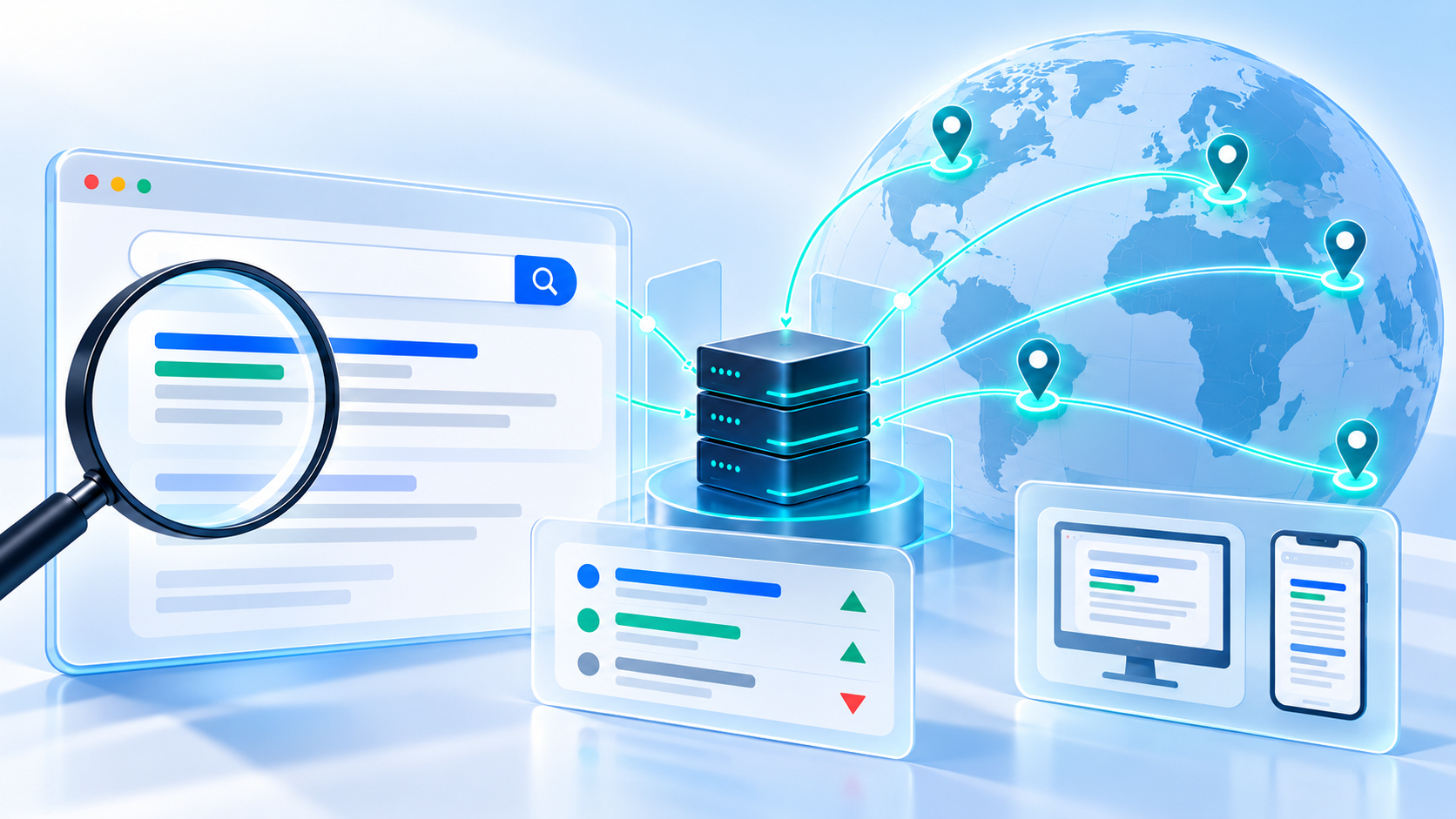
SEO proxies are servers that route requests from your SEO tools through a different IP address. They help teams check search results across locations and collect public web data for tasks such as rank tracking and competitor research. The term “SEO proxy” describes how a proxy is used, rather than a separate protocol or technology.
The process is straightforward: your tool sends a request through the proxy, which forwards it to the search engine or website. The response then travels back through the proxy to your tool. The target website sees the proxy’s IP address instead of your own.
The proxy handles the connection, while the SEO tool extracts, checks, and stores the data. Together, they support a repeatable workflow for gathering and comparing SEO insights.
How to Use Proxies for SEO: Key Use Cases
SEO research becomes more demanding as teams track more keywords and enter new markets. Proxies help them check results through regional IP addresses, and maintain consistent network locations for comparisons. Combined with suitable tools, search settings, and request limits, they support more complete and comparable data for SEO decisions.
Keyword Rank Tracking and SERP Feature Monitoring
SEO teams track keyword positions, ranking URLs, and snippets to understand how their pages perform. Proxies provide connections from target markets, while the tracking tool controls the query, language, and device settings.
Beyond organic rankings, teams can monitor People Also Ask, Shopping, images, news, and video results. A page may keep the same organic position but become less prominent as these features occupy more space, so record rankings and SERP features separately.
Desktop and mobile checks can also reveal different competitors or layouts. Mobile testing requires appropriate device settings or browser emulation; it does not automatically require a mobile proxy.
Local SEO and Google Maps Checks
Local businesses need to understand where their listings appear and which competitors show up nearby. Proxies can support regional checks of Local Pack results, Google Maps listings, business details, and linked location pages.
A restaurant chain, for instance, can compare its listings across markets to spot incorrect opening hours, outdated website links, or locations with limited visibility. These findings help prioritize profile updates and location-page improvements.
For neighborhood-level ranking checks, use a tool with explicit search coordinates. A city-level proxy IP alone cannot represent every location within that city.
International SEO and Localized Website Testing
A translated page is only useful if visitors reach the correct version. Proxies let teams access a website through target countries and check its language, currency, regional redirects, and content.
A UK visitor landing on a US page with dollar pricing could indicate a localization problem. Comparing regional responses helps teams identify where routing or content delivery needs attention.
The crawler can also inspect hreflang, canonical tags, structured data, and resource loading across versions. These checks reveal configuration issues, although they do not establish which pages Google has indexed.
Competitor, Keyword, and Backlink Research
Proxies support access to public competitor pages, while collection tools extract titles, headings, page structure, internal links, and content changes. Comparing this information helps teams identify topics competitors cover more clearly or thoroughly.
Search suggestions, related searches, and People Also Ask questions add insight into what readers want to know. Recurring questions can guide new articles or improvements to existing pages.
For backlink monitoring, teams can revisit known linking pages to check whether a link remains present, where it points, and whether its attributes have changed. Discovering a broader backlink profile still requires a dedicated link index or data source.
Technical SEO Audits
Crawlers identify status-code errors, redirect chains, broken links, and failed resources. Proxies provide an alternative network connection when an audit requires access checks from another source.
If a page works through one connection but fails through another, comparing responses can help narrow down a network or access-control issue. The findings give developers a clearer starting point for investigation.
Routine audits of your own website may not need proxies. Authorizing or allowlisting the crawler is often sufficient; add proxies when the audit has a specific network-testing requirement.
AI Search Visibility Monitoring
AI search monitoring tracks brand mentions and website citations across platforms such as Google AI Overviews, Google AI Mode, ChatGPT Search, and Perplexity. Where the platform and collection tool support regional testing, proxies can provide connections from different markets.
Teams can compare responses to relevant questions and record brand mentions, cited URLs, prompts, and collection conditions. A competitor appearing repeatedly as a source may highlight content worth examining.
Because AI responses can vary, repeated checks provide a stronger basis for analysis than a single answer. Use the findings to investigate visibility patterns and content opportunities rather than treating each response as a fixed ranking.
Paid Search and Search Arbitrage Verification
Beyond organic SEO, proxies can help teams inspect search ads and destination pages in selected markets. Checks may cover ad copy, landing-page language, redirects, and consent banners.
Search arbitrage teams can similarly review whether search feeds and destination pages display as intended. These observations support campaign troubleshooting and regional quality checks, rather than measuring organic ranking performance.
SEO Proxy Types: Which One Fits Your Task?
The main SEO proxy types are residential, ISP, datacenter, and mobile proxies. Each offers a different balance of location coverage, connection consistency, and cost.
| Proxy type | Suitable SEO use cases | Main benefits | Key considerations |
| Residential | Multi-market rank tracking, localized SERP collection, competitor research | Flexible regional exits and rotation options | Traffic charges, retry costs, and location accuracy |
| ISP / static residential | Recurring regional checks and sessions requiring a fixed exit | Persistent IP addresses for consistent connections | Available locations, bandwidth limits, and replacement terms |
| Datacenter | Crawler development, authorized technical audits, compatible bulk collection | Typically fast, scalable, and cost-efficient | Target websites may restrict hosting-related IP ranges |
| Mobile | Carrier-dependent access, redirect, and content-delivery testing | Connections through mobile carrier networks | Higher costs and variable connection performance |
- Residential proxies support localized rank tracking, SERP collection, and competitor research across markets. Rotating exits can distribute separate keyword checks, while sticky sessions help keep related requests consistent. Watch traffic usage when collecting full search pages or competitor content.
- ISP and static residential proxies suit recurring SEO checks that require a fixed exit, such as monitoring regional redirects or localized landing pages. Keeping the same IP reduces one source of variation between checks; language, device, and session settings should also stay consistent.
- Datacenter proxies can support technical SEO audits, crawler development, and bulk page checks where targets accept hosting-based IPs. They offer a cost-efficient option for finding broken links, checking status codes, and testing redirects. Test target compatibility before using them for SERP collection.
- Mobile proxies help investigate carrier-dependent website access, redirects, or content delivery that may affect mobile visitors. For routine mobile rank tracking, appropriate device and search settings are usually sufficient; choose mobile proxies when the carrier network is part of the test.
Rotation, sticky sessions, and shared or dedicated access are separate service features. Check these within each proxy type, and test your actual workload before scaling.
How to Choose SEO Proxies for Your Workload
Start with the SEO task you need to complete. Which websites will you access, which markets will you check, and how often will you collect data? These answers matter more than the size of a provider’s IP pool.
Check Target Access and Location Coverage
Confirm that the proxies work with your target search engine or website and offer the locations you need. A large global network is less useful if it cannot support your specific market.
If you track keywords in the UK, test UK connections with your actual queries. For city-level research, check how the provider identifies IP locations and whether your SEO tool offers additional location settings. A city-labeled IP alone does not guarantee precise local results.
Match Session Controls and Tool Compatibility
Check whether your SEO tool accepts external proxies and which connection settings it supports. Some hosted rank trackers already handle data collection, so you may not need to buy proxies separately.
For tools that require your own proxies, confirm these basics:
- Rotation: Changes the exit IP between requests or at set intervals. Useful for separate keyword checks.
- Sticky sessions: Temporarily keeps the same IP for related requests, such as collecting several pages of results.
- Protocol support: The tool and proxy must support a matching connection option, such as HTTP, HTTPS, or SOCKS5.
- Authentication: Usually uses a username and password or an approved IP address.
- Concurrency: The number of requests you can run at the same time. Both your tool and proxy plan need to support the intended volume.
Look for setup instructions for your tool. Clear documentation makes it easier to connect the proxy and troubleshoot errors.
Full-Industry Proxy IP Application Solutions
Power scalable growth for every cross-border business scenario with IPFLY’s reliable global proxy network
Compare the Cost per Usable Result
A cheaper plan can cost more overall if many requests fail or return unusable data. Compare what you spend with the number of valid results you receive:
Cost per usable result = Total collection cost ÷ Number of valid results
Total cost includes proxy or API fees, any extra usage from retries, and the work needed to run and maintain collection. A valid result should contain the expected data for the intended query and market—not simply a page that loaded.
For example, a $20 test that produces 800 valid results costs $0.025 per result. A $15 test that produces only 300 costs $0.05 per result.
Also check how the plan charges you:
- Per GB: You pay for traffic; larger pages and retries consume more.
- Per IP: You pay for addresses over a set period; check bandwidth limits.
- Per result or request: Common with APIs; confirm whether failed requests are charged.
Review minimum purchases, renewal terms, usage limits, and payment options before committing.
Test Before Scaling
Start with a trial or small purchase. Use the keywords, locations, device settings, and simultaneous request volume you expect to use in practice.
Check whether each result:
- Contains the rankings, URLs, or other fields you need.
- Matches the intended market and language.
- Arrives within an acceptable time.
- Returns actual content rather than a CAPTCHA, error, or incomplete page.
Repeat the test at different times to check consistency. Once the results are reliable and the costs are clear, increase the workload gradually.

SEO Proxies vs. SERP APIs: Which Should You Use?
A SERP API collects search engine results and returns data such as titles, URLs, and snippets in a structured format. It offers an alternative to building your own collection workflow with SEO proxies.
| Factor | SEO proxies with your own collection tool | SERP APIs |
| What you receive | Search pages that your tool retrieves and processes | Results in a structured format, usually JSON |
| Control | You manage requests, sessions, and extraction logic | You choose from the API’s supported settings and fields |
| Setup | Requires a collection tool and page parser | Requires API integration |
| Maintenance | You handle retries, parsing errors, and page-layout changes | The provider handles collection and parsing; you validate and store results |
| Cost considerations | Proxy usage plus collection and maintenance costs | API usage plus integration costs; billing varies by provider |
| Best fit | Custom workflows requiring detailed collection control | Workflows needing structured search data with less collection maintenance |
Choose SEO Proxies for Greater Collection Control
Proxies provide the connection, while your tool collects and processes the search page. This lets you customize request timing, session behavior, and the information you extract.
For a project needing page details that an API does not return, this flexibility can be useful. However, your team must maintain the parser, handle failed requests, and check that the collected data is complete.
Choose a SERP API for Simpler Data Collection
A SERP API returns supported search data—such as titles, URLs, snippets, and positions—in a format your application can read directly. This reduces the work needed to turn search pages into usable data.
It can be a practical choice for keyword dashboards, competitor reports, and scheduled SERP monitoring. Before choosing one, confirm its search-engine coverage, location and device options, available fields, request limits, and billing terms.
Choose proxies when control over collection is essential. Choose a SERP API when its supported results meet your needs and you want less collection infrastructure to maintain.
How to Set Up Proxies for SEO Tools
Start with a small test before scheduling a full collection job. The steps below apply to tools that support external proxies; exact settings vary by tool.
Step 1: Define the Query and Search Environment
Choose your keywords, search engine, target location, language, and device. Then decide how often to run checks. Keep these settings consistent when comparing results over time.
Step 2: Connect Your Proxy to the Tool
Open the tool’s proxy settings and enter the host address, port, and authentication details supplied by your provider. Authentication usually requires a username and password or an approved IP address.
Select a supported protocol, such as HTTP(S) or SOCKS5, and run a connection test. Keep credentials out of screenshots and shared reports.
Step 3: Configure Sessions, Concurrency, and Retries
Use a consistent IP and device configuration for related requests, such as collecting multiple pages for one keyword. Rotate between independent checks when appropriate.
Start with low concurrency—the number of requests running simultaneously. Set a timeout and limit retries, adding longer waits after repeated failures rather than immediately resending requests.
Step 4: Validate and Store the Results
Check that each response contains the expected data for the intended market. A successful connection can still return a CAPTCHA or an incomplete page.
Save the results alongside the keyword, location, language, device, and collection time. This makes errors easier to investigate and comparisons easier to reproduce.
Common SEO Proxy Mistakes and Usage Boundaries
Avoid these mistakes when planning and running SEO collection:
- Choosing by price or pool size alone: Compare target access, data quality, and cost per usable result.
- Using the wrong proxy type: Match the network source and session behavior to the task.
- Changing settings during one check: Keep related requests consistent so the results remain comparable.
- Scaling before testing: Validate a small workload before making a larger purchase.
- Treating HTTP 200 as valid data: Inspect the returned content for CAPTCHAs, missing fields, and incorrect locations.
- Continuing through repeated errors: Pause and investigate rather than increasing retries.
- Ignoring access rules: Check the target’s terms and required permissions. Google states that automated Search queries without express permission, including rank-checking collection, violate its policies and terms. Using proxies does not change those requirements.
Why Consider IPFLY for SEO Data Collection?
IPFLY offers proxy options for teams managing their own collection workflows, alongside a SERP API for teams that prefer structured search data.
Proxy Options for Different SEO Tasks
IPFLY offers residential proxies for localized SERP collection and competitor research, static ISP proxies for recurring checks requiring a consistent exit, and datacenter proxies for crawler testing and compatible bulk collection. Teams can match each task to a suitable network type rather than use one configuration for every project.
Pricing That Matches Your Workload
IPFLY offers traffic-based residential plans and IP-based ISP and datacenter plans. Traffic-based pricing suits changing collection volumes, while per-IP pricing helps budget for fixed connections. Free trials are available to test suitability before purchasing.
IPFLY SERP API for Structured Search Data
The IPFLY SERP API delivers structured results from Google, Bing, and Yahoo, including titles, URLs, summaries, and rankings. With real-time queries, batch collection, and scheduled tasks, it helps teams build SEO dashboards and reports with less collection and parsing work. Check supported fields, locations, and request limits before integration.
Build your own collection workflow with IPFLY proxies, or simplify search-data delivery with the IPFLY SERP API. Start with your target keywords and markets to find the right fit.
FAQs About SEO Proxies
Do SEO proxies improve Google rankings?
No. SEO proxies do not directly increase rankings. They help collect search data and test regional website behavior, giving teams information they can use to improve content and resolve technical issues.
Which SEO proxy type should I choose?
Residential proxies suit multi-market SERP research, while static ISP proxies suit checks requiring a consistent exit IP. Datacenter proxies can handle compatible bulk collection and authorized audits. Choose mobile proxies when the carrier network itself matters to the test.
How many proxies do I need for rank tracking?
There is no fixed number. It depends on your keyword count, target locations, checking frequency, and simultaneous requests. Start with a small workload, measure errors and response times, and expand only when testing shows you need more capacity.
Should SEO proxies rotate on every request?
Not always. Rotation can suit independent keyword checks, while a sticky session helps keep related requests—such as multiple result pages for one query—on the same exit. Match rotation to the task and keep other search settings consistent.
Do I need proxies if I already use a rank tracker or SERP API?
Usually not if the service already handles collection. You may need proxies when using a tool that requires your own connections or building a separate collection workflow. Check your tool’s setup requirements before purchasing.


