

The Complete Guide to Tools, Techniques, and Infrastructure
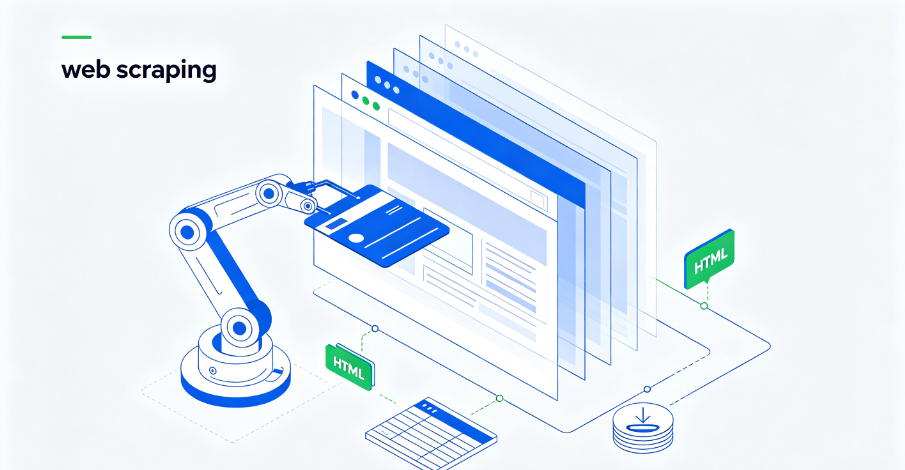
The web is overflowing with valuable data. Every day, businesses copy competitor prices, journalists pull public records, and data teams build AI training sets from the web. The global web scraping market is estimated at $1.03 billion in 2025, growing to $2.23 billion by 2031. 65% of enterprises used web scraping to feed AI and machine learning projects in 2024. It’s no longer a niche developer skill. It’s infrastructure.
But the web has changed. Five years ago, scraping was a scripting problem. Today, it’s an infrastructure problem. Cloudflare alone protects over 24 million active websites, and in July 2025 it began blocking AI crawlers by default across its entire network. The number of web security services nearly doubled from 36 to 60 between 2022 and 2024. The web got harder to scrape, and it happened fast.
This guide explains everything you need to know about web scraping in 2026—what it is, how it works, what types of scrapers exist, why businesses use them, the challenges you’ll face, and how to build a scraping operation that actually works.
Part 1: What Is Web Scraping?
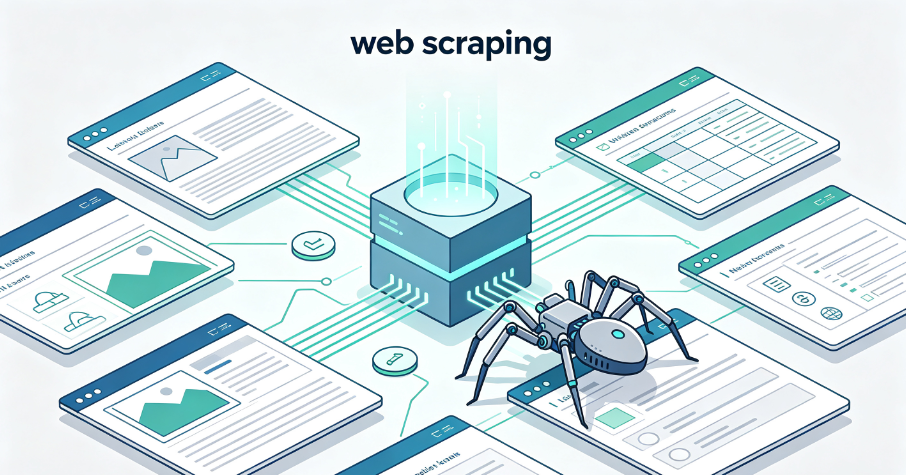
A web scraper is a tool that automatically extracts data from websites. It finds the information you want from web pages and puts it into a format you can use, such as a spreadsheet. Instead of showing you a website like a web browser does, a web scraper reads the code of the website (usually HTML) to look for the specific information you want.
Web Scraping vs. Related Terms
| Term | What it means | Relationship to web scraping |
| Data scraping | Automated data collection from any digital source (web, databases, files, APIs) | Web scraping is a subset of data scraping |
| Web crawling | Bots that follow links to discover and index pages broadly (what Google does) | Crawling finds pages; scraping extracts data from them |
| Screen scraping | Capturing visual data from a GUI or display output | Older technique; web scraping replaced it for most web use cases |
| Data extraction | Parsing raw content into structured fields | This is one step within the web scraping process |
The most important distinction for everyday use is web scraping vs. web crawling. Crawling is about navigation and discovery at scale; scraping is about targeted extraction. Most real scraping projects do a bit of both.
A common misconception is that pointing a scraper at a domain will pull down every page on it. It doesn’t. A scraper extracts only the specific fields you’ve told it to find, on the specific pages you’ve told it to visit.
What Web Scrapers Can Collect
Web scrapers can collect many kinds of data:
- Product information: Prices, descriptions, reviews, images
- Contact information: Email addresses, phone numbers, social media links
- Financial data: Stock prices, market trends, company information
- News articles: Headlines, summaries, full text
- Social media data: Posts, comments, user profiles
Part 2: How Web Scraping Works
Web scraping usually involves four steps:
- Get the webpage: The scraper gets the HTML code of the web page
- Read the HTML: The scraper reads the HTML code to find where the data is located
- Take out the data: The scraper extracts the data
- Save the data: The scraper saves the data in a format you can use
Fetching the Webpage
The first step involves retrieving the underlying HTML code of the web page you want to scrape. The web scraper sends a request to the website’s server, similar to how your web browser requests a page when you type in a URL. The server responds by sending the HTML content of the page to the scraper.
Parsing the HTML
Once the scraper has the HTML code, it needs to make sense of it. Parsing involves analyzing the HTML structure to identify the different elements and their relationships. The scraper might look for specific HTML tags, attributes, or CSS classes that indicate the presence of the data you’re interested in.
Extracting the Data
After identifying the relevant parts of the HTML code, the scraper extracts the desired data. This could involve grabbing text content from within specific tags, extracting URLs from hyperlinks, or collecting data from tables and lists.
Storing the Data
Finally, the extracted data needs to be stored in a structured format for later use. This could involve saving the data to a CSV file, a JSON file, or a database.
Part 3: Types of Web Scrapers
Web scrapers come in many forms, from no-code tools to custom-coded solutions.
No-Code and Low-Code Scrapers
For users without programming experience, no-code scrapers provide a visual interface for building extraction workflows. Tools like Octoparse allow users to point and click on the data they want to extract, and the tool generates the scraper automatically. These tools are increasingly popular as web scraping moves from a developer skill to a business function.
Code-Based Scrapers
For custom requirements, developers build scrapers using programming languages like Python, with libraries such as BeautifulSoup, Scrapy, and Playwright. Code-based scrapers offer maximum flexibility and control but require ongoing maintenance.
Browser Automation
For sites that rely heavily on JavaScript to render content, browser automation tools like Playwright and Selenium control a real browser that executes JavaScript and renders the page fully. This approach can handle almost any site but is slower and more resource-intensive.
Part 4: Why Use Web Scraping?
Web scraping offers numerous advantages over manual data collection, making it a valuable tool for businesses and individuals alike:
Saves Time and Effort
Imagine manually copying and pasting data from hundreds or even thousands of web pages. Web scraping automates this process, freeing up your time and resources for other tasks.
Improved Accuracy
Manual data entry is prone to human error. Web scrapers extract data with high accuracy, minimizing the risk of mistakes.
Cost-Effectiveness
Instead of purchasing expensive datasets from third-party providers, you can use web scraping to gather the data you need at a fraction of the cost.
Data Customization
Web scraping allows you to extract precisely the data you need, giving you greater control over the information you collect.
Competitive Advantage
By accessing and analyzing data that may not be readily available, you can gain valuable insights into market trends, competitor activities, and customer behavior.
Up-to-Date Information
Web scrapers can be scheduled to run regularly, ensuring you always have the most current data.
Part 5: Web Scraping Use Cases
Businesses across industries use web scraping for a variety of purposes.
Competitor Price Monitoring
E-commerce and retail businesses use web scraping to monitor competitor prices. Instead of manually checking competitor prices—which takes an hour, misses anything that changes mid-week, and is the first task dropped when things get busy—automated scrapers can run at regularly scheduled intervals. You can connect the scraper to a Slack alert and know within minutes when a competitor crosses a threshold you’ve set.
Lead Generation
B2B sales and marketing teams use web scraping to build targeted lead lists. LinkedIn scrapers find prospects matching your search criteria and enrich each profile with contact details. A complete, enriched lead list can be generated with no manual steps once the workflow is running.
Market Sentiment Analysis
Marketing and product teams scrape customer reviews and forum threads to understand what customers actually think. Customer reviews are more honest than any survey. Sentiment analysis helps teams build messaging that resonates with real customer needs.
Content Gap Analysis
Content teams and SEO managers use search result scrapers to identify content gaps—topics competitors are covering that you aren’t.
Service Gap Identification
Brick-and-mortar and local service businesses use Google Maps scrapers to identify service gaps—areas where competitors are weak or absent.
AI Training Data
65% of enterprises use web scraping to feed AI and machine learning projects. Web scraping provides the diverse, real-world data that AI models need.
Part 6: The Challenges of Web Scraping in 2026
The web got harder to scrape, and it happened fast. Modern anti-bot systems are multi-layered and continuously updated.
The Four-Layer Detection Model
Websites now block scrapers across four layers:
Layer #1: Network – The first check happens at the IP level. Anti-bot systems query IP reputation databases to score incoming requests. Autonomous System Numbers (ASNs) belonging to cloud providers are blocklisted by default because legitimate end users almost never browse from datacenter ranges.
Layer #2: TLS – The TLS fingerprint is emitted during the TLS handshake, before any HTTP header is transmitted. Python’s requests library, curl, and other non-browser HTTP clients each produce recognizable JA3 values that anti-bot systems identify in milliseconds.
Layer #3: Browser – JavaScript challenges probe the browser environment. Key signals include navigator.webdriver (set to true in automation contexts), canvas and WebGL rendering signatures, AudioContext behavior, font enumeration, and screen resolution anomalies.
Layer #4: Behavioral – Behavioral analysis operates at the session level. Systems track inter-request timing patterns, scroll depth, mouse trajectory, and session duration. A scraper that requests pages at perfectly uniform 2-second intervals may pass all other checks and still be flagged.
Full-Industry Proxy IP Application Solutions
Power scalable growth for every cross-border business scenario with IPFLY’s reliable global proxy network
Detection Has Become Smarter
In September 2024, Cloudflare introduced one-click AI bot blocking. Over 1 million customers activated it. By July 2025, Cloudflare began blocking AI crawlers by default across its entire network.
Modern anti-bot systems now analyze:
- TLS fingerprints: Python’s Requests library has a different TLS signature than Chrome
- Browser fingerprints: Screen resolution, WebGL renderer, canvas fingerprint, installed fonts, audio context, and GPU timing
- Behavioral signals: Mouse movement patterns, scroll velocity, click timing, and keystroke cadence
- Header consistency: Real browsers send different headers per request type; bots send identical headers every time
The Economics Have Shifted
The cost of successful data extraction has been climbing. Sites that once responded to simple HTTP requests with datacenter proxies now require residential proxies (roughly 10x the cost) or full browser rendering (another 5-10x multiplier in compute). Blocking is now the primary challenge developers face, with static IP blocking replaced by continuous behavioral trust scoring.
The competitive advantage has shifted from “who can scrape the most” to “who can scrape most efficiently”.
Part 7: How to Avoid Getting Blocked
Modern anti-bot detection is multi-layered. Getting past it requires understanding not just proxy types, but the entire detection architecture.
1. Use Residential Proxies, Not Datacenter Proxies
Residential proxies defeat IP-level blocks; datacenter IPs are flagged by default on serious targets. Residential proxies route your request through a real household IP in the target country. The website sees a local IP and serves localized content—the same content a real user in that country would see.
Datacenter IPs are easily identified through IP-to-ASN lookups. Anti-bot systems are more likely to detect datacenter IP ranges. If you are using standard cloud providers, your baseline trust score is already low.
2. Rotate IPs and Use Proxy Pools
Distributing traffic across a pool of proxies lets a single job rotate through hundreds of addresses, so no individual IP carries enough volume to trigger a limit. Dedicated addresses matter more than people expect.
3. Match Your Headers to Your IP
Browser-accurate headers are essential:
- Match User-Agent strings to a modern, widely used browser
- Send language headers that logically match the geographic location of your IP address
- Always include headers like Sec-Fetch-Dest and a plausible Referer
4. Address TLS Fingerprinting
A scraper with a perfect Chrome User-Agent can still be blocked if its TLS handshake signature doesn’t match Chrome’s. Options for bypassing TLS fingerprinting include curl-impersonate (patched versions of cURL that impersonate popular browsers) and headless browsers like Playwright.
5. Use Browser Automation for Advanced Targets
If a request passes the network and TLS checks, JavaScript challenges probe the browser environment. For sites with JavaScript-heavy content or advanced anti-bot measures, use Playwright or a similar browser automation tool. Headless browsers should be a last resort, not a starting point—they’re slow and resource-intensive.
6. Implement Smarter Request Timing
Always add delays to avoid simple rate-limit bans. Introduce jitter into your request loops (e.g., waiting anywhere between 1.5 and 4.2 seconds) instead of fixed intervals.
7. Maintain Session Persistence
Accept, store, and return cookies just as a standard browser would. Group requests into logical sessions rather than treating every request as a disconnected event.
8. Check robots.txt and Terms of Service
Always check robots.txt and Terms of Service before scraping, and avoid collecting personal data without a legal basis.
Part 8: How IPFLY Powers Reliable Web Scraping
Reliable web scraping depends on high-quality IP infrastructure. IPFLY provides the residential proxy solutions that enable consistent, undetectable data extraction.
Why Residential Proxies Are Essential
Residential proxies route your request through a real household IP in the target country. They achieve higher success rates on sites with strict anti-bot or anti-scraping defenses than datacenter proxies. They also provide access to localized content such as regional pricing, language variations, and geo-restricted pages.
IPFLY Dynamic Residential Proxies
IPFLY’s dynamic residential proxies provide real residential IPs that change periodically or with each request. The system sources these from real user devices worldwide, ensuring authentic residential characteristics.
Key advantages for web scraping:
- Real residential IPs – From a pool of over 90 million residential addresses across 190+ countries
- Automatic rotation – Distribute requests across diverse IPs to avoid pattern detection
- Sticky session support – Maintain a consistent IP for hours or days when needed
- Geographic targeting – Choose IPs from specific countries and cities
- Full protocol support – HTTP, HTTPS, and SOCKS5
- High success rate – Over 99% connection stability
Dynamic residential proxies are ideal for high-volume data collection, price monitoring, and any scraping operation requiring IP rotation.
👉 Explore IPFLY Dynamic Residential Proxies
IPFLY Static Residential Proxies (ISP Proxies)
For users who need consistent, long-term access—such as running regular scraping pipelines or maintaining stable sessions—IPFLY’s Static ISP proxies provide unparalleled stability.
Key advantages:
- 100% dedicated IP – Exclusive use with no sharing
- ISP-registered authenticity – IPs appear as genuine residential connections
- IP will not change – Consistent identity for long-term operations
- Unlimited bandwidth – No traffic restrictions
- Full protocol support – HTTP, HTTPS, and SOCKS5
Static residential proxies are ideal for production scraping pipelines, account-based scraping, and long-term data collection projects.
👉 Explore IPFLY Static Residential Proxies
IPFLY Datacenter Proxies
For speed-critical operations where residential authenticity is less important, IPFLY’s dedicated datacenter proxies offer high-performance connectivity. However, for scraping sensitive targets with strong anti-bot protection, residential proxies are strongly recommended.
👉 Explore IPFLY Datacenter Proxies
How IPFLY Addresses Scraping Challenges
| Challenge | IPFLY Solution |
| IP-based blocking | Dynamic residential proxies with automatic rotation |
| Rate limiting | Distribute requests across diverse IPs |
| Geographic restrictions | City-level targeting matching content requirements |
| IP reputation | 100% dedicated residential IPs with clean history |
| Session stability | Sticky sessions for consistent IP over extended operations |
| Scale | 90M+ IP pool across 190+ countries |
Building a Production-Grade Scraping Operation
Web scraping has evolved from a scripting problem to an infrastructure discipline. The web is more complex, anti-bot systems are more sophisticated, and the cost of successful data extraction has been climbing. Building a scraping operation that actually works requires understanding the detection landscape and using the right tools for each layer.
Key takeaways:
- Web scraping automates data extraction – It saves time, improves accuracy, and provides competitive advantage
- Detection is multi-layered – Websites block at the network, TLS, browser, and behavioral levels
- Residential proxies are essential – Datacenter IPs are flagged by default on serious targets
- Header and TLS consistency matter – Perfect proxies won’t help if your TLS fingerprint gives you away
- Browser automation is a last resort – It’s slow and resource-intensive; use it only when necessary
- Scale matters – The competitive advantage has shifted to efficiency
- Respect robots.txt and ToS – Legal and ethical scraping is sustainable scraping
Whether you are monitoring competitor prices, building lead generation pipelines, or collecting training data for AI models, the right infrastructure makes all the difference. IPFLY’s residential proxy solutions provide the clean, trusted network environment that reliable web scraping requires.
Power Your Web Scraping Operations with IPFLY
Web scraping in 2026 requires the right infrastructure. IPFLY provides the residential proxy solutions that enable consistent, undetectable data extraction at scale.
IPFLY offers flexible proxy solutions for every use case:
- Dynamic Residential Proxies – Real residential IPs with automatic rotation. Ideal for high-volume scraping, price monitoring, and geographic flexibility.
- Static Residential Proxies – 100% dedicated, ISP-registered IPs with fixed identity. Perfect for production scraping pipelines and long-term data collection.
- Datacenter Proxies – High-performance IPs for speed-critical operations (use residential for sensitive targets).
Get started today: Register for an IPFLY account and explore the full product lineup on the IPFLY homepage. Build a scraping infrastructure that works, at scale, without getting blocked.


