

A quiet shift is underway in how professionals and students approach restricted web access. Browser extensions that once served as simple tab organizers or ad blockers are evolving into full-fledged unblocking tools, and among them, Leaf Browser has carved out a distinct identity. It is not a standalone browser in the traditional sense, but a Chrome extension that overlays a new browsing environment—complete with its own proxy configuration panel, privacy controls, and interface—on top of Google Chrome’s underlying engine. The result is a lightweight, focused tool that sidesteps many of the restrictions imposed by school networks, corporate firewalls, and regional content filters.
Leaf Browser’s appeal lies in its accessibility. It requires no complex installation procedure, no operating system-level configuration changes, and no command-line familiarity. A user adds it to Chrome from the Web Store, and within moments, a separate browsing space opens where network blocks that applied moments earlier may no longer hold. Yet for all its convenience, Leaf Browser’s built-in proxy capabilities operate within limits that become apparent the moment a task demands more than casual, short-duration browsing. Understanding where the extension excels—and where a more robust proxy layer becomes necessary—is essential for anyone considering it as a tool for sustained research, competitive intelligence, or multi-region content verification.
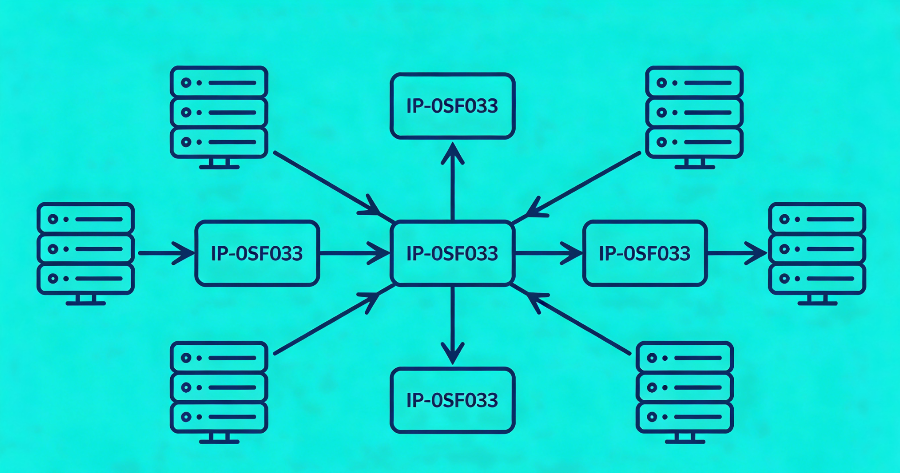
What Exactly Is Leaf Browser?
Leaf Browser occupies an unusual position in the browser landscape. It is not a Chromium fork like Brave or Edge, nor is it a fully independent application. It is an extension that installs into Google Chrome and, once activated, presents a distinct browsing interface with its own tab management system, privacy settings, and proxy configuration options. This architectural choice means that Leaf Browser inherits Chrome’s rendering engine, security patches, and extension ecosystem while layering its own functionality on top.
The extension’s design philosophy is built around three pillars: privacy, speed, and access. It presents a minimalist interface that strips away the visual clutter of a standard browser, offering tab grouping, a built-in ad blocker, and an incognito mode that can be toggled independently of Chrome’s native private browsing. For students working on shared computers or professionals operating behind restrictive network policies, these features combine to create a contained, ephemeral browsing session that leaves minimal local traces. The browsing history, cookies, and cached data generated within Leaf Browser’s incognito windows are discarded when the session ends, reducing the risk of exposure on multi-user devices.
The Architecture of a Browser Extension
Understanding how Leaf Browser operates requires a brief look at its technical foundation. As a Chrome extension, it functions within the permissions framework defined by the Chrome Web Store. It can intercept and route traffic, modify request headers, and manage proxy configurations—all through the APIs that Chrome exposes to trusted extensions. This is both a strength and a constraint. The extension can act swiftly on traffic without requiring the user to install a separate application, but it is ultimately bound by what Chrome permits extensions to do. It cannot, for example, route traffic through protocols that Chrome’s extension API does not support, nor can it operate independently of Chrome’s own network stack.
This dependency means that Leaf Browser’s effectiveness is partly determined by the configuration of the host Chrome browser. If a network administrator has deployed policies that restrict extension installation or proxy usage at the browser level, Leaf Browser’s capabilities may be curtailed before it even launches. Conversely, in environments where Chrome is unmanaged and extension installation is permitted, Leaf Browser can be deployed in seconds.
Built-in Proxy Capabilities and Their Limits
The feature that most distinguishes Leaf Browser from a standard Chrome incognito window is its proxy settings panel. Within the extension’s interface, users can select from a list of available proxy servers or manually enter the details of a custom proxy—specifying the host, port, and authentication credentials. Once configured, the extension routes its browsing traffic through the designated proxy, masking the user’s actual IP address and, in many cases, bypassing the network-level URL filters and DNS blackholes that would otherwise block the target site.
This built-in proxy functionality is what gives Leaf Browser its reputation as an unblocking tool. A student on a school Wi-Fi network that blacklists streaming domains can, in theory, activate Leaf Browser, configure a working proxy, and reach the blocked content. A professional traveling in a country with restricted internet access can use the same mechanism to connect to services that are otherwise unavailable. The proxy acts as a relay: the local network sees only an encrypted connection to the proxy server’s IP address, while the proxy server forwards the request to the actual destination and returns the response.
Why Built-in Proxies Fall Short for Sustained Use
The convenience of Leaf Browser’s proxy feature belies a fundamental limitation: the quality of the proxy itself determines whether the unblocking attempt succeeds or fails, and Leaf Browser does not supply its own proxy infrastructure. The extension is a conduit, not a source. Users must bring their own proxy endpoints—whether free, publicly listed servers or paid subscriptions—and the characteristics of those endpoints dictate the experience.
Free proxies, which are often the first resource a new Leaf Browser user reaches for, come with well-documented shortcomings. Their IP addresses are typically data center-based, easily identifiable, and frequently appear on blacklists maintained by streaming platforms and content providers. A free proxy that works for a few minutes of casual browsing may fail entirely when asked to sustain a video stream, load a JavaScript-heavy web application, or handle a sequence of authenticated requests. Latency spikes, sudden disconnections, and injected advertisements are common. More critically, free proxy operators have no obligation to protect user privacy; traffic passing through an untrusted intermediary can be logged, analyzed, or modified.
Even a paid, single-endpoint proxy has constraints. A static IP address, used repeatedly to access the same platform, accumulates a traffic history that sophisticated anti-abuse systems can profile. Over time, the IP may be throttled, served CAPTCHA challenges, or blocked outright. For tasks that require persistent access—monitoring product prices across weeks, archiving research materials, or verifying geo-specific content daily—a single proxy endpoint is a brittle solution.
The Residential Proxy Difference: Strengthening Leaf Browser for Professional Use
The step from a basic proxy configuration to a residential proxy network is the step from occasional, unreliable access to consistent, production-grade connectivity. Residential proxies route traffic through IP addresses assigned by Internet Service Providers to actual households. To any website or network filter inspecting the connection, the traffic appears to originate from an ordinary home user sitting in a specific city or region. This authenticity is the decisive advantage.
When Leaf Browser is configured to use residential proxy endpoints, the extension’s built-in unblocking capabilities gain a far more resilient network layer. The destination server does not see a data center IP with a questionable reputation; it sees a residential connection that shares the behavioral profile of millions of legitimate visitors. The network administrator’s firewall does not see a request to a known proxy server; it sees an encrypted connection to an ISP-assigned address that carries no categorization as a circumvention tool. The entire chain of trust shifts.
IPFLY’s Residential Network as the Proxy Backend
Leaf Browser’s proxy configuration panel accepts standard proxy credentials: a hostname, a port, a username, and a password. IPFLY’s residential proxy network supplies these credentials, but what happens on the other side of that configuration is where the architecture diverges from a simple proxy service. Instead of pointing to a single static server, the IPFLY gateway provides access to a pool of over 90 million residential IP addresses distributed across more than 190 countries. The gateway handles IP selection, rotation, and session persistence based on parameters that the user controls through the service dashboard—geographic targeting down to the city and ISP level, rotation intervals, and sticky session duration.
Configuring Leaf Browser to work with IPFLY involves entering the gateway address, port, and authentication details into the extension’s proxy settings. The user does not need to manage IP lists, handle rotation logic, or monitor endpoint health; those functions are handled by the proxy infrastructure behind the gateway. When Leaf Browser sends a request, the gateway selects an appropriate residential IP from the pool, routes the traffic, and returns the response. If the user has configured city-level targeting for a research task that requires a London-based perspective on a streaming catalog, the gateway ensures that the exit IP is a residential connection in London—not a nearby data center, not a endpoint that platforms might flag.
The practical effect is that Leaf Browser’s unblocking capability moves from a best-effort, single-endpoint model to a distributed, resilient model. A single blocked IP does not interrupt the workflow; the pool contains millions of alternatives. A geo-fenced content portal that would redirect or deny a generic proxy sees instead a local residential visitor and serves the full, unfiltered page.
Session Persistence for Authenticated Workflows
Not all browsing is stateless. Researchers who need to log into content portals, analysts who must navigate multi-step search flows, and professionals who verify ad placements across multiple page loads all depend on session continuity. If the proxy IP changes mid-session, cookies and authentication tokens tied to the original IP become invalid, forcing a re-login or triggering security checks.
IPFLY’s sticky session feature addresses this by holding the same residential IP for a configurable duration. Within Leaf Browser, this means that an entire research session—from login, through navigation, to data extraction—can proceed under a single, consistent network identity. The extension’s incognito mode handles the local privacy aspect, clearing cookies and history when the window closes, while the sticky session maintains the remote identity for as long as the task requires. Once the session concludes, the IP returns to the pool, and the next Leaf Browser session can be assigned a fresh address.
Clear Step-by-Step Proxy IP Tutorials
Master proxy setup, integration and performance optimization quickly with IPFLY guides
Real-World Applications: Who Benefits from Leaf Browser with Residential Proxies
The use cases for Leaf Browser extend well beyond the student-trying-to-watch-a-video scenario that dominates public discussion of unblocking tools. In professional contexts, the combination of a lightweight, extension-based browsing environment and a robust residential proxy backend serves several distinct functions.
Academic Research Behind Institutional Filters
University networks are among the most aggressively filtered environments on the internet. Libraries block streaming domains, research databases sometimes fall into overbroad category filters, and visiting scholars from countries with different internet policies may find that their home institution’s resources are unreachable. A researcher investigating media coverage of a politically sensitive topic may discover that the news archives they need are blocked at the DNS level, not because of any policy violation, but because a keyword in the domain triggered an automated rule.
Leaf Browser, configured with a residential proxy, provides a contained research environment that operates independently of the institutional filter. The researcher launches the extension, enters a clean residential IP through IPFLY’s gateway, and accesses the blocked archive as if browsing from an unrestricted home connection. The local network sees only an encrypted stream to a residential address; the destination server sees an ordinary visitor and serves the content. No institutional policy is violated—the proxy connection is simply an encrypted data stream to an IP address that has not been blacklisted.
Competitive Intelligence and Market Monitoring
Brand analysts and pricing strategists routinely need to observe e-commerce platforms and streaming services from the perspective of consumers in multiple regions. A platform may display different prices, different product assortments, or different promotional banners depending on the viewer’s location. Capturing this variation accurately requires IP addresses that are not only geographically correct but also trusted—residential IPs that the platform’s anti-fraud systems will not flag as proxy traffic.
A market analyst using Leaf Browser can switch between regional perspectives by adjusting the proxy configuration. One session routes through a residential IP in Tokyo to capture amazon.co.jp pricing; the next routes through a residential IP in Frankfurt to check amazon.de. Leaf Browser’s lightweight, session-isolated design means that each market view opens in a clean environment, with no cookie cross-contamination between regions. IPFLY’s city-level targeting ensures that the IP not only resides in the correct country but matches the specific metropolitan area where pricing or availability is being verified.
Ad Verification Across Geographies
Brands that purchase digital advertising on streaming platforms and content sites need independent verification that their ads are being served correctly. An ad campaign purchased for the Canadian market should show Canadian viewers region-specific creative, pricing in Canadian dollars, and French-language variants where applicable. Verification teams simulate local viewers by routing their browsers through residential IPs in the target region and observing the ad experience firsthand.
Leaf Browser’s disposable session model aligns well with this use case. Each verification check can be performed in a fresh incognito window, with a fresh residential IP, leaving no trace that might influence subsequent ad-serving decisions. The combination of a clean browser fingerprint from Leaf Browser’s incognito mode and a clean residential IP from IPFLY’s pool creates a verification environment that closely approximates a genuine local user, producing audit results that withstand scrutiny.
Privacy-Conscious Browsing on Public Networks
Public Wi-Fi networks—in airports, coffee shops, co-working spaces—are convenient but notoriously insecure. Network operators may log traffic, inject advertisements, or throttle certain types of content. A professional connecting to a corporate SaaS application over public Wi-Fi exposes not only their own credentials but potentially the application’s URL and data patterns to the network operator.
Leaf Browser, combined with an encrypted residential proxy connection, wraps the browsing session in a layer of encryption that the public network cannot penetrate. The network sees a single HTTPS connection to an IPFLY gateway address, but the destination URLs, the content of requests, and the data transmitted remain encrypted. This arrangement does not replace a corporate for full-device protection, but for browser-based work, it provides a lightweight, targeted privacy layer that can be activated in seconds.
Configuring Leaf Browser with an External Residential Proxy
The process of connecting Leaf Browser to a residential proxy network follows the same pattern as configuring any proxy-aware application, with a few Leaf Browser-specific considerations. The extension’s proxy settings panel is accessible from its main interface, typically under a gear icon or a dedicated settings section.
The first step is obtaining proxy credentials from the residential proxy provider. In IPFLY’s case, the dashboard displays the gateway hostname, the port number, and the authentication username and password. For HTTP and HTTPS proxy protocols, the port is typically 3128; for SOCKS5, port 1080. Leaf Browser supports standard HTTP and HTTPS proxy configurations, which covers the majority of use cases involving web browsing and streaming. If the task involves protocols beyond HTTP—such as FTP or custom TCP connections—a SOCKS5 configuration at the operating system level may be necessary, though this falls outside Leaf Browser’s direct scope.
Once the credentials are entered, a connection test should be performed before launching into the actual browsing session. Most proxy providers, including IPFLY, offer a test endpoint or an IP-checking service that returns the current public IP address and its geolocation. Visiting such an endpoint from within Leaf Browser confirms that the traffic is routing through the expected residential IP and that the geographic targeting parameters are correct.
For tasks that require a specific geographic exit point, the targeting preferences are typically managed through the proxy provider’s dashboard, not through Leaf Browser itself. IPFLY’s dashboard allows users to specify the target country, city, and ISP before generating the proxy credentials. Once those credentials are entered into Leaf Browser, the exit geography is determined by the provider’s routing logic, not by the extension.
Privacy, Security, and Ethical Boundaries
Using any unblocking tool carries a responsibility to operate within legal and ethical limits. Leaf Browser is a tool; its value and legitimacy depend entirely on how it is used. The extension’s proxy capabilities are designed to bypass network-level restrictions that impede legitimate access—not to circumvent paywalls, commit fraud, or violate the terms of service of content platforms.
From a privacy standpoint, the combination of Leaf Browser’s incognito mode and a residential proxy creates a strong separation between the user’s local identity and their online activity. The incognito mode prevents the local storage of browsing history, cookies, and cached data. The residential proxy masks the user’s actual IP address and replaces it with an IP that cannot be traced back to the individual. However, this privacy depends on the trustworthiness of the proxy provider. A proxy provider that logs traffic, sells browsing data, or operates unethically sourced IPs undermines the very privacy the user seeks.
IPFLY’s residential proxy network is built on ethically sourced IPs—addresses provided by consenting participants, not hijacked through malware or deceptive terms of service. The service maintains a strict no-logging policy, meaning that browsing activity, destination URLs, and data payloads are not recorded or stored. This commitment to privacy aligns with the expectations of enterprise clients, academic researchers, and journalists who depend on proxy access for sensitive work.
A Lightweight Tool with Enterprise-Grade Potential
Leaf Browser’s strength is its simplicity. It installs as a Chrome extension, presents a clean interface, and offers proxy configuration that a non-technical user can navigate in minutes. For students bypassing a school filter to reach an educational video, for a researcher accessing a geo-blocked archive, or for a marketer verifying regional pricing, the extension lowers the barrier to entry.
Yet the extension’s built-in proxy feature is only as capable as the proxy server it connects to. The difference between a free, data center proxy that fails under load and a residential proxy network that delivers clean, geo-accurate, persistent IPs is the difference between frustration and reliable access. By pairing Leaf Browser’s accessible interface with IPFLY’s residential proxy infrastructure—over 90 million IPs, city-level targeting, sticky sessions, and protocol flexibility—the extension transforms from a casual unblocking tool into a component of a professional data access workflow.
The web’s restrictions are not going away. Network filters grow more sophisticated, geo-blocking becomes more granular, and anti-proxy detection becomes more aggressive. In this environment, the combination of a lightweight, session-isolated browser extension and a robust residential proxy network offers a pragmatic path forward—one that respects the technical realities of modern internet architecture while preserving the open access that research, commerce, and communication depend upon.
Ready to move beyond unreliable proxies? Equip Leaf Browser with IPFLY’s residential proxy network and gain access to millions of real residential IPs across 190+ countries, with city-level targeting and sticky session control. Configure your proxy credentials in Leaf Browser and experience consistent, undetected access to the content that matters. Explore IPFLY’s residential proxy plans and start with a trial endpoint today.






