

The ability to browse the internet privately and access region-restricted content has become an increasingly common requirement for users worldwide. Whether a student attempting to access educational materials blocked by school networks, an employee needing to reach a website restricted by corporate firewalls, or a traveler trying to use region-locked services, the demand for accessible proxy solutions continues to grow.
A proxy site—also known as a web proxy or online proxy—represents one of the most accessible entry points into the world of proxy services. Unlike traditional proxy configurations that require modifying browser or system settings, a proxy site functions entirely within a web browser. Users simply visit the proxy website, enter the URL they wish to access, and the proxy site fetches and displays the content on their behalf.
This guide examines proxy sites in comprehensive detail: what they are, how they work, the different types available, their advantages and limitations, and when users should consider upgrading to professional proxy infrastructure. The discussion encompasses the technical architecture of web-based proxies, the distinction between datacenter and residential IPs, and the use cases where professional solutions like those offered by IPFLY provide superior performance and reliability.
What Is a Proxy Site?
Definition and Core Concept
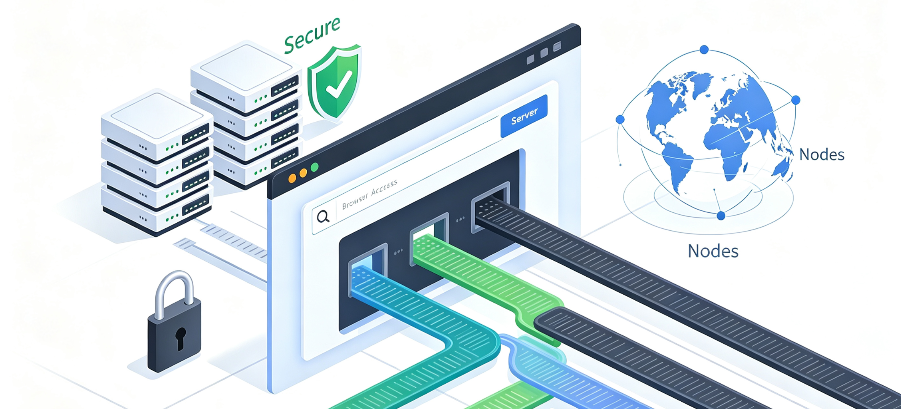
A proxy site is a web-based service that functions as an intermediary between a user’s device and the internet. When a user accesses a website through a proxy site, the request follows a straightforward sequence:
- The Request – The user types a URL (e.g., youtube.com) into the proxy site’s search bar
- The Fetch – The browser sends the request to the proxy site’s network of servers
- IP Masking – The proxy site makes the connection to the requested website on the user’s behalf. The destination website receives the proxy’s IP address and geographic location, not the user’s
- The Display – The proxy site sends the requested content back to the user’s browser
The network the user is on—whether school, work, or public Wi-Fi—only sees a connection to the proxy site, not to the restricted destination site.
Forward Proxies vs. Reverse Proxies
To understand proxy sites, it is helpful to distinguish between the two main categories of proxy servers:
Forward Proxy (or Gateway) – A forward proxy provides proxy services to a client or a group of clients. It sits between the user’s device and the internet, forwarding requests from the client to external servers. Proxy sites are a type of forward proxy—they serve as an intermediary for the user’s outbound traffic.
Reverse Proxy – A reverse proxy sits in front of web servers, intercepting requests from clients and forwarding them to the appropriate backend server. Reverse proxies are used for load balancing, authentication, caching, and protecting server infrastructure. They operate in the opposite direction from forward proxies and are not what users typically mean when they refer to a “proxy site.”
The Three-Layer Architecture
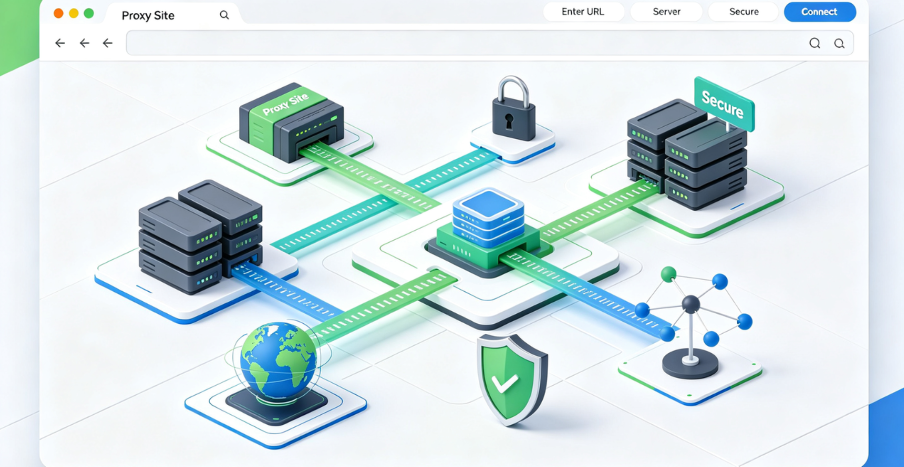
Proxy sites operate on a “user-proxy-target server” three-layer architecture:
- User Layer – The end user initiates a network request through their browser
- Proxy Layer – The proxy site receives the request, processes it, and forwards it to the destination
- Target Layer – The destination server receives the request from the proxy, processes it, and returns the response to the proxy, which then relays it to the user
This architecture enables the proxy site to mask the user’s real IP address, filter traffic, and potentially cache content for improved performance.
How Proxy Sites Work: Technical Architecture
The Request-Response Flow
When a user accesses a website through a proxy site, the technical flow involves several steps:
- User initiates request – The user enters a URL into the proxy site’s interface
- Proxy receives request – The proxy site’s server receives the request, including the target URL, headers, and any accompanying data
- Proxy forwards request – The proxy server forwards the request to the destination server using its own IP address, masking the client’s actual IP
- Target server processes request – The destination server processes the request and returns data to the proxy server
- Proxy relays response – The proxy forwards the data back to the user
This process happens in real-time, with the user typically experiencing only a slight delay compared to direct browsing.
IP Masking and Anonymity Levels
Proxy sites provide varying levels of anonymity based on how they handle IP information:
Transparent Proxy – These proxies do not hide the user’s IP address. They inform the destination server that a proxy is being used and pass along the user’s real IP address. Transparent proxies are typically used for caching and content filtering rather than privacy.
Anonymous Proxy – These proxies hide the user’s real IP address but identify themselves as proxies. The destination server knows that a proxy is being used but cannot see the user’s actual IP.
High Anonymity (Elite) Proxy – These proxies provide the highest level of privacy. They do not identify themselves as proxies and completely hide the user’s real IP address. The destination server sees only the proxy’s IP and has no indication that a proxy is being used.
Most proxy sites aim to provide at least anonymous-level protection, with some offering high anonymity depending on their configuration.
Encryption and Security
Many proxy sites employ SSL/TLS encryption for connections between the proxy server and destination websites. This provides protection against third parties intercepting the content of communications.
However, a critical privacy consideration is the connection between the user’s browser and the proxy server itself. While the destination-side TLS protects what reaches the website, the connection between the browser and the proxy server is not necessarily fully encrypted. The proxy operator can see what the user is requesting.
Some proxy sites encrypt all traffic by default, while others may not. Users should verify the security practices of any proxy site before using it for sensitive activities.
Types of Proxy Sites
General-Purpose Web Proxies
General-purpose web proxies allow users to access any website through the proxy interface. These are the most common type of proxy site and are designed for casual browsing, accessing blocked content, and basic privacy protection.
Key Characteristics:
- Support for HTTP and HTTPS traffic
- Simple URL-based interface
- No installation or configuration required
- Typically free with ad support
Examples: ProxySite, CroxyProxy, KProxy
Video Streaming Proxies
Some proxy sites specialize in handling video streaming content. These proxies are optimized to handle the high bandwidth and dynamic content associated with platforms like YouTube, Instagram, and TikTok.
Key Characteristics:
- Optimized for video streaming performance
- Support for media-rich websites
- May offer better buffering and playback
Services like CroxyProxy are specifically designed to support video sites, enabling users to stream content that might otherwise be blocked.
Location-Specific Proxies
Some proxy sites offer users the ability to select the geographic location of the proxy server. This enables access to region-locked content by making it appear as though the user is browsing from a different country.
Key Characteristics:
- Multiple server locations to choose from
- Geographic targeting capabilities
- Useful for accessing region-restricted services
Specialized Proxy Sites
Beyond general-purpose proxies, specialized proxy sites serve specific use cases:
Privacy-Focused Proxies – These proxies prioritize anonymity and may offer additional privacy features such as no-logging policies and enhanced encryption.
Ad-Free Proxies – Some proxy sites offer ad-free experiences, either through premium subscriptions or as a core feature.
Shareable Link Proxies – Certain proxy sites allow users to generate permalinks to share opened pages with others.
Core Distinctions
While both proxy sites and Shared proxy IPs route traffic through intermediary servers, they differ in several fundamental ways:
| Feature | Proxy Site | Shared proxy IPs |
| Scope | Affects only browser traffic | Affects all device traffic |
| Encryption | May or may not encrypt traffic | Encrypts all traffic |
| Configuration | No installation required | Requires software installation |
| Speed | Generally faster (less overhead) | Slightly slower due to encryption overhead |
| Privacy Scope | Hides IP for configured app/session | Shields all traffic from local networks/ISPs |
| Use Case | Simple IP masking, specific application | General online privacy, all traffic |
When to Use a Proxy Site
Proxy sites are the better choice when:
- Users need quick, temporary access to a blocked website
- Only browser traffic needs to be routed through a proxy
- Installation of software is not possible or desired
- Speed is a priority over comprehensive encryption
- The use case is casual browsing rather than sensitive data transmission
Using a proxy site and a Shared proxy IPs simultaneously is generally not recommended. Routing traffic through a Shared proxy IPs alone will reduce speed and performance, and adding the additional layer of complexity from a proxy makes it a recipe for a slow browsing session.
Advantages of Using Proxy Sites
No Installation Required
The most significant advantage of proxy sites is their zero-installation nature. Users do not need to download or configure anything—the proxy site acts as a proxy browser. This makes proxy sites accessible from any device with a web browser, including public computers, school devices, and workstations where software installation may be restricted.
Simple and Intuitive
Proxy sites offer a straightforward user experience. Users simply paste a URL or type a website name and are directed to the requested page. The process is as simple and fast as that.
Cross-Platform Compatibility
Because proxy sites operate entirely within a web browser, they work across all operating systems and devices. Whether using Windows, macOS, Linux, ChromeOS, Android, or iOS, the experience remains consistent.
Immediate Access
Proxy sites provide immediate access to restricted content. There is no waiting for software downloads, installations, or configuration. Users can start browsing within seconds of visiting the proxy site.
Many proxy sites offer permalink features, allowing users to share opened pages with friends. This can be useful for collaborating or sharing access to restricted content.
Limitations and Risks of Proxy Sites
Performance Constraints
Shared proxy IPs sites are shared among many users simultaneously, leading to several performance limitations:
Slow Speeds – Shared usage leads to bandwidth congestion, resulting in slow loading times and frequent buffering. During peak hours, users may experience significant slowdowns.
Interruptions and Timeouts – Users report connection issues, timeouts, and improper site functioning. The service may work well at one moment and time out the next.
Streaming Limitations – While some proxy sites support video playback, they are generally not recommended for HD or 4K streaming.
Inconsistent Performance – Response times show significant variation, with some users reporting fast performance and others experiencing timeouts.
Complete Proxy IP Fundamentals
Build a full proxy knowledge framework — from core principles to protocol selection
Privacy and Security Concerns
The privacy and security limitations of proxy sites are significant, particularly for users handling sensitive information:
Proxy Operator Visibility – The proxy operator can see what the user is requesting. While the destination-side TLS protects what reaches the website, the connection between the browser and the proxy server is not necessarily encrypted.
Third-Party Trackers – Many Shared proxy IPs sites rely on advertising for revenue and may include third-party trackers that compromise user privacy.
No End-to-End Encryption – Unlike Shared proxy IPs, proxy sites do not typically provide end-to-end encryption for all traffic. Data passing through the proxy could be visible to the operator or any third party on the same network.
Not Suitable for Sensitive Data – Security analysts recommend against using proxy sites for activities requiring strong security or privacy protection. For sensitive data activities, a Shared proxy IPs or professional proxy solution is recommended.
Datacenter IP Detection
Most proxy sites use datacenter IP addresses hosted on commercial server infrastructure. This distinction has significant implications:
- Blocking – Many websites actively block known datacenter IP ranges
- CAPTCHA Challenges – Users frequently encounter CAPTCHA challenges
- Restricted Access – Some sites may allow access but restrict certain features
- Rate Limiting – Requests from datacenter IPs may be subject to stricter rate limits
Not Designed for Business Operations
Proxy sites are built for casual browsing, not for business-scale operations. They do not offer:
- Residential or mobile proxy pools
- API-based integration
- Session persistence
- Geographic targeting at scale
- Dedicated resources
- Consistent reliability
Professional Proxy Infrastructure: When to Upgrade
The Residential Proxy Advantage
For users and organizations that require reliable, consistent access to websites and platforms, professional residential proxies offer significant advantages over proxy sites.
Residential proxies route requests through real residential IP addresses assigned by Internet Service Providers to physical home locations. This fundamental difference in IP source has several implications:
Higher Trust Levels – Residential IPs carry significantly higher trust scores than datacenter IPs. Destination websites are less likely to block or challenge traffic from residential addresses.
Reduced Detection – Residential proxies are harder to identify as proxy traffic, making them more effective for accessing websites that employ anti-proxy measures.
Better Success Rates – For data collection, web scraping, and automation, residential proxies deliver higher success rates and fewer interruptions.
Geographic Targeting – Residential proxy networks cover extensive geographic regions, enabling users to access location-specific content and services.
IPFLY’s Professional Proxy Solutions
IPFLY provides enterprise-grade proxy infrastructure designed for users who require more than what Shared proxy IPs sites can offer. IPFLY’s solutions address the limitations of proxy sites through:
Large-Scale Residential IP Networks – IPFLY operates a distributed proxy network with over 90 million residential IP addresses across 190+ countries. This scale ensures availability and geographic diversity that Shared proxy IPs sites cannot match.
High Availability – With 99.9% uptime, IPFLY’s infrastructure supports mission-critical operations without the interruptions common to shared free services.
Protocol Flexibility – Full support for HTTP/HTTPS and SOCKS5 protocols enables integration with diverse applications and automation tools.
Dedicated Resources – Unlike shared free proxies, IPFLY offers exclusive IP allocations that prevent cross-user contamination and maintain IP reputation.
Dynamic and Static Options – Users can choose between dynamic residential proxies for rotating IP assignments and static residential proxies for consistent, long-term IP usage.
Millisecond Response Times – Professional infrastructure delivers the speed and reliability that free web proxies cannot provide.
Use Cases for Professional Proxies
Professional proxy infrastructure serves use cases that fall outside the capabilities of Shared proxy IPs sites:
Web Scraping and Data Collection – Organizations collecting data from websites at scale require residential IPs to avoid detection and blocking. IPFLY’s dynamic residential proxies support high-frequency access, concurrent task execution, and data-intensive applications.
Market Research and Competitive Intelligence – Businesses monitoring competitors, analyzing market trends, and gathering pricing intelligence need consistent, reliable access to target websites.
Social Media Management – Managing multiple social media accounts requires IP isolation to prevent correlation detection. IPFLY’s static residential proxies provide consistent IP assignments for long-term account management.
Ad Verification – Verifying ad placements, detecting fraud, and monitoring campaign performance requires geographic diversity and residential IP authenticity.
API Integration – Business workflows that integrate with third-party APIs require reliable, low-latency connections that free web proxies cannot guarantee.
Brand Protection – Monitoring for brand abuse, counterfeit products, and unauthorized distribution requires consistent, undetectable access to various platforms.
Comparison: Proxy Sites vs. Professional Proxy Infrastructure
| Feature | Proxy Site | IPFLY Professional Proxies |
| IP Source | Datacenter IPs | Residential IPs |
| IP Pool Size | Limited | 90M+ residential IPs |
| Geographic Coverage | Limited | 190+ countries |
| Protocol Support | Limited (browser-based) | HTTP/HTTPS/SOCKS5 |
| Concurrent Connections | Shared, limited | Unlimited |
| IP Rotation | None | Automated per-request or time-based |
| Availability | Variable | 99.9% uptime |
| Performance | Inconsistent, slow | Millisecond response times |
| Privacy | Limited | High (dedicated resources) |
| Business Use | Not suitable | Enterprise-grade |
| Cost | Free (ad-supported) | Paid (professional infrastructure) |
Best Practices for Using Proxy Sites
When to Use Proxy Sites
Despite their limitations, proxy sites serve specific use cases where their characteristics align with user needs:
Casual, Occasional Browsing – For users who occasionally need to access a blocked website or bypass a temporary restriction, proxy sites offer a quick, no-cost solution.
Testing and Evaluation – Users evaluating whether a particular website or service is accessible from their location may use a proxy site as a quick test.
Short-Term Access – For temporary needs—such as accessing content during travel or from a restricted network—proxy sites provide a convenient solution.
Educational Use – Students needing to access educational resources blocked by school networks may find proxy sites adequate for basic browsing needs.
Security Tips for Proxy Site Users
For users who choose to use proxy sites, several security practices are recommended:
Avoid Sensitive Data – Do not enter passwords, financial information, or other sensitive data through proxy sites.
Use HTTPS – Ensure the proxy site itself uses HTTPS to protect the connection between the browser and the proxy.
Check Privacy Policies – Review the proxy site’s privacy policy to understand what data is collected and how it is used.
Use Incognito Mode – Consider using incognito or private browsing mode to minimize tracking.
Clear Cookies and Cache – After using a proxy site, clear browser cookies and cache to remove any tracking data.
Be Wary of Ads – Free proxy sites often rely on advertising. Be cautious of ads that may lead to malicious sites.

Proxy sites represent a convenient, accessible entry point into the world of proxy services. Their zero-installation approach, free access model, and ability to handle various types of content have made them a popular choice for casual users seeking quick access to restricted content.
However, the reliance on datacenter IP addresses, shared infrastructure, and limited privacy protections create significant limitations that become apparent when users require consistent performance, true privacy, or scalable solutions. The variable performance, lack of residential IP resources, and security concerns make proxy sites unsuitable for business operations or sensitive data handling.
For users and organizations that require reliable, consistent access to websites and platforms, professional proxy infrastructure offers a superior alternative. Residential proxies from providers like IPFLY provide the authenticity, performance, and reliability that free proxy sites cannot match. With access to over 90 million residential IP addresses across 190+ countries, protocol flexibility, and millisecond response times, IPFLY’s infrastructure supports the demanding requirements of business operations, data collection, and automation.
Understanding the trade-offs between proxy sites and professional infrastructure enables users to select the right solution for their specific needs. For casual, occasional browsing, proxy sites may suffice. For anything requiring consistency, reliability, or privacy, professional proxy infrastructure is the appropriate choice.
For users and organizations requiring reliable, high-performance proxy infrastructure beyond what free proxy sites can offer, IPFLY provides professional proxy solutions designed for business operations, data collection, and automation:
- Dynamic Residential Proxies – Access over 90 million residential IP addresses across 190+ countries with automated rotation and millisecond response times for high-frequency access and data-intensive applications.
- Static Residential Proxies – Exclusive, ISP-registered residential IP addresses for consistent, long-term access patterns that maintain IP reputation and support session-based workflows.
- Datacenter Proxies – High-performance proxy infrastructure with 99.9% availability for bandwidth-intensive applications where residential IPs are not required.
Build your professional proxy infrastructure today. Visit IPFLY’s homepage to explore the full range of proxy solutions, or register now for immediate access to enterprise-grade proxy capabilities that support your business and data collection needs.






