

The YouTube “Sign in to confirm you’re not a bot” message can interrupt a video before playback begins. Understanding what the prompt requests comes before deciding which settings to change.
This guide explains the message and its possible causes, then uses network comparisons to narrow down the problem before presenting seven practical solutions. It also explains when a fixed-IP service from IPFLY fits a separate connection requirement.
What Does YouTube’s “Sign in to Confirm You’re Not a Bot” Message Mean?
The message asks for a Google account sign-in before playback can proceed in the current session. It is a verification request rather than a notice about video quality or connection speed.
The wording does not reveal the exact reason for the check. It does not identify a particular extension, network setting, or account action as the cause. That distinction matters: the prompt describes what YouTube requires at that point, while troubleshooting helps establish which conditions are involved.
If an account already appears on YouTube, the message alone cannot explain the mismatch. The active session and network connection need separate checks.
Why Does YouTube Ask for “Not a Bot” Verification?
The same message can appear under different conditions. The following factors explain why sign-in status and the connection both matter; none establishes the cause of an individual case without further checks.
Signed-Out Viewing Can Require Authentication
YouTube states that signed-out viewing limits can apply in certain situations, including attempts to download material for offline use or view certain content featuring minors. Public availability therefore does not mean that every video will play in every signed-out session.
This does not establish that every sign-in prompt has the same cause. It explains why a sign-in requirement can apply even when the video page itself is visible.
A shared network can send traffic from several users through the same public IP address. Support documentation for an enterprise cloud proxy describes shared-IP verification prompts that can persist after a page refresh. In that setting, cloud proxy traffic and shared public addresses can trigger YouTube security checks, affecting normal viewing as well.
The broader concept of IP reputation concerns the activity history associated with an address. However, this prompt does not reveal YouTube’s assessment of that address. Shared use is a factor to investigate, not proof that everyone on the network will receive the message.
The Browser May Not Retain the Expected Sign-In Session
Cookies save information about a visit and can keep a website session signed in. Google explains that clearing stored cookies can remove site settings and require another sign-in. A login completed earlier can therefore be absent after those cookies are removed.
This explains why a previous successful login does not establish the current sign-in state. It does not prove that cookies triggered the verification request. The browser checks later in this guide address that distinction without assuming that every case has the same cause.
How to Check Network Causes of YouTube’s “Not a Bot” Message
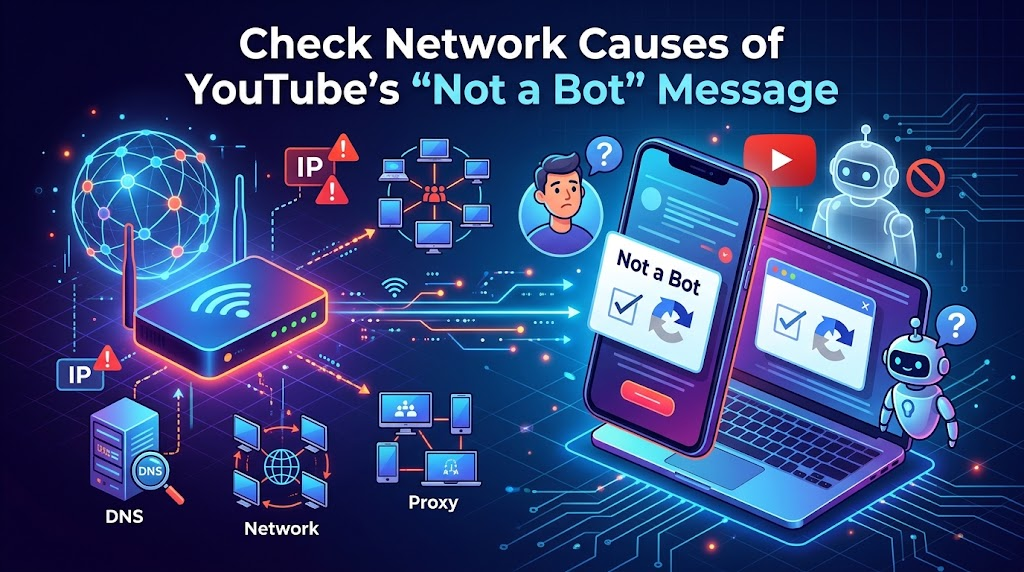
Start by comparing network connections before changing browser settings. The goal is to find whether the error follows one device, one connection, or both. A successful test on another network is useful evidence, but it does not identify the exact cause on its own.
Compare Wi-Fi and Mobile Data on the Same Device
For loading and buffering problems, YouTube recommends changing the connection and replaying the video. If playback fails on Wi-Fi, switch to mobile data; if it fails on mobile data, connect to Wi-Fi. Mobile data charges may apply.
To apply this check to the verification message, keep the device, browser or app, Google account, and video unchanged. Record whether the prompt appears on each connection. This keeps the comparison focused on the network change.
If the video plays on mobile data but shows the prompt on Wi-Fi, investigate the Wi-Fi connection and its settings. The result points toward a connection-related difference; it does not identify a specific setting or prove a permanent IP restriction. The same reasoning applies if only Wi-Fi works.
A home connection may use a dynamic IP address. Record the public IP alongside each test rather than assuming it stays the same between tests.
If both connections show the same message, the test has not isolated a network-specific cause. Continue with the device comparison below rather than repeatedly switching networks.
Compare Devices on the Same Connection
Next, test the same video on another device connected to the affected Wi-Fi network. Use the same Google account where practical, and note any differences in browser, app, or sign-in state.
If only one device fails, start with the browser-related solutions in the next section. Also review connection settings specific to that device. Existing proxy settings are relevant because they can send traffic through an additional server. Two devices on the same Wi-Fi network may therefore use different routes.
If several devices show the message on Wi-Fi but work on mobile data, the shared connection becomes a stronger lead. The next step is to review how that connection is configured, rather than repeat browser changes across every device.
On a personally managed connection, record existing settings before making a permitted change. Keep changes separate so that each test produces a useful result.
Escalate Problems on Managed Networks
On a workplace or school network, the administrator may need to inspect settings that are unavailable on individual devices. These can include routing and name resolution. DNS resolves domain names to IP addresses so a browser can locate the service. Changing the DNS resolver addresses lookup settings; it does not reset a YouTube session or change the connection’s public IP by itself.
A useful report should include:
- The affected video URL and exact error message.
- The date, time, and time zone of the test.
- The device, browser or app version, and sign-in state.
- Whether other devices on the same network are affected.
- Whether the same video plays on another permitted connection.
These details help the administrator compare network logs with the failed playback attempt. They also separate the visible symptom from assumptions about its cause.
If the administrator finds no network issue, retain the test results and move to the relevant solutions below. Those results can also support a later report to YouTube.
7 Ways to Fix YouTube “Sign in to Confirm You’re Not a Bot”
Choose a method that matches the earlier troubleshooting results. If the issue follows one browser, start with its account and settings. If it follows one network, use the connection-related option below while that network is reviewed.
Sign In to the Correct YouTube Account
Open YouTube directly and select Sign in if the affected window is signed out. Complete the process, then reopen the video.
Check the browser profile as well. Chrome uses separate browser profiles to keep work and personal accounts and settings apart. Select the profile icon at the top right of Chrome, choose the intended profile, and check the account shown on YouTube within that window. A different profile’s active account does not establish this window’s session. If the correct account is already active, continue with the relevant method below.
Full-Industry Proxy IP Application Solutions
Power scalable growth for every cross-border business scenario with IPFLY’s reliable global proxy network
Temporarily Disable Extensions That Affect Playback
Chrome’s extension troubleshooting steps use playback with extensions disabled, followed by individual extension tests, to identify interference. In Chrome, open Extensions → Manage extensions and temporarily disable extensions that could affect playback.
Reload the same video. If playback returns, enable one extension at a time and reload after each change. This identifies which enabled extension brings the problem back. Update that extension or review its site-specific settings. If disabling extensions makes no difference, restore them and continue with the next method.
YouTube Premium offers ad-free video playback by removing ads before and during millions of videos. Creator-added promotions can still appear. This benefit should not be treated as a fix for the verification message.
Clear YouTube Site Data
Remove YouTube’s stored site data to refresh the local session. Chrome supports site-specific cookie deletion: open Settings → Privacy and security → Third-party cookies → See all site data and permissions, search for YouTube, and delete its data.
Reopen YouTube and sign in if requested. This can remove local preferences and sign-in data, but it does not delete the Google account. Repeated deletion is unnecessary if the result remains unchanged.
Update the Browser or YouTube App
Install available updates for the affected browser or official YouTube app. Close and reopen it after the update, then replay the video.
This addresses an outdated client before further settings are changed. An update is not proof that the earlier version caused the verification prompt; the playback result determines whether further action is needed.
Use Another Supported Browser
If the issue remains limited to one browser, open the video in another supported browser on the same connection. Sign in with the intended account.
If playback works there, that browser can serve as a temporary viewing option while the original browser’s settings are reviewed. There is no need to copy all settings and extensions into it immediately.
Restart the App or Device
Fully close and reopen the YouTube app. If the problem persists, restart the device and replay the video.
After restarting, reopen YouTube and check whether the same video plays. If the prompt returns, move to the next relevant action rather than restarting repeatedly.
Use a Connection That Already Passed the Playback Test
If the earlier comparison established that the same video works on another permitted connection, use that connection while the affected network is investigated. On a phone, this may mean using mobile data instead of the affected Wi-Fi network.
Keep the working connection as a temporary option. On a managed network, provide the recorded results to the administrator so the original issue can be reviewed.
When IPFLY Fits a Fixed-IP Need During YouTube Troubleshooting
Network tests can reveal that playback changes between connections. They do not establish that a paid service is necessary. IPFLY becomes relevant when an ongoing workflow also requires a dedicated, consistent exit IP—the public address used by traffic routed through the service.
Establish a Separate Need for a Consistent Exit IP
A fixed IP can serve a practical purpose when a team needs to repeat connection tests through the same address over time. Keeping that address consistent removes one changing variable from the comparison.
For occasional viewing, a working personal connection may already meet the need. If playback returns after correcting browser settings or signing in, there is no fixed-IP requirement established by that result.
The decision should therefore start with the workflow: whether a consistent address is needed, which application will use it, and who will maintain the connection settings. The verification message alone does not answer those questions.
Assess IPFLY Static Residential Proxies for Fixed-IP Workflows
IPFLY offers dedicated static addresses through its Static Residential Proxies. Dedicated allocation means the supplied address is assigned for exclusive use. Non-rotating means the service is designed to retain that address rather than change it between requests.
For readers comparing residential proxy types, the distinction between fixed and rotating addresses helps clarify whether a fixed address matches the task. A fixed address does not mean that every connection remains active indefinitely or that a browser session cannot expire.
Before adoption, confirm application compatibility, current service terms, and the required connection settings. IPFLY’s proxy setup guide explains the configuration details, including the endpoint, port, and authentication information. Those settings should be checked separately from YouTube account status.
Understand What a Fixed IP Cannot Resolve
A fixed IP changes one part of the connection. It cannot restore expired sign-in data, repair an extension conflict, or grant permission to view a private video.
It also cannot guarantee that YouTube will stop requesting verification. A dedicated address describes how the service allocates an IP; it does not establish how YouTube will evaluate a particular visit.
If the message remains after configuration, compare the result with the earlier browser and network tests. Retain the settings and timestamps for support rather than assuming that another address change will resolve the issue.
FAQs About YouTube “Sign in to Confirm You’re Not a Bot”
Does YouTube Premium Remove Verification Requirements?
YouTube does not list a verification exemption among its Premium benefits. A subscription should not be treated as a fix for this message.
Does Restarting a Router Always Change the Public IP?
No. Even a dynamic IP address can remain unchanged after a restart. Address assignment depends on the internet provider.
Can Changing DNS Resolve Every Verification Error?
No. DNS translates domain names into IP addresses. Changing it does not refresh a YouTube session or change the public IP by itself.
Does the Message Prove That an IP Address Is Permanently Restricted?
No. The prompt requests sign-in verification. It does not establish a permanent IP restriction or its duration.
Is There a Guaranteed Waiting Period Before Playback Returns?
No fixed recovery time can be inferred from the message. If it persists, use the browser and network test results when contacting support.
Conclusion
Resolving YouTube “Sign in to confirm you’re not a bot” starts with checking the active session, then testing browser and network changes one at a time. Each result should guide the next step. For workflows that also require a consistent exit IP, create an account with IPFLY to evaluate its static residential options. A fixed IP supports that connection requirement, but it cannot replace sign-in or guarantee that verification prompts will disappear.


