

The Complete Guide to Multi-Account Management and Privacy Protection
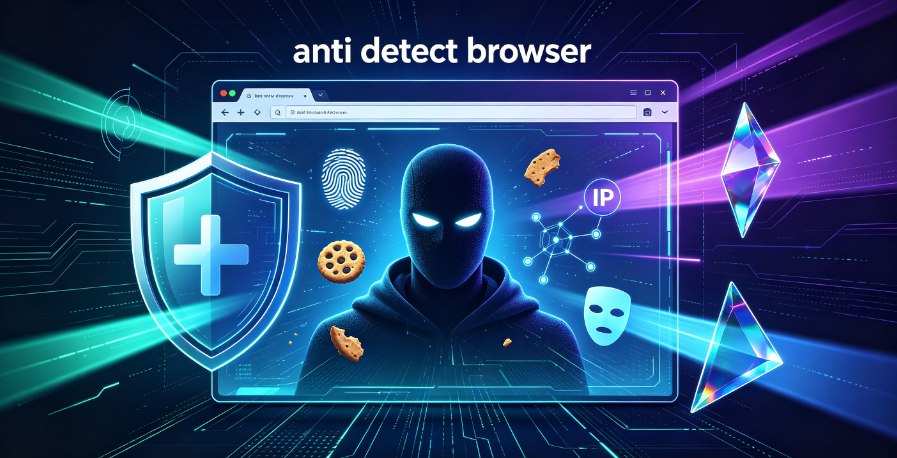
Staying private online in 2026 is as important as ever. The previous year was exceptionally bad regarding data breaches, with millions of people’s data being leaked online. In turn, this increased the demand for online privacy protection tools, like anti-detect browsers.
But anti-detect browsers are about much more than just privacy. They are widely used for social media marketing, web scraping, multiple account management, dropshipping, and more. Depending on your needs, you can use these tools to hide your original IP address, rotate between multiple IPs, change user agents and browser fingerprints, and even automate tasks using Puppeteer or Selenium.
This comprehensive guide explains everything you need to know about anti-detect browsers in 2026—what they are, how they work, their key features, top use cases, and how to choose the right one for your needs.

Part 1: What Is an Anti-Detect Browser?
An anti-detect browser—also known as a fingerprint browser or antidetect browser—is a specialized browser designed to prevent websites from tracking your identity. Unlike regular browsers, which expose a consistent digital signature, an anti-detect browser hides or alters this information, making each browsing session appear unique.
The Problem: Browser Fingerprinting
When you visit a website, your browser shares a wealth of information: your browser version, operating system, screen resolution, installed fonts, timezone, language preferences, Canvas rendering output, WebGL renderer details, and much more. Collectively, these data points form a browser fingerprint—a unique digital signature that can identify and track you across sessions and websites.
Websites and platforms use fingerprinting to:
- Detect and block multiple accounts operated by the same user
- Prevent fraudulent activities
- Enforce terms of service violations
- Track user behavior across sessions
The Solution: Anti-Detect Browsers
Anti-detect browsers address this problem by creating isolated browsing environments, each with its own unique fingerprint. They replace browser details with fake or randomized information, prevent cookies, cache, and local storage from cross-contaminating between profiles, and simulate real device configurations.
Think of an anti-detect browser as a tool that lets you create multiple “digital identities” on a single device. Each identity appears to websites as a completely different user, using a different device, in a different location.
Part 2: How Anti-Detect Browsers Work
Anti-detect browsers work through a combination of techniques that together create a convincing, undetectable browsing environment.
Fingerprint Spoofing
The core function of an anti-detect browser is fingerprint spoofing. The browser intercepts API calls from the webpage and returns modified values instead of real device data. When a site queries navigator.userAgent, HTMLCanvasElement.toDataURL(), or similar fingerprint-gathering functions, the anti-detect browser returns the values defined in the current profile—not the real hardware data.
Most anti-detect browsers offer extensive fingerprint customization options, including:
- User-Agent – Browser name, version, and operating system
- Screen resolution and color depth
- Timezone and language settings
- Canvas fingerprint – Modifies rendering output to generate unique hashes
- WebGL fingerprint – GPU vendor, renderer string, and supported extensions
- Font list – The set of system fonts reported to websites
- AudioContext fingerprint – Unique audio signatures
- WebRTC protection – Prevents real IP leaks through WebRTC
Profile Isolation
Each browser profile in an anti-detect browser is a completely isolated environment. Profiles have their own:
- Cookies and local storage – No cross-contamination between accounts
- Cache and browsing history – Each profile maintains its own data
- Fingerprint parameters – Unique fingerprints for each profile
- Proxy settings – Each profile can use a different IP address
This isolation ensures that even if one profile is flagged or banned, other profiles remain unaffected.
Proxy Integration
Anti-detect browsers are designed to work seamlessly with proxies. Each profile can be assigned a different proxy, ensuring that IP-level isolation complements fingerprint isolation. Most anti-detect browsers offer built-in proxy checkers that verify a successful connection before launching a profile.
Automation Support
Many anti-detect browsers support automation tools like Puppeteer and Selenium. This allows users to automate repetitive tasks—such as posting content, following accounts, or collecting data—while maintaining undetectable fingerprints.
Part 3: Key Features of Anti-Detect Browsers
When evaluating anti-detect browsers, several features distinguish the best tools from the rest.
Fingerprint Customization Depth
The best anti-detect browsers offer extensive fingerprint customization. GoLogin, for example, provides over 50 configurable browser fingerprint options. This level of control allows users to create highly specific, consistent fingerprints that pass even the most stringent detection systems.
Profile Management and Scalability
Managing multiple profiles efficiently is essential for large-scale operations. Features to look for include:
- Bulk profile creation – Essential for social media marketing and multi-account management
- Profile import/export – Batch and quick import options streamline setup
- Cloud storage – Secure storage of profile data using AES-256 encryption
- Team collaboration – Permission management, profile sharing, and activity logs for team environments
Proxy Management Tools
Seamless proxy integration is critical. Look for:
- Built-in proxy checkers – Verify connection before launching profiles
- Mass proxy import – Quickly add multiple proxies for assignment to profiles
- Multi-protocol support – HTTP, HTTPS, and SOCKS5 compatibility
Automation Capabilities
For users who need to automate tasks, compatibility with automation frameworks is essential. Look for support for:
- Puppeteer and Selenium
- Playwright
- API access – Programmatic control for custom workflows
Security and Encryption
While anti-detect browsers are not SHARE IP, they do offer security features:
- AES-256 encryption for stored profile data
- Cookie management
- Headless browsing mode – Run browsers in the background for automation
Part 4: Top Anti-Detect Browsers in 2026
Based on comprehensive testing and reviews, here are the leading anti-detect browsers available in 2026.
Incogniton
Incogniton is an outstanding choice for managing multiple accounts. It uses separate browsing environments to isolate profiles and prevent any leaks, minimizing detection and ban risks. It supports bulk profile creation and offers a built-in proxy checker that displays timezone code, GMT offset, and latitude/longitude coordinates. It is compatible with Selenium and Puppeteer.
Best for: Affiliate marketing and multi-account management
Starting price: $13.99/month for 10 browser profiles
Free version: Yes, 3 profiles with limited features
AdsPower
AdsPower is developed for digital marketing. It supports a wide range of use cases, including affiliate marketing, e-commerce, cryptocurrency, and social media management. With over 800,000 users and an excellent 4.8 Trustpilot score, it is a reliable tool for streamlining digital marketing tasks. It supports batch and quick profile imports and offers headless browsing mode.
Best for: Digital marketing, e-commerce, and social media management
Starting price: $8.4/month for 10 profiles
Free version: Yes, 5 profiles
Dolphin{anty}
Dolphin{anty} focuses on affiliate marketing. It is designed for browser profile creation, isolation, and team collaboration. When creating accounts, you can assign them to Facebook, Google, TikTok, or cryptocurrency. It also has a separate Dolphin{tt} tool tailored for TikTok.
Best for: Affiliate marketing, advertising accounts, and Web 3.0 applications
Starting price: From $6/month for up to 60 profiles
Free version: Yes, 10 profiles
MoreLogin
MoreLogin focuses on multiple account management to avoid detection and bans. It offers a Synchronizer feature that creates a master window, automatically synchronizing mouse and keyboard events across other windows.
Best for: Small to medium-sized business growth
Starting price: $5.4/month for 10 profiles
Free version: Yes, 2 profiles with limited fingerprint features
BitBrowser
BitBrowser is one of the more affordable options, costing only $9/month for 50 profiles. It supports robotic process automation (RPA) scripts and offers a virtual Android emulator.
Best for: Mobile emulation and affordable multi-account management
Starting price: $9/month for 50 profiles and 2 team members
Free version: Yes, 10 profiles with limited features
Nstbrowser
Nstbrowser is designed for dealing with information restrictions. It comes with a built-in CAPTCHA bypass on all plans using browserless cloud fingerprinting.
Best for: Bypassing CAPTCHAs and information restrictions
Starting price: $17/month for 100,000 profiles
Free version: Yes, limited to 10 daily profile launches
Part 5: How to Choose the Right Anti-Detect Browser
Selecting the right anti-detect browser depends on your specific needs. Here is what you should consider.
1. Identify Your Use Case
The most important thing is to know precisely where you will use the chosen anti-detect browser.
- Web scraping – Seamless integration with proxies is crucial, followed by compatibility with Python web scraping tools to implement automation, handle pagination, and set timeouts to mimic human-like behavior.
- Social media management – Verify that the browser provides a sufficient number of profiles and ensures their reliable isolation.
- Team collaboration – Collaboration tools will make things much easier with features such as permission management, profile grouping and sharing, and activity logs.
- Personal private browsing – Consider the pricing first. Many anti-detect browsers offer a limited free version.
2. Evaluate Fingerprint Customization
Different browsers offer different levels of fingerprint control. For sensitive operations, choose a browser with extensive customization options like GoLogin’s 50+ configurable fingerprints.
3. Check Proxy Integration
In most cases, you will use anti-detect browsers alongside proxies, so the importance of seamless proxy integration cannot be understated. Look for built-in proxy checkers, mass import features, and multi-protocol support.
4. Consider Automation Needs
If you plan to automate tasks, ensure the browser supports Puppeteer, Selenium, Playwright, or offers API access.
5. Assess Team Collaboration Features
For team environments, look for permission management, profile sharing, and activity logs.
6. Review Pricing and Free Versions
Many anti-detect browsers offer free versions with limited features. Start with a free version to test the browser before committing to a paid plan.
Part 6: The Critical Role of Residential Proxies
Anti-detect browsers handle fingerprint isolation, but they do not address network identity. If all profiles use the same IP address, platforms can still associate them. A complete isolation strategy requires both:
- Unique fingerprint (provided by the anti-detect browser)
- Unique IP address (provided by a residential proxy)
Why Residential Proxies Are Essential
Residential proxies use IP addresses assigned by Internet Service Providers (ISPs) to real households. They appear as genuine consumer connections and are far less likely to be detected or blocked.
Key advantages for anti-detect browser users:
- Highest trust scores – Residential IPs are associated with real households, not datacenters
- Lower detection risk – Websites are less likely to flag residential traffic as suspicious
- Geographic targeting – Choose IPs from specific countries and cities to match your fingerprint settings
- Session stability – Residential proxies provide consistent, long-term access
Free Proxies vs. Professional Proxies
Some anti-detect browsers, like Incogniton, offer free proxy lists. As attractive as they may be for saving money, you may soon notice that free proxies frequently experience speed drops and downtime. We recommend using this feature to try different anti-detect browsers and switch to a professional paid proxy service provider.
Part 7: How IPFLY Powers Anti-Detect Browser Operations
IPFLY provides the residential proxy infrastructure that enables anti-detect browsers to operate at their full potential. Whether you are managing social media accounts, running e-commerce stores, or collecting data, IPFLY’s solutions ensure consistent, undetectable access.
IPFLY Static Residential Proxies (ISP Proxies)
IPFLY’s static residential proxies are 100% dedicated, ISP-registered IP addresses that remain fixed over time. Each IP is used exclusively by a single user, ensuring a clean reputation and preventing association with other users’ activity.
Key advantages for anti-detect browser users:
- ISP-registered authenticity – Each IP is formally assigned by an Internet Service Provider and appears as a residential broadband connection. To any website, you look like an ordinary household user.
- 100% dedicated IP – Exclusive use with no sharing; no risk of inheriting poor reputation from other users.
- Stable and consistent – The IP remains unchanged, providing consistent identity for long-term account management.
- Geographic targeting – Choose IPs from specific countries and cities to match your fingerprint settings.
- Full protocol support – HTTP, HTTPS, and SOCKS5 compatibility.
- Low latency – Delays as low as 50ms for fast, responsive browsing.
- 99.9% uptime – Enterprise-grade reliability for critical operations.
Static residential proxies are ideal for long-term account management, e-commerce operations, and any scenario where consistent IP identity is critical.
👉 Explore IPFLY Static Residential Proxies
IPFLY Dynamic Residential Proxies
For users who need geographic flexibility or IP rotation, IPFLY’s dynamic residential proxies offer real residential IPs with automatic rotation capabilities from a pool of over 90 million addresses covering 190+ countries.
Key advantages:
- Real residential IPs – From a pool of residential addresses, ensuring high availability and low detection risk
- Automatic rotation – Distribute access across diverse IPs to avoid pattern detection
- Sticky session support – Maintain a consistent IP for hours or days when needed
- Geographic flexibility – Access content from virtually any region
- Full protocol support – HTTP, HTTPS, and SOCKS5
- High success rate – Over 99% connection stability
Dynamic residential proxies are ideal for high-volume data collection, ad verification, and scenarios requiring IP rotation.
👉 Explore IPFLY Dynamic Residential Proxies
IPFLY Datacenter Proxies
For speed-critical operations where residential authenticity is less important, IPFLY’s dedicated datacenter proxies offer high-performance connectivity.
👉 Explore IPFLY Datacenter Proxies
How to Integrate IPFLY with Anti-Detect Browsers
Integrating IPFLY with anti-detect browsers is straightforward:
- Obtain your IPFLY credentials from the IPFLY console
- In your anti-detect browser, create a new profile
- Navigate to the proxy configuration section
- Enter the IPFLY proxy host, port, and authentication details
- Use the built-in proxy checker to verify the connection
- Save and launch the profile
Most anti-detect browsers offer dedicated proxy management tools that make this process quick and easy.
Building a Complete Anti-Detect Strategy
Anti-detect browsers are essential tools for anyone managing multiple accounts, protecting their privacy, or conducting automated data collection. They provide fingerprint isolation, profile management, and automation capabilities that regular browsers cannot match.
Key takeaways:
- Fingerprint isolation is the core function – Anti-detect browsers create unique, consistent fingerprints for each profile
- Profile management scales your operations – Bulk creation, cloud storage, and team collaboration features enable large-scale operations
- Proxy integration is essential – Residential proxies provide the IP-level isolation that completes the privacy picture
- Choose the right tool for your use case – Different browsers excel in different areas
- Free versions are good for testing – Start with a free version before committing to a paid plan
- Professional proxies are worth the investment – Free proxies frequently experience speed drops and downtime
Whether you are a social media manager, affiliate marketer, e-commerce seller, or data collector, the combination of an anti-detect browser and residential proxies provides the foundation for secure, undetectable online operations.
Power Your Anti-Detect Browser Operations with IPFLY
Anti-detect browsers provide the fingerprint isolation you need for multi-account management. IPFLY provides the residential proxy infrastructure that completes the privacy picture—ensuring each account has a unique, trustworthy IP address.
IPFLY offers flexible proxy solutions for every use case:
- Static Residential Proxies – 100% dedicated, ISP-registered IPs with fixed identity. Perfect for long-term account management and consistent access.
- Dynamic Residential Proxies – Real residential IPs from 190+ countries with automatic rotation. Ideal for high-volume operations and geographic flexibility.
- Datacenter Proxies – High-performance IPs for speed-critical operations.
Get started today: Register for an IPFLY account and explore the full product lineup on the IPFLY homepage. Equip your anti-detect browser operations with the clean, trusted network environment that reliable multi-account management requires.


