

The Complete Guide to Unblocking Content Safely
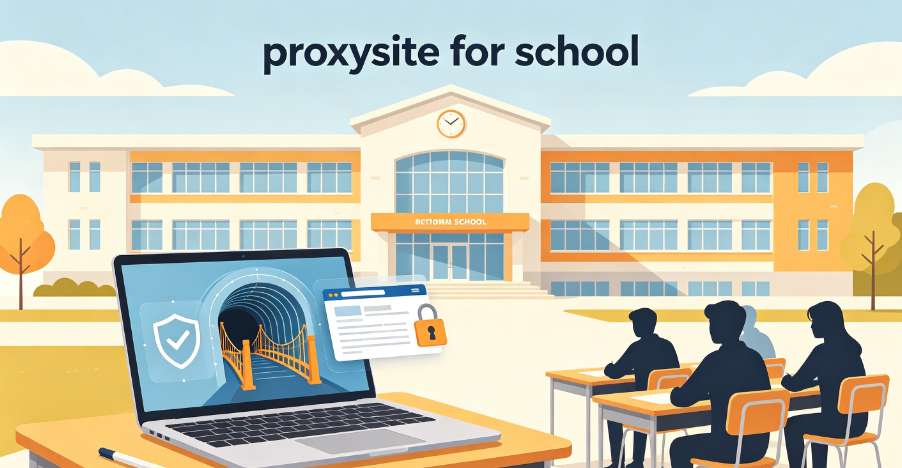
Picture this: it is a weekday evening in the school library, and you are rushing to finish a research paper due the next day. You find the perfect academic source, click the link, and are met with the dreaded “Access Denied” message—blocked by your school’s network administrator. Or maybe you are on a break, trying to watch a short YouTube video to recharge, only to find social media and entertainment sites are off-limits.
For students worldwide, this scenario is all too familiar. School networks block websites for three main reasons: bandwidth management (to prevent network crashes from high-traffic sites), compliance with regulations like the Children’s Internet Protection Act (CIPA) to filter harmful content, and reducing distractions during class hours. But these restrictions often go too far, blocking legitimate educational resources, research tools, and even mental health support sites that students need.
This is where proxy sites for school come in. This guide explains everything you need to know about school proxies—what they are, how they work, the significant risks of free proxy sites, and why residential proxies are the only safe, reliable solution for students in 2026.

Part 1: What Is a Proxy Site for School?
A proxy site for school is a web-based tool that allows students to bypass network restrictions by routing their internet traffic through a remote server. When you use a proxy website, your school’s network only sees the proxy server’s IP address—not your device’s real IP or the blocked website you are trying to access.
How a School Proxy Works
Think of a proxy site as a middleman between your device and the internet. The process is simple:
- You visit the proxy website in your browser
- You enter the URL of the blocked site you want to access
- The proxy server fetches that website on your behalf
- The proxy returns the content to your browser
From your school network’s perspective, you are only visiting the proxy site—not the blocked website. Your real IP address and browsing activity remain hidden from the school’s network administrators.
Why Proxy Sites Are Popular for School
Unlike traditional proxies that require software installation (and are often blocked by school networks), proxy websites are web-based—no downloads, no software, no technical expertise needed. They are designed to be accessible from any school computer, Chromebook, or mobile device, making them the ideal solution for students.
Key advantages of proxy sites for school:
- No installation required – Works entirely in your browser
- No technical configuration – Just visit the site and enter a URL
- Works on school computers – Bypasses restrictions on software installation
- Works on mobile devices – Unblock content even on your phone using school Wi-Fi
Part 2: Why Schools Block Websites
Schools ban access to certain websites for several legitimate reasons.
1. Improve Cybersecurity
The World Wide Web can be a risky place, especially for teenagers who need more experience online. School network administrators often block access to torrenting websites, free online game platforms, or social networks that are frequently used by cybercriminals to share malware.
2. Block Adult Content
Not only is adult content harmful to minors’ mental well-being, but pornographic websites are also often ridden with malware, infectious drive-by downloads, and scammy pop-ups. Accessing such websites via a web proxy is highly inadvisable and a severe school policy violation.
3. Avoid Distractions
Unrestricted internet access is excellent during free time, but it is also full of distractions. In reality, internet users of all ages spend a lot of time on social media, which is an unnecessary lure during learning time.
4. Save Network Resources
Not all schools enjoy fiber optics and 5G internet speeds. To make it fair to all students, educational institutions limit access to websites that consume a lot of bandwidth, like streaming and file-sharing platforms.
The Problem: Overly Restrictive Filters
While these are valid concerns, online restrictions are often too severe. Students have reported that filters encompass sites like Wikipedia, Google Translate, and YouTube, as well as music streaming sites and social networks. Many find it counterproductive, as these internet resources store educational content.
Part 3: Types of School Proxies
Not all proxy solutions are created equal. Understanding the differences is critical for choosing a safe and effective option.
Web-Based Proxy Sites
These are the most common type of school proxy. They are browser-based tools that require no installation—just visit the website, enter a URL, and start browsing.
Examples: CroxyProxy, Proxyium, Hide.me
Pros: No installation, works on any device, easy to use
Cons: Often slow, unreliable, and unsafe; free versions inject ads and track browsing activity
Free Proxy Browser Extensions
Browser extensions installed from the Chrome Web Store can route traffic through external servers. Some, like Campus Proxy Connect, are lightweight tools designed to bypass restrictive campus networks.
Pros: One-click activation, works within your existing browser
Cons: May be blocked by school IT policies; free extensions may collect browsing data
Proxy Scripts and Self-Hosted Solutions
Students can clone and deploy open-source proxy scripts that go undetected or appear academic. Tools like GUST are full-featured web proxies that live entirely inside a single HTML file, allowing use without any setup or hosting.
Pros: Highly customizable, can be hosted on trusted platforms
Cons: Requires technical knowledge; may violate school policies
Residential Proxies
Residential proxies use real home IP addresses assigned by Internet Service Providers. To a school filter, your traffic looks like it is coming from a regular house, making it nearly impossible to block. These are the gold standard for undetectable school proxy access.
Pros: Nearly undetectable, high trust scores, stable connections
Cons: Usually paid services
Part 4: The Hidden Dangers of Free School Proxies
Free proxy sites may look like a quick way to reach a blocked page, but they can create serious security, privacy, and disciplinary problems on a school network. Here is what you need to know.
1. Data Tracking and Privacy Violations
Free proxy sites often inject ads, track your browsing activity, or use low-quality IPs that are easily detected by school firewalls. Many free proxy services log your IP address, the web pages you visit, and even your personal information. This data can be sold to third parties or used for targeted advertising.
What you are exposing:
- Your IP address
- Browsing history and time spent on pages
- Personal information (name, email, screen name)
- Cookies and session data
2. Malware and Security Threats
Behind pretended tutoring services and free proxy tools, malicious actors often hide code that can turn visiting browsers into potential DDoS engines. Nearly 150 npm packages posing as school Wi-Fi bypass tools were used to turn visiting browsers into potential DDoS engines.
Free proxies can:
- Inject malware into your browser
- Steal login credentials
- Use your device for cryptocurrency mining
- Turn your browser into part of a botnet
3. Unreliable and Slow Performance
Free proxy sites are often slow, unreliable, and frequently go offline. Because they are shared among thousands of users, speeds are throttled and connections are unstable. By the time you find a working proxy, it may already be blocked by your school’s filter.
4. Easy Detection by School Filters
Low-quality proxy sites use datacenter IPs, which are easily flagged as proxy traffic and blocked. School firewalls are getting better at detecting and blocking free proxy sites. In 2026, the most active student bypass methods include web-based proxy sites, but IT teams are increasingly able to detect and block them.
Clear Step-by-Step Proxy IP Tutorials
Master proxy setup, integration and performance optimization quickly with IPFLY guides
5. Disciplinary Consequences
Using proxy sites to bypass school filters may violate your school’s acceptable use policy. Consequences can range from loss of computer privileges to detention or more serious disciplinary action.
Part 5: Why Residential Proxies Are the Only Safe Solution
If you need reliable, secure, and undetectable access to blocked content at school, residential proxies are the answer.
What Makes Residential Proxies Different?
Residential proxies use real IP addresses assigned by Internet Service Providers (ISPs) to regular users—like Comcast, AT&T, or Deutsche Telekom. Unlike datacenter IPs, residential IPs are indistinguishable from normal internet traffic.
Key advantages of residential proxies:
| Feature | Free Proxy | Residential Proxy |
| IP Source | Datacenter (easily flagged) | Real ISP-assigned households |
| Detection Risk | High – easily blocked | Low – appears as normal traffic |
| Privacy | Unknown logging, ad injection | No logging, private browsing |
| Performance | Slow, unreliable | Fast, stable connections |
| Security | Malware risk | Secure, vetted infrastructure |
| Longevity | Frequently blocked | Consistent, long-term access |
How Residential Proxies Bypass School Filters
School filters are designed to detect and block datacenter IPs and known proxy traffic. Residential proxies, by contrast, route your traffic through real home internet connections. To your school’s network, your traffic looks like it is coming from a regular house—making it nearly impossible to block.
This makes residential proxies the gold standard for students who need reliable, private access to educational resources that are unfairly blocked by overly restrictive school filters.
Part 6: How IPFLY Powers Reliable School Proxy Access
IPFLY provides the residential proxy infrastructure that enables secure, undetectable access to blocked content from school networks.
IPFLY Residential Proxies for School
IPFLY’s residential proxies route your traffic through real consumer IPs, making your browsing activity indistinguishable from normal internet traffic.
Key advantages for school proxy access:
- Real residential IPs – From a pool of millions of residential addresses
- ISP-registered authenticity – IPs appear as genuine consumer connections, not datacenter infrastructure
- Nearly undetectable – School firewalls cannot distinguish IPFLY residential traffic from regular student browsing
- Stable connections – Consistent, reliable access without the downtime of free proxies
- Full protocol support – HTTP, HTTPS, and SOCKS5
- Privacy protection – No logging of browsing activity
Residential proxies are ideal for students who need reliable, long-term access to blocked educational resources, research tools, and legitimate content.
👉 Explore IPFLY Residential Proxies
IPFLY Static Residential Proxies (ISP Proxies)
For students who need consistent, long-term access—such as ongoing research projects or regular access to blocked educational sites—IPFLY’s Static ISP proxies provide unparalleled stability.
Key advantages:
- 100% dedicated IP – Exclusive use with no sharing
- ISP-registered authenticity – IPs appear as genuine residential connections
- IP will not change – Consistent identity for long-term access
- Unlimited bandwidth – No traffic restrictions for research and study
- Full protocol support – HTTP, HTTPS, and SOCKS5
Static ISP proxies are perfect for students conducting long-term research, accessing blocked academic resources, or needing consistent access to educational content.
👉 Explore IPFLY Static Residential Proxies
IPFLY Datacenter Proxies
For speed-critical operations where residential authenticity is less important, IPFLY’s dedicated datacenter proxies offer high-performance connectivity.
👉 Explore IPFLY Datacenter Proxies
How IPFLY Compares to Free School Proxies
| Feature | Free School Proxy | IPFLY Residential Proxy |
| IP Type | Datacenter (easily blocked) | Real residential ISP IPs |
| School Filter Detection | High – frequently blocked | Low – appears as normal traffic |
| Privacy | Unknown logging, ads | No logging, private browsing |
| Security | Malware and tracking risks | Secure, vetted infrastructure |
| Speed | Slow, throttled | Fast, stable connections |
| Reliability | Unpredictable, frequently down | Consistent, long-term access |
| Geographic Coverage | Limited | Multiple countries |
Part 7: Best Practices for Using School Proxies
If you decide to use a proxy at school, follow these best practices to stay safe and avoid detection.
1. Use Residential Proxies, Not Free Proxies
Free proxies are insecure, unreliable, and often operated by malicious actors. Residential proxies from trusted providers like IPFLY provide the security and reliability that free proxies cannot match.
2. Avoid Entering Personal Information
Legitimate proxy sites do not require you to log in or submit personal data. If a proxy asks for login or payment, leave immediately—it is likely a scam or phishing site.
3. Use HTTPS Whenever Possible
Ensure your connection is encrypted. HTTPS provides basic protection against interception and data theft.
4. Clear Your Browser History
After using a proxy, clear your browser history and cache to remove any traces of your activity.
5. Respect Your School’s Policies
While proxy sites can help access legitimate educational resources, using them to bypass filters for non-educational purposes may violate your school’s acceptable use policy. Use proxies responsibly.
6. Stay Informed About Working Proxies
Free proxy sites are frequently blocked. If you must use a free proxy, stay updated on working alternatives through trusted communities. However, for consistent access, residential proxies are the superior choice.
Choose Safety Over Convenience
Proxy sites for school can be valuable tools for accessing blocked educational resources, research materials, and legitimate content that school filters unfairly restrict. But not all proxies are created equal.
Free proxy sites may seem convenient, but they come with significant risks: data tracking, malware, slow performance, easy detection, and potential disciplinary consequences. Residential proxies, by contrast, provide secure, undetectable access that school filters cannot block.
Key takeaways:
- School proxies route your traffic through a remote server – Bypassing network restrictions without installing software
- Free proxies are risky – They track your data, inject ads, and expose you to malware
- Residential proxies are the gold standard – They use real home IP addresses that are nearly impossible to block
- IPFLY residential proxies provide secure, undetectable access – With real consumer IPs and no logging
- Use proxies responsibly – Respect your school’s policies and use them for legitimate educational purposes
Whether you are accessing blocked research materials, using educational tools, or simply trying to get your work done, the right proxy infrastructure makes all the difference.
Access Blocked School Content Safely with IPFLY
School filters often block legitimate educational resources that students need for research and learning. Free proxies are risky, unreliable, and easily detected. IPFLY residential proxies provide the secure, undetectable access that students need.
IPFLY offers flexible proxy solutions for every use case:
- Residential Proxies – Real consumer IPs with no logging. Ideal for accessing blocked educational resources from school networks.
- Static Residential Proxies – 100% dedicated, ISP-registered IPs with consistent identity. Perfect for long-term research and study.
- Datacenter Proxies – High-performance IPs for speed-critical operations.
Get started today: Register for an IPFLY account and explore the full product lineup on the IPFLY homepage. Access the educational content you need with confidence, knowing your privacy and security are protected.


