

The Complete Guide to Browser Fingerprint Testing and Privacy Protection
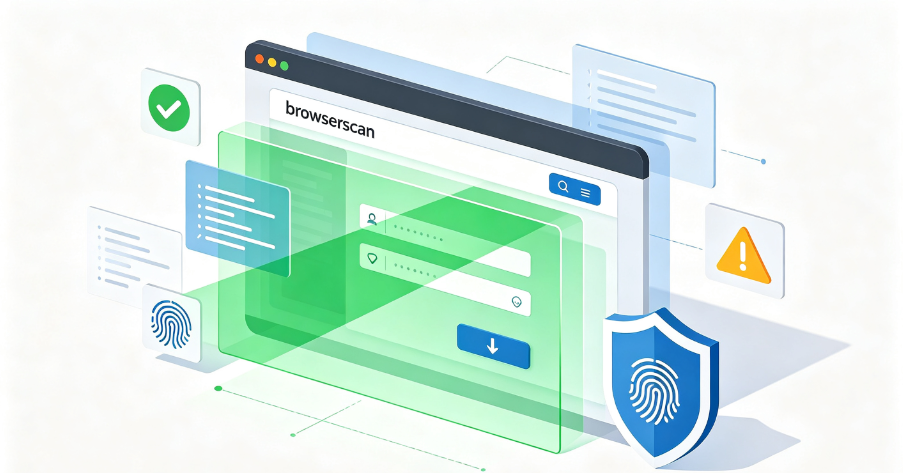
In today’s digital landscape, websites, advertisers, and platforms have become experts at identifying users online. Even if you change your IP address with a proxy, your browser leaves behind a unique “fingerprint” that can still expose your identity. This fingerprint is made up of dozens of data points—like fonts, screen resolution, WebGL rendering, and time zones—that create a near-unique profile of your device.
That’s exactly where BrowserScan comes into play. It’s a testing tool designed to reveal whether your IP address is leaking and how identifiable your browser fingerprint really is. This guide explains everything you need to know about BrowserScan in 2026—what it is, how it works, what it tests, how to interpret your results, and how to fix the issues it uncovers.

Part 1: What Is BrowserScan?
BrowserScan is an advanced browser fingerprint analysis tool that examines your browser’s fingerprints and gives you a fingerprint authenticity score. This score is pivotal: a figure below 90% flags potential privacy risks, indicating you may be divulging traces that could be exploited to track your online movements or link your multiple accounts, leading to possible account suspensions.
How BrowserScan Works
BrowserScan works by running a series of tests inside your browser and your network connection. It doesn’t anonymize you on its own—instead, it acts as a diagnostic platform. Its purpose is to show what information your browser and network are exposing whenever you visit a website.
When you run a BrowserScan test, the platform checks:
- Browser attributes – such as user agent, installed fonts, screen resolution, and operating system
- Rendering technologies – WebGL and canvas fingerprinting that generate unique patterns
- Audio and font identifiers – that differ across systems
- IP address data – what the outside world sees when you connect
Put simply, it helps answer the question: How trackable am I?
Why People Use BrowserScan
BrowserScan isn’t just for cybersecurity professionals. A wide range of users benefit from it:
- Privacy-conscious individuals – who want to understand what their browser reveals
- Multi-account managers – who need to verify that each account has a unique, consistent fingerprint
- Web scrapers and automation users – who need to ensure their setup avoids detection
- Anti-detect browser users – who want to confirm their fingerprint spoofing is working
Part 2: What BrowserScan Tests
BrowserScan provides a comprehensive overview of your browser’s profile, listing key elements across several categories.
Overview Section
The initial scan provides a comprehensive overview, listing:
- Browser Type & Version
- Operating System
- Language
- IP Address
- Time Zone
- Postal Code
- Country & Geolocation
- Internet Service Provider
- Blacklist Status
- DNS Leaks
- Bot Detection
Hardware Analysis
The hardware section of BrowserScan offers an in-depth look at your device, which is essential for maintaining online anonymity. It can reveal:
- Architecture of your device
- Canvas fingerprints
- WebGL fingerprints
- Number of CPU cores
- Detailed graphics card information
This section is especially important when using anti-detect browsers, as it helps to ensure that your simulated device profile is consistent and believable.
Software Analysis
In the software section, BrowserScan examines:
- Timezone alignment – whether your IP address’s timezone matches your browser’s settings
- Current time – captured from JavaScript
- Do Not Track – whether the feature is enabled
- Cookie settings – reviewed for consistency
These software details are crucial for creating a coherent online persona, especially when managing multiple accounts to prevent detection and potential account restrictions.
WebRTC and DNS Leak Detection
WebRTC is a technology that enables real-time communication directly in web browsers. While it provides useful capabilities, it also poses a risk of WebRTC leaks, which may expose your actual IP address regardless of using a proxy. BrowserScan specifically checks for these WebRTC leaks to confirm that your true location remains concealed.
DNS leaks occur when your device sends queries to your actual ISP’s DNS server instead of the DNS provided by your proxy. This can inadvertently reveal your true location to websites, which is a significant privacy concern. BrowserScan checks for these leaks to ensure that your online presence remains secure and private.
Additional Security Tools
Beyond the basics, BrowserScan offers a suite of tools to bolster your online security:
| Tool | Purpose |
| Port Scanner | Identifies open ports on your device that could be exploited by hackers |
| IP Address Lookup | Provides extensive details about any IP, including its physical location and the browser in use |
| 2FA Authenticator | Strengthens your login processes by generating or verifying security codes |
| Cookie Converter | Assesses cookie legitimacy and converts them into a usable format |
| Internet Speed Test | Checks your connection without the need for additional plugins |
| UserAgent Parse | Decodes the information within your user agent string |
Part 3: Understanding Your BrowserScan Score
BrowserScan provides a fingerprint authenticity score that reflects how consistent and believable your browser fingerprint appears.
What the Score Means
- Above 90% – Your fingerprint appears consistent and authentic. This indicates a low risk of tracking or detection.
- Below 90% – Flags potential privacy risks. You may be divulging traces that could be exploited to track your online movements or link your multiple accounts.
Common Reasons for a Low Score
IP Type Mismatch – If your IP address comes from a datacenter rather than a residential ISP, BrowserScan will flag it. Datacenter IPs are easily identifiable and often associated with automated activity.
Timezone and Language Inconsistencies – If your IP location doesn’t match your browser’s timezone or language settings, this creates a red flag. For example, using a US IP but having your browser language set to Chinese.
Canvas and WebGL Fingerprint Inconsistencies – If your canvas or WebGL fingerprint appears unusual or doesn’t match expected patterns for your claimed device, BrowserScan will detect it.
WebRTC or DNS Leaks – Any leak of your real IP address through WebRTC or DNS will lower your score significantly.
Device Fingerprint Uniqueness – If your fingerprint is too unique (e.g., rare fonts, unusual screen resolution, uncommon OS), it makes you more identifiable. Conversely, if it appears too generic or inconsistent, it may also be flagged.
Part 4: How to Improve Your BrowserScan Score
If BrowserScan reveals issues with your fingerprint, here’s how to fix them.
1. Use a Residential IP, Not a Datacenter IP
The single most important factor in achieving a high BrowserScan score is using a clean, residential IP. Datacenter IPs are easily identifiable and are almost always flagged. Residential IPs, by contrast, come from real Internet Service Providers and appear as genuine consumer connections.
2. Ensure Geographic Consistency
Your IP location, timezone, language, and system locale should all align. If your IP says you are in the United States, your timezone should be set to a US timezone and your browser language should be set to English (US).
3. Check for DNS Leaks
Ensure your DNS queries are routed through the same infrastructure as your traffic. Use BrowserScan’s DNS leak test to verify that your DNS is not exposing your real location.
4. Disable or Configure WebRTC
Prevent WebRTC from exposing your real IP. Use browser settings or extensions to disable WebRTC or configure it to use your network infrastructure.
5. Use an Anti-Detect Browser for Fingerprint Protection
BrowserScan assesses how uniquely identifiable the browser itself is. An anti-detect browser can spoof canvas, WebGL, font lists, and other fingerprinting vectors to present a consistent, realistic fingerprint.
6. Maintain Consistent Settings Across Sessions
Frequent changes to your IP, timezone, or other settings can raise suspicion. Maintain consistency across sessions for long-term account health.
Complete Proxy IP Fundamentals
Build a full proxy knowledge framework — from core principles to protocol selection
Part 5: How IPFLY Helps You Pass BrowserScan
IPFLY provides the residential proxy infrastructure that enables clean, consistent browser fingerprints and high BrowserScan scores.
Why Residential IPs Are Essential for BrowserScan
BrowserScan’s detection mechanisms are specifically designed to identify datacenter IPs. When your IP originates from a cloud provider or hosting service, the platform flags it immediately. This single factor can significantly lower your BrowserScan score, regardless of how well you have configured everything else.
The reason is straightforward: datacenter IPs are announced from hosting ASNs, which are classified as “datacenter” by commercial IP intelligence services. When BrowserScan performs an IP-to-ASN lookup, it immediately identifies the traffic as coming from non-consumer infrastructure.
IPFLY Static Residential Proxies (ISP Proxies)
IPFLY’s static residential proxies are dedicated, ISP-registered IP addresses that remain fixed over time. Each IP is used exclusively by a single user, ensuring a clean reputation and preventing association with other users’ activity.
Key advantages for BrowserScan:
- ISP-registered authenticity – Each IP is formally assigned by an Internet Service Provider and appears in geolocation databases as a residential broadband connection. To BrowserScan, you look like an ordinary household user, not a server in a data center.
- Dedicated, non-shared IPs – Each IP is used exclusively by a single user, ensuring a clean reputation and preventing association with other users’ activity.
- Stable and consistent – The IP remains unchanged, providing consistent identity for ongoing operations. This stability is critical for avoiding the IP changes that trigger BrowserScan’s flags.
- Geographic targeting – Choose IPs from specific countries and cities to match your intended location, ensuring timezone and language alignment.
- Full protocol support – HTTP, HTTPS, and SOCKS5 compatibility.
- Low latency – Delays as low as 50ms for fast, responsive browsing.
Static residential proxies are ideal for users who need consistent, long-term operations and high BrowserScan scores.
👉 Explore IPFLY Static Residential Proxies
IPFLY Dynamic Residential Proxies
For users who need geographic flexibility or IP rotation, IPFLY’s dynamic residential proxies offer real residential IPs with automatic rotation capabilities from a pool of over 90 million addresses covering 190+ countries.
Key advantages for BrowserScan:
- Real residential IPs – From a pool of residential addresses, ensuring high availability and low detection risk
- Automatic rotation – Distribute access across diverse IPs to avoid pattern detection
- Sticky session support – Maintain a consistent IP for hours or days when needed, ensuring session stability
- Geographic flexibility – Access content from virtually any region
- Full protocol support – HTTP, HTTPS, and SOCKS5
- High success rate – Over 99% connection stability
Dynamic residential proxies are ideal for users who need geographic diversity or who prefer to rotate IPs for additional privacy.
👉 Explore IPFLY Dynamic Residential Proxies
IPFLY Datacenter Proxies
For speed-critical operations where residential authenticity is less important, IPFLY’s datacenter proxies offer high-performance connectivity at a cost-effective price point.
👉 Explore IPFLY Datacenter Proxies
How IPFLY Addresses Each BrowserScan Check
| BrowserScan Check | IPFLY Solution |
| IP authenticity | Static residential IPs display consumer ISP ASN, not datacenter |
| Geographic consistency | Geographic targeting ensures IP, timezone, and language alignment |
| DNS leaks | SOCKS5 remote DNS ensures queries resolve through the proxy infrastructure |
| WebRTC leaks | Proper configuration combined with residential IP ensures only the proxy IP is visible |
| Blacklist status | Clean, dedicated IPs have no history of spam or abuse |
| Bot detection | Residential IPs preserve passive OS fingerprint, avoiding automation flags |
Part 6: BrowserScan vs. Other Fingerprint Testing Tools
BrowserScan is one of several tools available for testing browser fingerprints. Here is how it compares.
| Tool | Primary Focus | Best For |
| BrowserScan | Comprehensive fingerprint analysis with authenticity scoring | Users who want a detailed breakdown and actionable score |
| Pixelscan | Fingerprint consistency and logical contradictions | Users who need to check whether their setup contains internal contradictions |
| BrowserLeaks | Detailed technical parameter display | Users who want to see exactly what parameters their browser exposes |
| Whoer.net | Basic network parameters and anonymity score | Quick, general-purpose checks |
BrowserScan stands out because it provides a clear, actionable authenticity score. Unlike some tools that simply display raw data, BrowserScan tells you whether your fingerprint is consistent and believable.
Part 7: Best Practices for Passing BrowserScan
1. Fix the IP First
The most critical step is using a clean residential IP. A residential proxy routes you through real ISP-assigned home addresses, so to BrowserScan you look like an ordinary household user rather than a server in a data center.
2. Ensure Geographic Consistency
Your IP location, timezone, language, and system locale should all align. If your IP says you are in the United States, your timezone should be set to a US timezone and your browser language should be set to English (US).
3. Check for DNS Leaks
Ensure your DNS queries are routed through the same infrastructure as your traffic. Use BrowserScan’s DNS leak test and cross-check with dedicated DNS testing tools.
4. Disable or Configure WebRTC
Prevent WebRTC from exposing your real IP. Use browser settings or extensions to disable WebRTC or configure it to use your network infrastructure.
5. Use Consistent Fingerprint Settings Across Sessions
Frequent changes to your IP, timezone, or other settings can raise suspicion. Maintain consistency across sessions for long-term account health.
6. Use an Anti-Detect Browser for Fingerprint Protection
BrowserScan assesses how uniquely identifiable the browser itself is. An anti-detect browser can spoof canvas, WebGL, font lists, and other fingerprinting vectors to present a consistent, realistic fingerprint.
7. Test Before Going Live
BrowserScan is designed to help you test your setup before going live and avoid detection on target websites. Run a scan, fix any issues, and rerun until all checks pass.
BrowserScan as a Diagnostic Tool for Digital Identity
BrowserScan is an invaluable diagnostic tool for anyone who needs to understand what their browser and network environment reveal to the outside world. By testing IP authenticity, DNS configuration, WebRTC exposure, canvas fingerprinting, and system metadata, it provides a comprehensive audit of your digital identity.
The authenticity score is not just a number—it is a reflection of how consistently your entire digital identity holds together under scrutiny. Achieving a high score requires attention to multiple dimensions, with IP authenticity being the most critical factor.
For users who need reliable, consistent access to platforms and services, investing in high-quality network infrastructure is essential. IPFLY’s static residential proxies provide the ISP-registered, dedicated IPs that present a clean, trustworthy identity—one that BrowserScan’s detection mechanisms recognize as legitimate consumer traffic.
Pass BrowserScan with IPFLY
BrowserScan reveals what your browser exposes to the internet. The most critical factor in passing its tests is using a clean, residential IP that appears as genuine consumer traffic.
IPFLY provides the residential network infrastructure you need to pass BrowserScan consistently:
- Static Residential Proxies – Dedicated, ISP-registered IPs with residential authenticity. Perfect for consistent, long-term operations and achieving high BrowserScan scores.
- Dynamic Residential Proxies – Real residential IPs from 190+ countries with automatic rotation capabilities.
- Datacenter Proxies – High-performance IPs for speed-critical operations.
Get started today: Register for an IPFLY account and explore the full product lineup on the IPFLY homepage. Equip your browser with the clean, trusted network environment that passes the BrowserScan fingerprint test.


