

What Is a URL?
Every time you open a website, send a link, or bookmark a page, you are interacting with a URL. It is one of the most fundamental building blocks of the internet, yet many people never stop to think about what a URL actually is or how it works.
This guide explains everything you need to know about URLs in 2026—what they are, how they are structured, why they matter, and how they impact everything from everyday browsing to search engine optimization.
What Is a URL?
A URL, or Uniform Resource Locator, is a reference or address used to access resources on the internet. It specifies the location of a resource—such as a web page, file, or image—and the protocol required to retrieve it.
In simpler terms, a URL is the full web address you type into your browser’s address bar to visit a specific page or file online. It tells your browser exactly where to go and how to get there.
URL vs. Web Address vs. Link
These terms are often used interchangeably, but they have subtle differences:
- URL – The technical term for a web address. It includes everything needed to locate and retrieve a resource.
- Web address – A more general term that most people use to refer to a URL.
- Link – A clickable version of a URL embedded in text, buttons, or images. While a plain URL is text you copy and paste, a link takes you directly to a page when clicked.

URL vs. URI: What’s the Difference?
A URI (Uniform Resource Identifier) is a broader term that identifies a resource. A URL is a specific type of URI that not only identifies a resource but also specifies how to locate it. A URI may not always include the access method—it can simply name a resource without saying how to find it. Every URL is a URI, but not every URI is a URL.
URL vs. IP Address
While an IP address points to the location of a server on the internet, a URL provides a more user-friendly address and specifies the exact resource and the protocol used to access it. Think of an IP address as a street address for a building, while a URL is the full directions that tell you which floor and which room to enter.
Why URLs Matter
URLs are more than just technical addresses—they are essential tools for navigating, sharing, and understanding the web.
URLs provide a simple and standardized way to access resources across the web, making navigation and resource retrieval straightforward. Without URLs, you would need to remember IP addresses for every website you visit—a task that is impractical for most users.
Human-Readable and Memorable
Unlike IP addresses, URLs are often designed to be easily readable and memorable, helping users locate web pages and resources. A well-chosen URL can tell you something about the content of a page before you even click it.
Interoperability
URLs work across different platforms and systems, providing a consistent method for accessing resources over the internet. Whether you are on a phone, tablet, or desktop, a URL functions the same way.
SEO and Website Organization
Search engines use URLs to understand the structure and content of websites. Clear, descriptive URLs with relevant keywords can improve search engine rankings. For website owners, well-organized URLs make it easier for visitors to navigate and understand the site architecture.
The Anatomy of a URL: Breaking Down Every Part
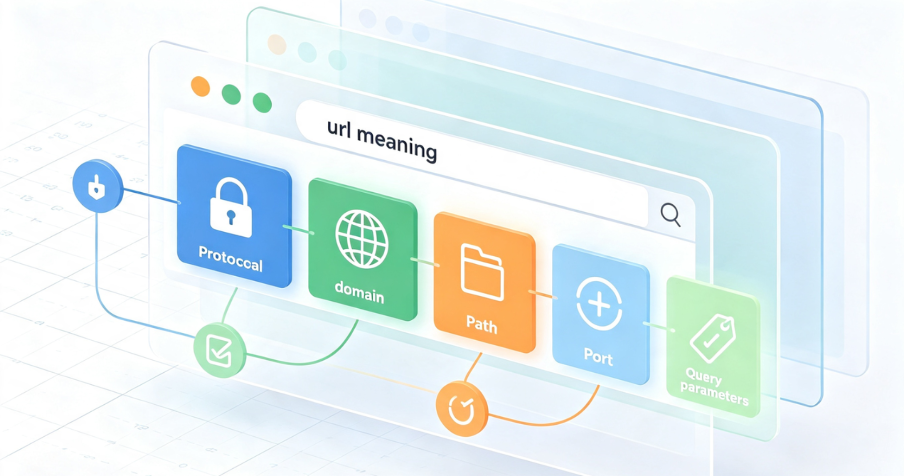
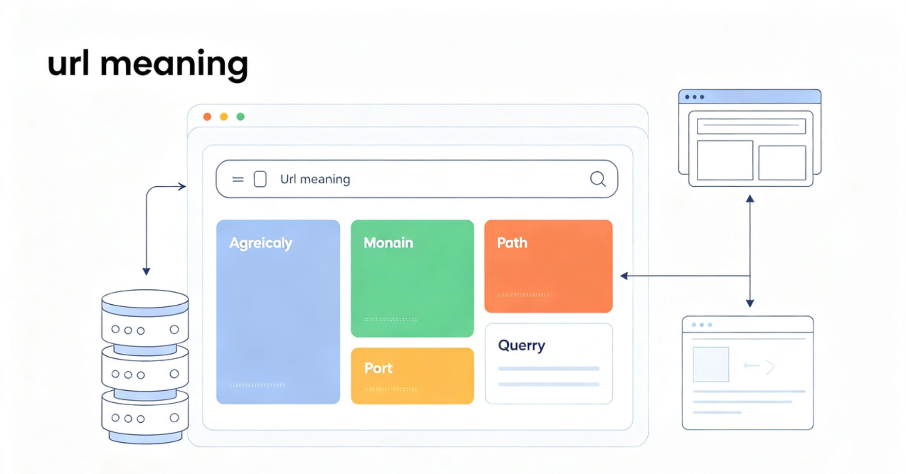
A URL is made up of several key components, each with a specific job. Here is a breakdown of the most common parts you will find in a web address.
1. Scheme (Protocol)
The scheme is the first part of a URL. It defines the protocol your browser uses to connect to a website’s server.
Common protocols:
- HTTP (Hypertext Transfer Protocol) – The standard protocol for web communication.
- HTTPS (Hypertext Transfer Protocol Secure) – The secure version of HTTP, meaning any data you share is encrypted. HTTPS uses TCP/IP port number 443 encrypted by Transport Layer Security (TLS), while HTTP uses port 80.
- FTP – Used for file sharing between different web hosts.
- mailto – Opens the user’s default email client to send a message.
In the URL https://www.example.com, the scheme is https://.
2. Subdomain
A subdomain consists of any words or phrases that come before a URL’s first dot. The most common subdomain is www, but site owners can use any word to organize content, such as blog or support.
In https://blog.example.com, the subdomain is blog.
3. Domain Name
The domain name is the unique name that identifies a website. It is the human-readable part of the address that replaces a numeric IP address. In https://www.example.com, the domain name is example.
4. Domain Extension (Top-Level Domain)
The domain extension is the ending of the domain name, such as .com, .org, or .net, also known as a top-level domain (TLD). Different TLDs can indicate the type or purpose of a website (e.g., .edu for educational institutions, .gov for government sites).
5. Path
The path specifies the specific folder and file on the server, directing the browser to the correct page. In https://www.example.com/products/shoes, the path is /products/shoes.
6. Query Parameters
Query parameters are used to pass extra information to the server and come after a question mark. They are often used for search results, filtering, or tracking. In https://www.example.com/search?q=shoes, the parameter is q=shoes.
7. Fragment (Anchor)
A fragment is an optional part of a URL that comes after a # symbol. It points to a specific section within a page, such as a heading or a particular point in a long article.
Absolute vs. Relative URLs
Not all URLs are the same. There are two main types:
Absolute URLs contain a full address, including the protocol and domain name. They work from anywhere on the web. Example: https://www.example.com/products/shoes
Relative URLs point to a file or page within the same website. They do not include the full address and are shorter. Example: /products/shoes
Relative URLs are commonly used within websites to link between pages, making it easier to move or reorganize content without breaking links.
How URLs Work
When you type a URL into your browser’s address bar or click a link, several steps happen behind the scenes:
- Your browser sends a request to the server specified in the URL.
- The Domain Name System (DNS) translates the human-readable domain name into an IP address that computers can understand.
- The browser connects to the server using the specified protocol (HTTP or HTTPS).
- The server retrieves the requested resource (web page, image, file).
- The browser displays the content in your browser window.
This entire process happens in milliseconds, allowing you to navigate the web seamlessly.
Clear Step-by-Step Proxy IP Tutorials
Master proxy setup, integration and performance optimization quickly with IPFLY guides
Common URL Issues and How to Avoid Them
While URLs are essential, they are not without their challenges.
Link Rot
Over time, URLs may become outdated or broken, leading to inaccessible resources—a phenomenon known as link rot. As websites are updated, pages are moved or deleted, and links break. This is why maintaining a clear URL structure and using redirects is important for website owners.
Security Risks
URLs can be manipulated for phishing attacks or other malicious activities, particularly if they are obfuscated or shortened. Always check the full URL before clicking on links, especially in emails or messages from unknown senders.
Length and Complexity
URLs with multiple parameters, query strings, and fragments can become long and complex, making them harder to share or remember. For website owners, keeping URLs clean and descriptive improves usability and SEO.
How to Create User-Friendly URLs
For website owners and content creators, writing clear, well-structured URLs is essential for both users and search engines. Here are some best practices:
Keep it short and descriptive – Use words that describe the content of the page. Avoid unnecessary parameters or numbers.
Use hyphens, not underscores – Search engines treat hyphens as word separators, making URLs more readable.
Avoid special characters – Stick to letters, numbers, and hyphens. Special characters can cause encoding issues.
Use lowercase letters – URLs are case-sensitive on some servers, so using lowercase avoids confusion.
Include keywords – Relevant keywords in URLs can help with search engine rankings.
Create a logical structure – Organize your URLs to reflect the hierarchy of your website (e.g., /category/subcategory/page).
How IPFLY Protects Your Privacy When Browsing
Every time you visit a website, your browser sends your IP address along with the request. This means that websites, advertisers, and even your Internet Service Provider can track your browsing activity—including the URLs you visit.
IPFLY provides residential proxy solutions that help protect your privacy by masking your real IP address. By routing your traffic through real ISP-assigned residential IP addresses, IPFLY ensures that your browsing activity remains private and cannot be easily traced back to you.
IPFLY Static Residential Proxies offer dedicated, ISP-registered IP addresses that remain consistent over time—ideal for users who want long-term privacy protection without detection.
IPFLY Dynamic Residential Proxies provide real residential IPs with automatic rotation, adding an extra layer of anonymity by regularly changing your visible IP address.
👉 Explore IPFLY Residential Proxies
Frequently Asked Questions
What is a URL?
A URL (Uniform Resource Locator) is a reference or address used to access resources on the internet. It specifies the location of a resource and the protocol required to retrieve it.
What is the difference between a URL and a domain name?
A domain name is just one part of a URL—it identifies the website. A URL includes the protocol, domain name, path, and sometimes other components like query parameters and fragments.
Is a URL the same as a web address?
Yes. A URL is the technical term for what most people call a web address.
What does HTTPS mean in a URL?
HTTPS stands for Hypertext Transfer Protocol Secure. It is the secure version of HTTP, meaning any data you share with the website is encrypted.
What is the difference between an absolute and a relative URL?
An absolute URL contains the full address, including the protocol and domain name. A relative URL points to a file or page within the same website and does not include the full address.
Why do some URLs have question marks and symbols?
Question marks and symbols in URLs are used for query parameters, which pass extra information to the server—often for search results, filtering, or tracking.
Can URLs be dangerous?
Yes. URLs can be manipulated for phishing attacks or other malicious activities. Always check the full URL before clicking on links, especially in emails or messages from unknown senders.
Understanding the Web’s Address System
URLs are one of the most fundamental components of the internet. They serve as the address system that allows browsers to locate and retrieve resources from across the web. Whether you are a casual user, a website owner, or a developer, understanding what a URL is and how it works is essential for navigating, building, and securing the digital world.
Key takeaways:
- A URL is the full web address used to access resources on the internet.
- A URL consists of multiple parts – protocol, subdomain, domain name, path, query parameters, and fragments.
- URLs are human-readable – Unlike IP addresses, URLs are designed to be memorable and meaningful.
- URLs matter for SEO – Clear, descriptive URLs with relevant keywords can improve search engine rankings.
- URLs can pose security risks – Always verify URLs before clicking, especially in unsolicited messages.
- URLs can break over time – Link rot is a common issue as websites are updated and pages are moved.
- Protecting your privacy matters – Using a residential proxy can help keep your browsing activity private.
Understanding URLs is not just a technical skill—it is a fundamental part of being a confident and informed internet user in 2026.
Protect Your Privacy with IPFLY
Every URL you visit reveals information about you. IPFLY provides the residential proxy infrastructure that helps protect your privacy and keep your real IP address hidden.
IPFLY offers flexible proxy solutions for every use case:
- Static Residential Proxies – Dedicated, ISP-registered IPs for consistent, long-term privacy protection.
- Dynamic Residential Proxies – Real residential IPs with automatic rotation for enhanced anonymity.
- Datacenter Proxies – High-performance IPs for speed-critical operations.
Get started today: Register for an IPFLY account and explore the full product lineup on the IPFLY homepage. Browse with confidence, knowing your privacy is protected.






