

When choosing a proxy for Telegram, country, connection type, and the number of available IPs are not the only factors that matter. It is just as important to understand how long you need to keep the same address.
For one task, you may need an IP only for the duration of a working session. For another, the same address must remain available after a restart, when the account is used again a day, a week, or even a month later.
That requirement also determines the type of proxy you need. A sticky residential IP solves one problem, while a static ISP proxy solves another. The distinction becomes especially important when a proxy setup supports not one account but an entire system of connections.
If you work with a large number of Telegram accounts, these connections have to be selected, distributed, tested, replaced, and tied to working configurations. Specialized Telegram management tools are used for this. One such tool is Telegram Soft Expert, a platform for working with accounts, proxies, and other elements of Telegram infrastructure.
Telegram Expert lets you add and test proxies, manage proxy lists, and assign connections to accounts. So below, we will look not only at the difference between temporary and permanent IP persistence, but also at how to choose the right option for this kind of workflow.
First, decide whether the IP needs to remain available after the task ends
The main selection criterion is simple: determine whether a specific IP is needed only within the current process or whether you will need to return to it after the work is finished.
You only need one IP during the current process
Imagine a workflow made up of several actions. The account connects, completes the task, and then the work ends.
In this case, there is no need to keep the same address for the following days. What matters is that the connection continues to use the required IP throughout the process itself.
A sticky residential session is suitable here. One address is retained for a defined period, but the same IP is no longer guaranteed after the session ends.
You need the same IP the next time you launch
Now consider a different situation. The account finishes its work today, but tomorrow or a few days later it needs to be launched again through the same address.
Temporary persistence is not enough in this case if the session expires before the next launch.
Here, you need a permanent IP that remains the same across separate working sessions.
This is the core distinction between a sticky residential proxy and a static ISP proxy.
A sticky proxy keeps the same address for the duration of a working session
A standard residential proxy works with a dynamic pool of IPs. A specific address does not become a permanent resource assigned to the user.
A sticky session lets you keep using one selected IP for a certain period. As long as the session remains active and the underlying node is available, the workflow continues through that address.
This does not turn a residential IP into a permanent one. Once the session ends, the same address is no longer guaranteed.
The address remains part of a dynamic pool
A sticky IP still belongs to a dynamic residential network.
That makes this option a logical choice when consistency is required only within a single task. There is no reason to pay for a separate permanent resource if you no longer need that specific address after the work is complete.
Persistence ends with the session or the availability of the node
Temporary persistence has a natural limitation. A specific IP is retained only within the conditions of the session and for as long as the node remains available.
This is why a long-running session should not automatically be treated as a permanent connection. If an account must return to the same address several days later, that is a different requirement.
A static ISP proxy keeps the same address across working sessions
A static ISP proxy provides a permanent IP registered with an internet service provider and hosted on server infrastructure.
The key difference is not that such a proxy is inherently better for Telegram. Its purpose is simpler: to provide a specific address that you can return to after a working session has ended.
The address does not depend on the availability of a home device
A residential connection depends on the node that provides the address. If the particular end-user device becomes unavailable, the connection through that IP may also end.
A static ISP proxy is hosted on server infrastructure, so its availability does not depend on a specific home device remaining online.
For a permanent configuration, this provides a more predictable result.
Permanent IPs require a dedicated resource
A permanent IP makes sense when persistence itself is a requirement.
If a task lasts only one working cycle, there is no need to purchase a dedicated address for a long period. A sticky residential session may be sufficient.
A static option becomes justified when an account regularly returns to work and must reconnect through the same specific IP.
For Telegram, the required duration of IP consistency matters more than the proxy label
Telegram stores information about active authorizations, including the last known IP, country and region, device, and app details.
At the same time, Telegram’s official documentation does not state that one account must always use the same IP. Nor is there a universal rule saying that changing an address by itself causes an account to be blocked.
So the proxy type should be chosen based on the workflow, not on assumptions about which IP Telegram might consider ‘correct.’
An IP can be part of the current working session
If several related actions are performed as part of one task, it may be important to keep the same network address throughout the entire process.
Temporary persistence is sufficient for this as long as the session duration matches the length of the work.
A permanent IP is needed when the configuration must be reproducible
If an account is used regularly and the working configuration must be reproduced after a restart, a permanent IP solves a different problem.
It lets you keep the same specific address across separate working sessions.
For a one-off task, a permanent IP may be unnecessary
If an account performs a limited task and you no longer need the specific IP once that task is complete, a permanent address does not provide a necessary advantage.
Short processing task
The account connects, performs the required actions, and finishes its work within a single session.
In this scenario, it is enough to keep one IP for the duration of the work.
If a task consists of several consecutive actions, a sticky session lets you perform all of them through the same address.
Once the cycle is complete, there is no need to retain that IP for the following days.
Long-term use of one account requires a different level of predictability
If an account is used regularly, a temporary session may not fit the workflow.
The work ends today and the program is launched again tomorrow. If the exact same IP is required, that address has to be retained as a separate permanent resource.
The account returns to work on different days
Here, the key criterion is not the number of accounts but whether a specific address must be reused.
If the account can use a different IP tomorrow, a permanent resource is unnecessary.
If you specifically need today’s address again, a static proxy is the better choice.
The network binding must be reproducible after a restart
When working with many accounts, it is important to decide in advance which connections actually need to persist.
There is no need to assign a permanent IP to every account. Permanent addresses are only required where the workflow genuinely depends on them.
Other tasks can be handled with sticky residential sessions.
Full-Industry Proxy IP Application Solutions
Power scalable growth for every cross-border business scenario with IPFLY’s reliable global proxy network
Sticky and static proxies solve different problems
| Criterion | Sticky residential proxy | Static ISP proxy |
| What stays the same | One IP for the duration of the session | One specific IP across sessions |
| Address source | Dynamic residential pool | Dedicated permanent address |
| After the work ends | The IP is no longer guaranteed | The address remains available while the resource is active |
| Depends on an end-user device | Yes | No |
| Geographic selection | Usually broader | Usually narrower |
| For a short task | Suitable | May be excessive |
| For ongoing use | Limited by session duration | Better suited |
| Main criterion | Duration of the current task | How long the specific IP must remain available |
How to choose the right option for Telegram Expert
The decision can be reduced to a few steps.
1. Determine the duration of a single task. How long does the account need to work through one IP?
2. Check whether you need the same address after the task is complete. If not, temporary persistence is enough. If yes, you need a permanent IP.
3. Group accounts by workflow. Not every account needs the same type of proxy. For temporary tasks, you can use residential sessions with a sticky IP. For permanent working configurations, use dedicated static addresses.
4. Configure connections in Telegram Soft Expert. In Telegram Expert, proxies can be added to a shared list, checked for availability, and assigned to accounts. This centralizes connection management instead of requiring you to manage each address manually.
5. Test the setup before scaling. First, test the proxy itself. Then perform a real operation in Telegram Expert. After that, repeat the test after the interval that matters for your workflow.
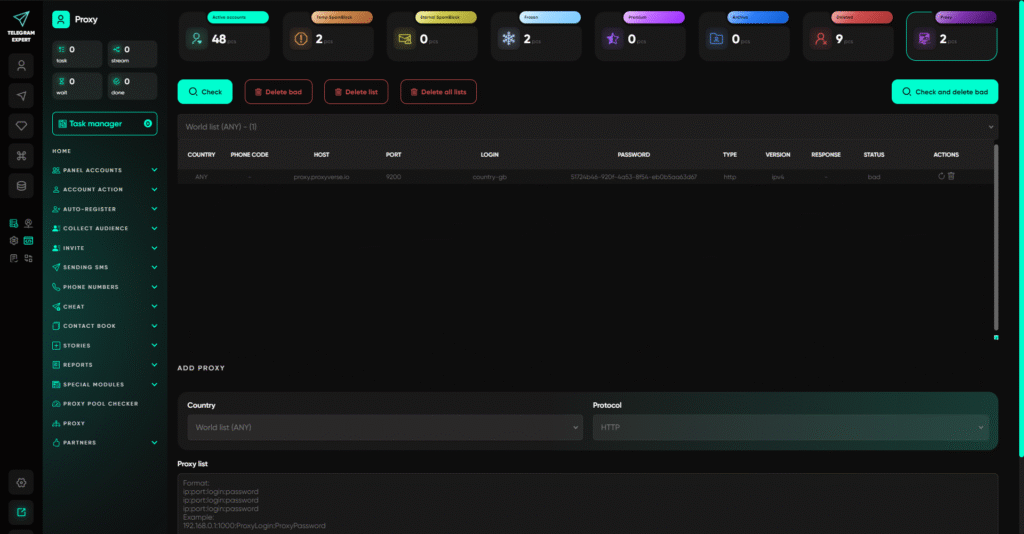
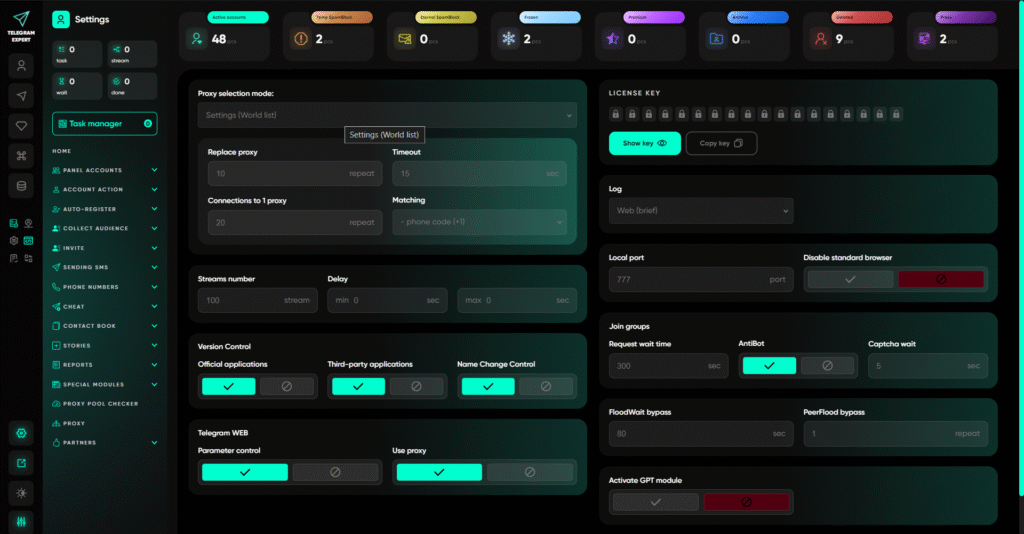
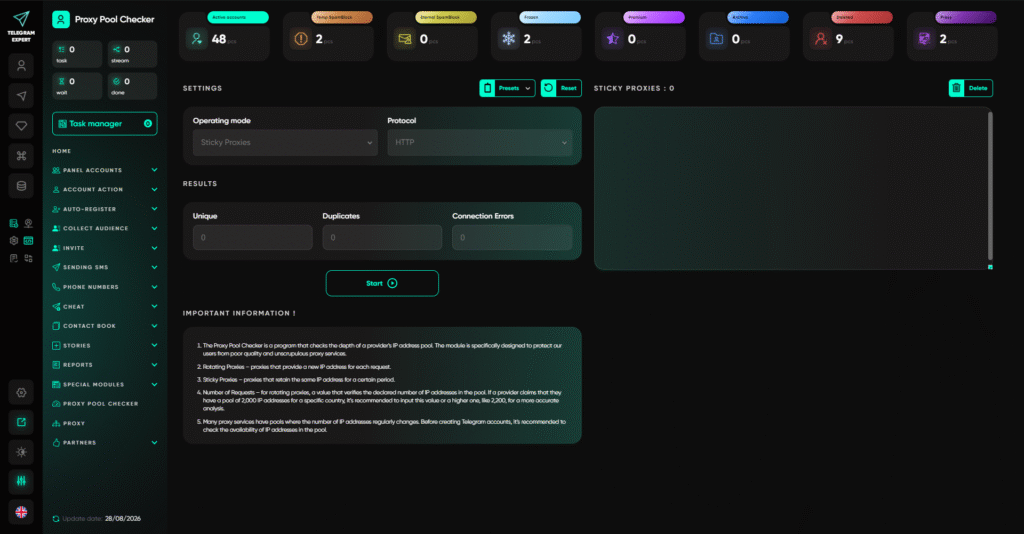
When testing a sticky session, make sure the IP remains the same for the required session duration.
When testing a static proxy, make sure the same address is still available the next time you launch.
Proxy management is only one part of what Telegram Soft Expert can do
Proxies in Telegram Expert are not an isolated standalone tool. The software is designed for working with multiple accounts and brings together, in one interface, tasks that would otherwise require several separate services and utilities.
Workflows can vary. Some users need to prepare and check accounts, others need to collect audiences and bring databases into a usable state, while others need to organize messaging, invitations, or the handling of incoming messages.
So once your proxies are configured, you can use the same working environment for other operations involving accounts and data.
Key Telegram Expert features
- Account management. Add accounts, check their status, organize them into folders, and manage connection settings. Proxies can be assigned at the account level and managed centrally.
- Account registration. The universal registration tool can automate account creation through supported virtual-number services. Device and app parameters can also be prepared separately before registration.
- Account warm-up. The Booster module automates actions in conversations to gradually prepare accounts for further use.
- Audience collection. The parser collects users from groups, channels, comments, and other available sources. You can separately identify active participants, use Telegram’s global search, and build databases for a specific task.
- Database processing. Collected data can be cleaned, filtered, merged, and deduplicated across databases. For example, you can remove users without a username or duplicate entries, then combine several results into one dataset.
- Messaging and invitations. Prepared databases can be used to send messages and invite users. Operation results are stored in databases with statuses, so an unfinished task can be resumed from the appropriate point.
- Forwarder. This module collects incoming messages from multiple accounts and sends them to a working group. It is useful when requests arrive through different accounts but need to be handled in one place.
- Interceptor. Monitors messages in selected groups, channels, and chats for specified keywords and forwards matching content to designated chats or channels.
- TDATA Converter. Converts session and JSON files to TDATA in bulk, preparing accounts for use with supported tools.
- Duplicator. Creates an additional session for an existing account. This is useful when the same account needs to be used through several prepared sessions.
- Global search. Lets you find groups, channels, and users by keyword using Telegram’s standard search. When working with multiple accounts, search requests can be distributed among them.
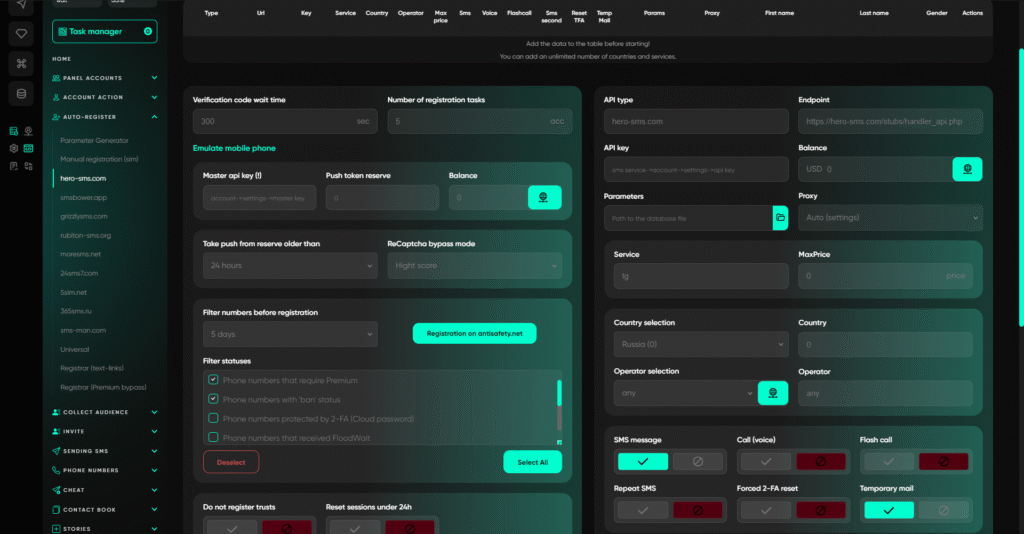
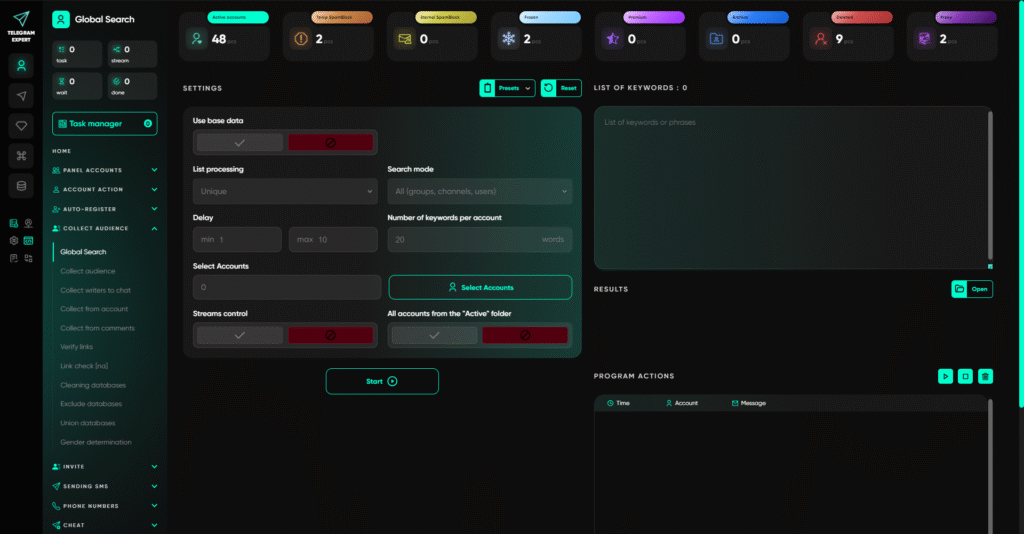
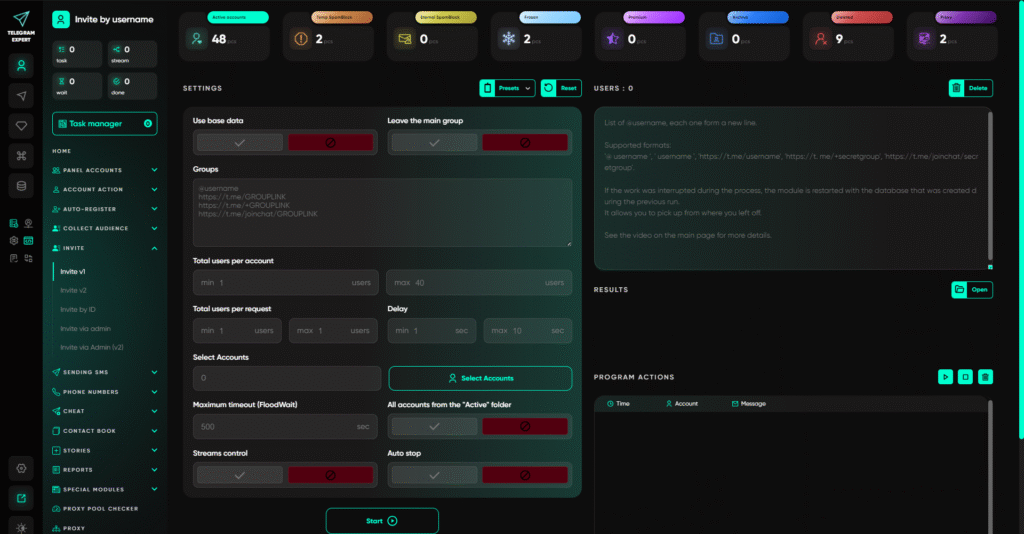
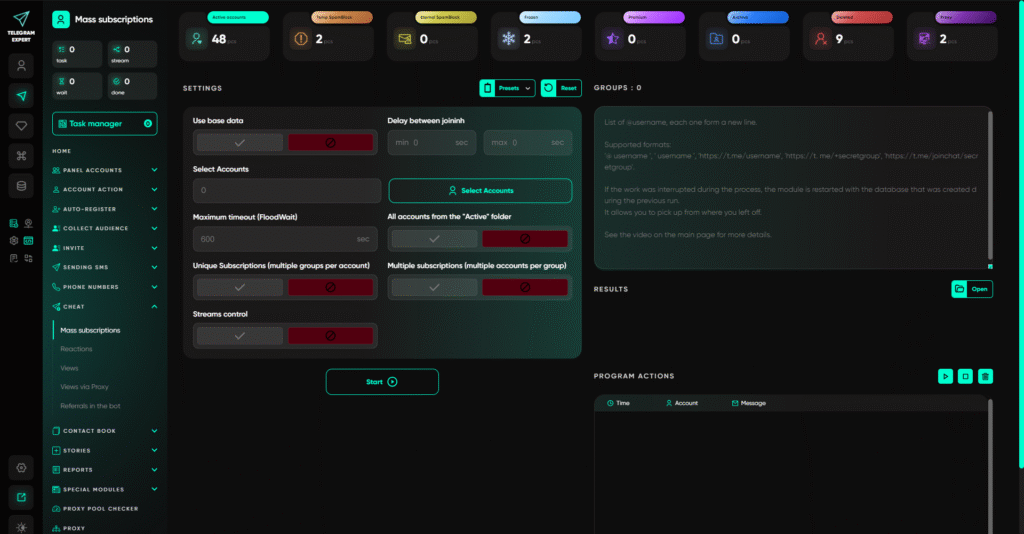
Telegram Soft Expert can be used for much more than proxy configuration. In a single application, you can connect account management, data collection and preparation, further audience operations, and incoming-message handling.
You do not have to use the entire toolset. If your task is limited to account and proxy management, the relevant modules are enough. If your workflow also includes audience collection, database processing, and communication, the other features let you continue the process in the same working environment.
How to test the chosen setup before a large-scale launch
Do not test only the proxy response speed.
First, make sure the connection itself works and matches the selected proxy type.
Then use it in a real operation. This is the only way to determine whether the proxy’s behavior matches the requirements of the specific task.
The final step depends on the model you selected. For a temporary session, verify that the address remains the same for the required period. For a permanent IP, verify that you can return to the same address after the work is finished.
This test checks the exact property you are paying for.
What options does IPFLY offer for this setup?
If a task only requires keeping the same residential IP until the end of a working cycle, IPFLY offers a residential pool with the option to keep an address sticky for the duration of a session.
If a specific address needs to remain part of a permanent configuration across separate launches, the service also offers dedicated static ISP proxies.
There is therefore no single universally best option. A sticky IP is suitable for a task with a limited duration, while a static address is designed for a permanent working configuration.
FAQ
Are sticky and static proxies the same thing?
No. A sticky proxy keeps one IP for the duration of a session. A static proxy provides a specific address that can be used across separate working sessions.
Does changing an IP mean Telegram will block the account?
No. There is no universal official rule stating that changing an IP by itself results in an account being blocked.
Does every Telegram account need its own permanent IP?
No. Telegram’s official documentation does not establish such a requirement. Permanent addresses make sense only where the workflow genuinely requires them.
When is a sticky session enough?
When one IP is needed only for the current task and there is no need to return to it after the task is complete.
When do you need a static IP?
When a specific address must remain available after the current session ends and be reused on subsequent launches.
Why use Telegram Soft Expert here?
When you work with many accounts, proxies need to be added, tested, distributed, and replaced on an ongoing basis. Telegram Expert brings these operations together in one interface and lets you manage proxies at the level of working connections.
The core selection criterion remains the same: first decide how long you need to keep the same IP, and only then choose the proxy type.


